Environment
Some companies have a specific environment (command tower) with the complete Ansible configuration installed so that all automations are provisioned only from it. This policy only makes sense if the machines are not internet-facing.
Prerequisites
For this reason, we're going to create 2 machines that will be our playground environment and all commands targeting them will be executed locally. We could create 3 machines and one would be our central hub, but based on what I mentioned above, it doesn't make much sense, it would be like sweeping things under the rug.
Let's use our friend Ubuntu. Don't forget to ensure they can communicate on the network and allow access from the local machine IP to be able to ping them for testing.
These machines could be local VMs on the same network, but I ended up doing this directly on AWS cloud.

Ensuring SSH and communication between them.
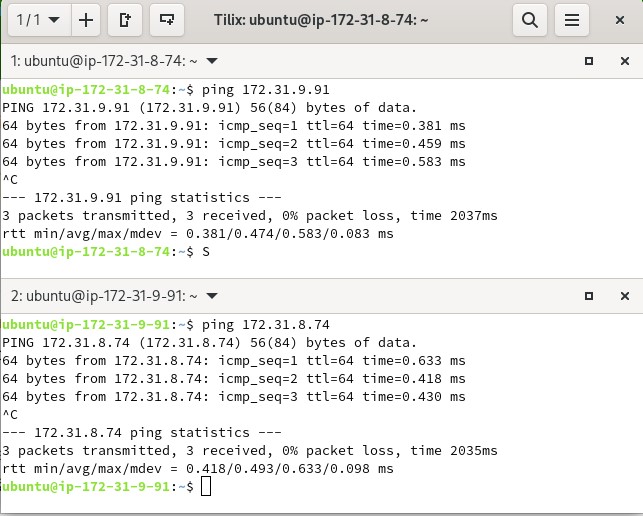
Checking the security group to allow remote ping.

Testing remote ping.
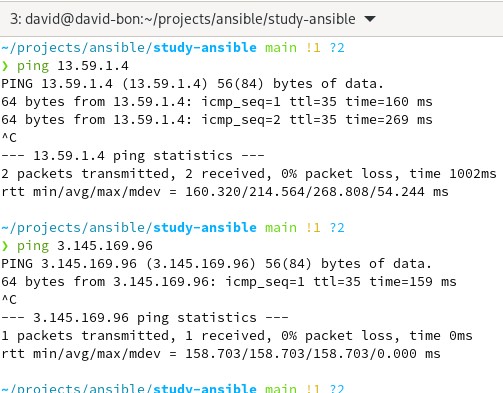
Let's take the opportunity to add the names to /etc/hosts to make life easier when referencing the machines.
~/projects/ansible/study-ansible main !1 ?2                                                                                                                         1.1.7 01:45:21
❯ cat /etc/hosts
# This file was automatically generated by WSL. To stop automatic generation of this file, add the following entry to /etc/wsl.conf:
# [network]
# generateHosts = false
127.0.0.1       localhost
127.0.1.1       david-bon.localdomain   david-bon
13.59.1.4       robot-1
3.145.169.96    robot-2

# The following lines are desirable for IPv6 capable hosts
::1     ip6-localhost ip6-loopback
fe00::0 ip6-localnet
ff00::0 ip6-mcastprefix
ff02::1 ip6-allnodes
ff02::2 ip6-allrouters

~/projects/ansible/study-ansible main !1 ?2                                                                                                                         1.1.7 01:45:27
❯ ping robot-1
PING robot-1 (13.59.1.4) 56(84) bytes of data.
64 bytes from robot-1 (13.59.1.4): icmp_seq=1 ttl=35 time=246 ms
^C
--- robot-1 ping statistics ---
1 packets transmitted, 1 received, 0% packet loss, time 0ms
rtt min/avg/max/mdev = 246.422/246.422/246.422/0.000 ms

~/projects/ansible/study-ansible main !1 ?2                                                                                                                         1.1.7 01:45:33
❯ ping robot-2
PING robot-2 (3.145.169.96) 56(84) bytes of data.
64 bytes from robot-2 (3.145.169.96): icmp_seq=1 ttl=35 time=226 ms
64 bytes from robot-2 (3.145.169.96): icmp_seq=2 ttl=35 time=253 ms
^C
--- robot-2 ping statistics ---
2 packets transmitted, 2 received, 0% packet loss, time 1001ms
rtt min/avg/max/mdev = 225.880/239.436/252.992/13.556 ms

~/projects/ansible/study-ansible main !1 ?2
We're ready for the playground.
Extras
If you generate a key with the ssh-keygen command, you must pass the generated public key to the destination machines.
To do this, you need to place this key in the .ssh directory of the destination machine's user.
## ssh-copy-id id_rsa ubuntu@robot-1
ssh-copy-id keyname user@ip**
With these commands, the public key will be passed to the destination user.
If you even want to use SSH without -i to identify the key, you can do it.
## ssh-agent bash which will be the destination shell
ssh-add keypath\
ssh user@ip**