Azure DNS
Azure DNS is a domain hosting service in Azure that allows you to manage and resolve domain names without needing external DNS servers. It offers a scalable and secure way to manage DNS records and ensure your domain is accessible on the internet or internal networks. In AWS we have Route 53.
It's possible to buy a domain in Azure at App Service Domain which I don't really recommend. When it comes to domain purchase, I prefer to do this separately and create a redirect from the domain to the nameserver of a zone in Azure.
If you already have a registered domain and you probably do, the service we're looking for is DNS Zones.
Create a zone for your domain. For example, the domain puziol.com.br is mine and I want to make a zone for azure.puziol.com.br.
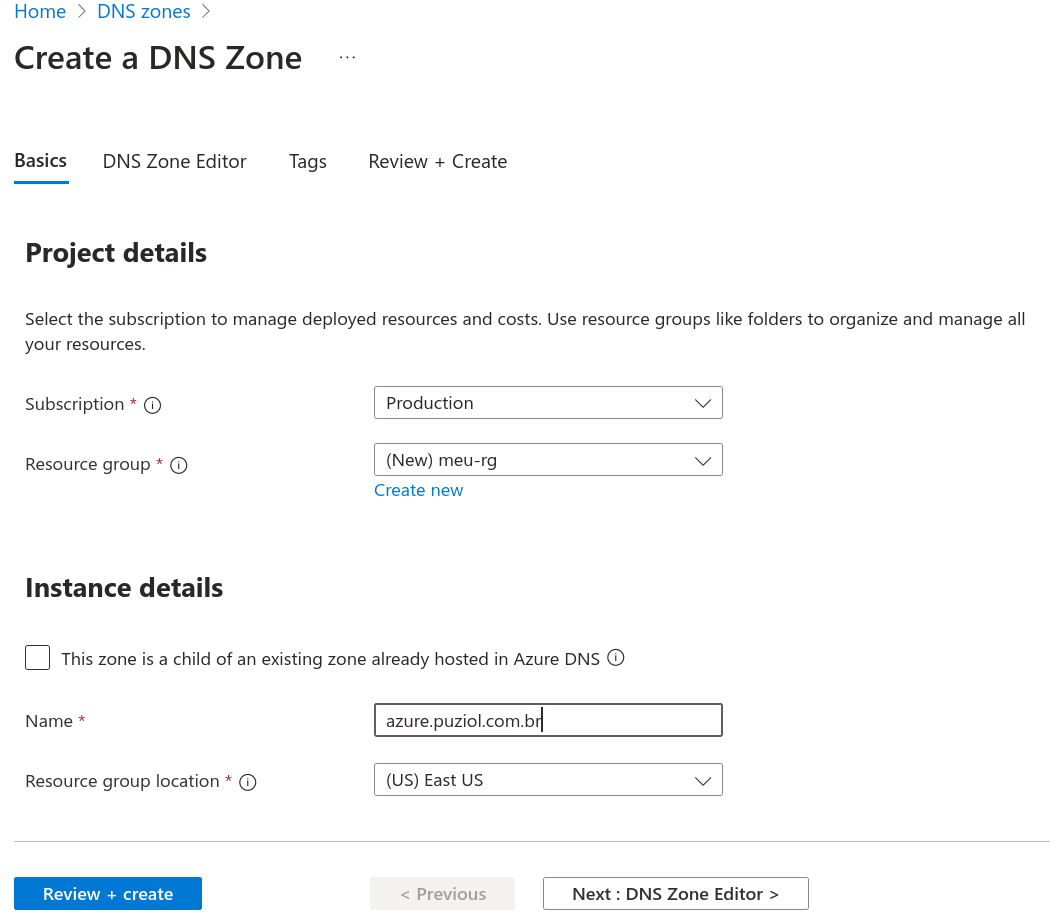
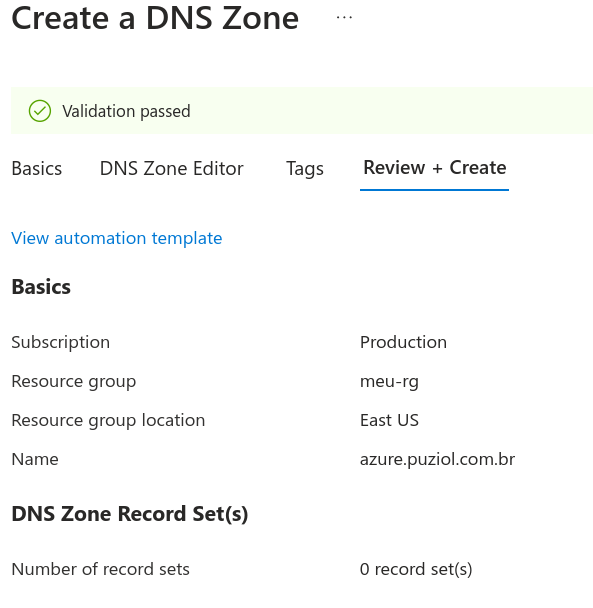
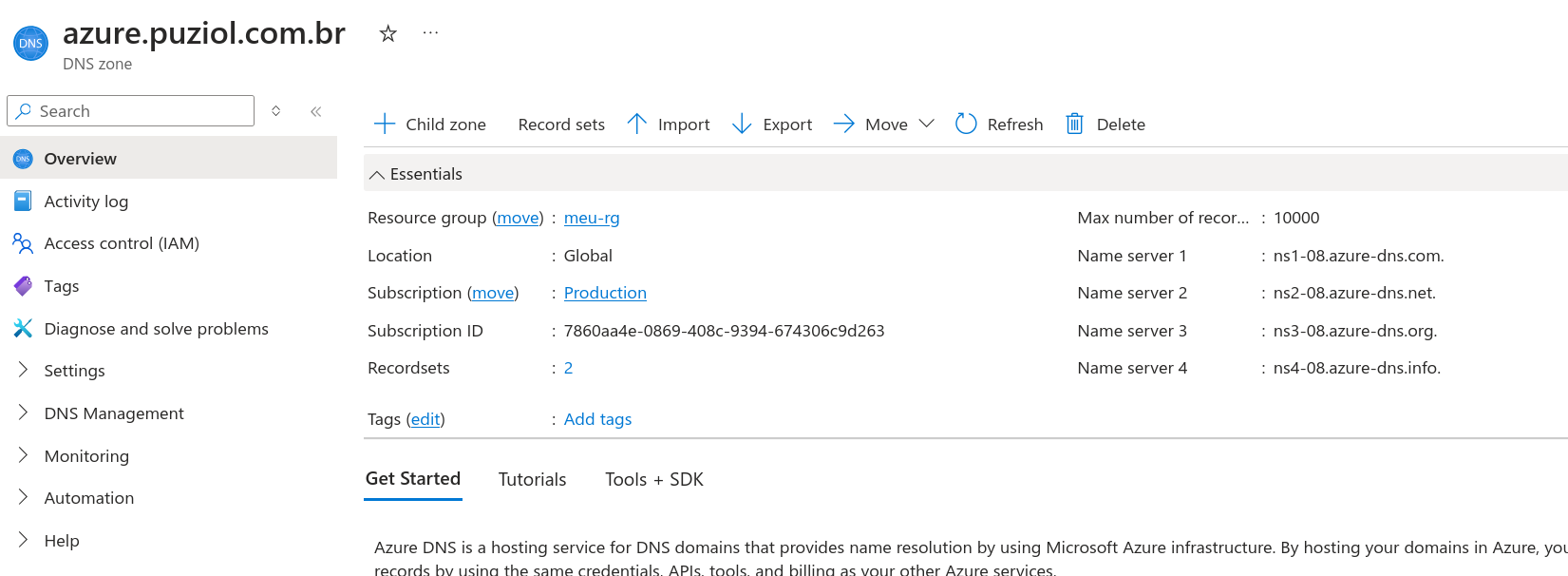
And we already have the nameservers to configure there in Cloudflare in the azure subdomain I just made up.
And in Cloudflare we put this.
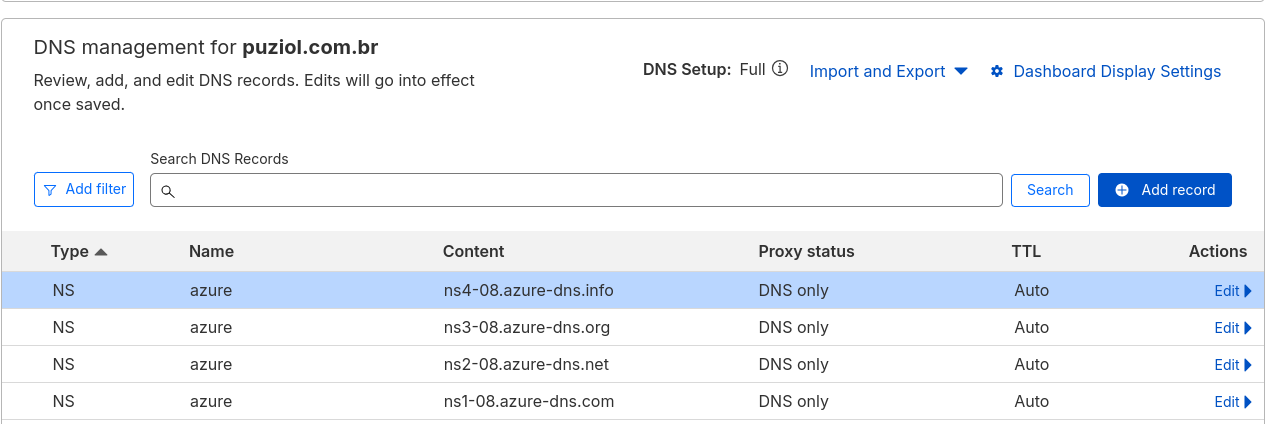
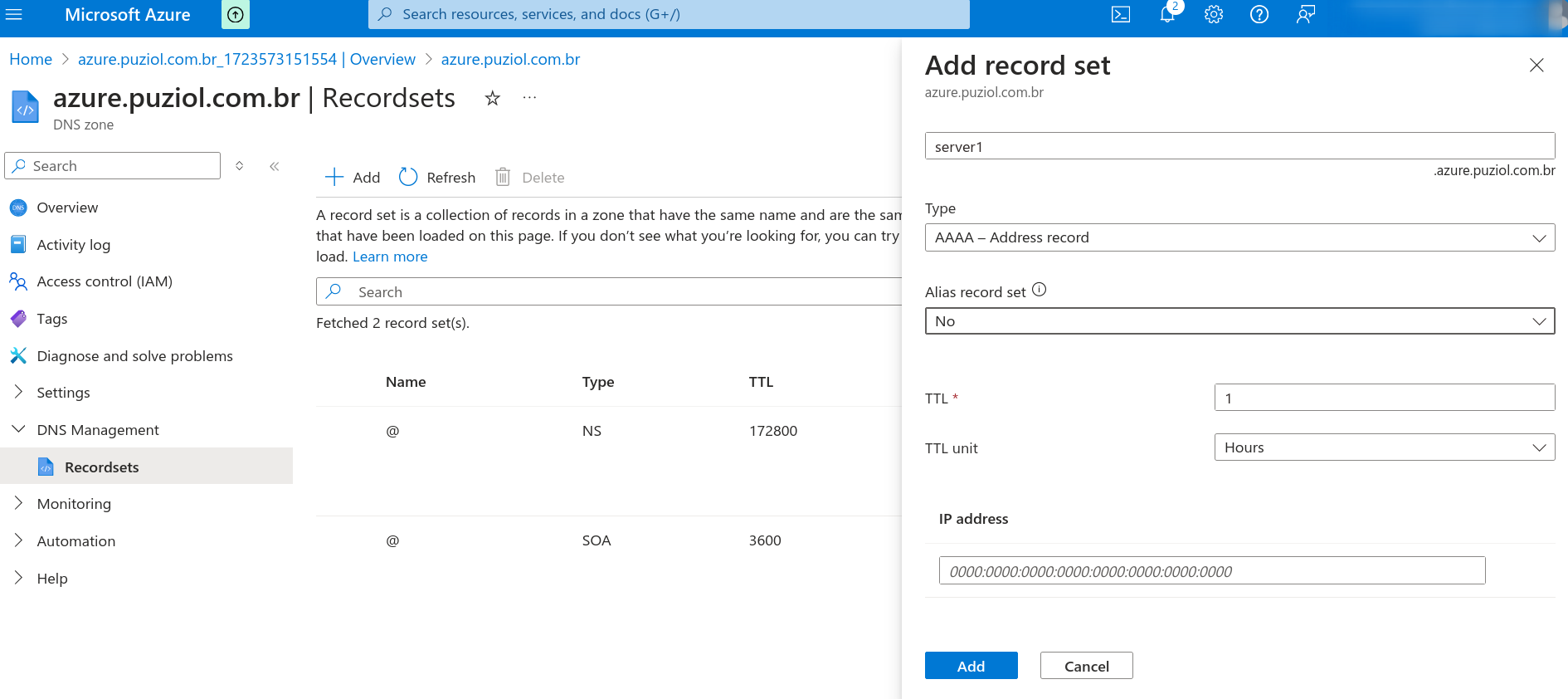
Done, from now on we can place the entries for whatever we want in this zone.
For Terraform it would be something like this.
provider "azurerm" {
  features {}
}

provider "cloudflare" {
  email   = "[email protected]"
  api_key = "your-api-key"
}

resource "azurerm_resource_group" "example" {
  name     = "example-resources"
  location = "East US"
}

resource "azurerm_dns_zone" "example" {
  name                = "azure.puziol.com.br"
  resource_group_name = azurerm_resource_group.example.name
}

resource "cloudflare_record" "ns_records" {
  for_each = toset(azurerm_dns_zone.example.name_servers)

  name    = "azure"
  type    = "NS"
  ttl     = 300
  proxied = false
  value   = each.key
  zone_id = "XXXXXXXXXXXXXXXXXXXXXXXXXXX"  # Replace with your Cloudflare DNS zone ID
}

resource "azurerm_dns_a_record" "example" {
  name                = "lb"
  zone_name           = azurerm_dns_zone.example.name
  resource_group_name = azurerm_resource_group.example.name
  ttl                 = 300
  records             = ["10.0.180.17"] # Possible Load Balancer IP
}