Virtual Network
A VNet (Virtual Network) in Azure is a virtual network that allows communication between resources, such as virtual machines (VMs), within Azure. It's Azure's version of a local network in a cloud infrastructure. If a resource needs a local IP, then it will probably be in a VNet.
-
Isolation and Segmentation: The VNet is isolated from other networks in Azure, allowing you to segment your network and define subnets to separate different parts of your application. We can create different VNets to separate development and production for example, and they can even have the same CIDR block as they are completely isolated environments. If you need to communicate between the two networks, it's good that they have different CIDRs. -
Connectivity: You can connect VNets to other networks, such as on-premises networks via VPN, or to other VNets in Azure, enabling secure and scalable communication. -
Traffic Control: With VNets, you can use Network Security Groups (NSGs) to control inbound and outbound traffic, applying firewall rules. -
Integrated Services: VNets allow integration with Azure services, such as Azure Load Balancer, VPN Gateway, and Application Gateway, to create complex and secure network architectures. -
DNS: Azure provides internal name resolution for VM instances and Cloud Services connected to a VNet. You have the option to configure a VNet to use your own DNS servers instead of using Azure's internal name resolution. It's widely used when connecting an on-premise environment with services in the cloud. -
Internet: Every VNet already has access without any extra configuration. -
VNet-To-VNet: It's possible to communicate two VNets with this resource even in different regions. To make it easier, I recommend it's good that each VNet has its own IP block to avoid conflicts. It's still possible to communicate even if they have the same IP block, but it will be necessary to use other strategies for IP translation like NAT and Peering.
Subnet
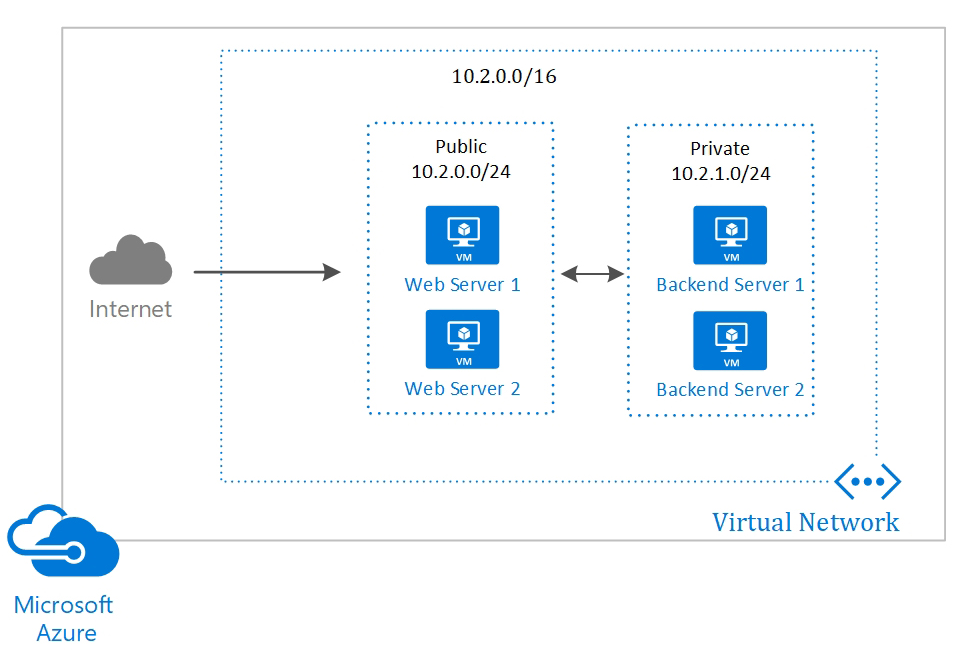
We can segment a VNet into multiple subnets and apply different traffic control within each one.
It's very common to divide a VNet into 3 subnets:
Public Subnet:
- We place services that accept external requests, such as bastion host for example.
- We apply firewall rules that allow communication on specific ports we use
- Usually we use a smaller IP range
Private Subnet:
- We place our services, VMs, clusters, etc
- We apply rules that only accept communication from the public subnet
- Larger IP range for scalability.
Data Subnet:
- Widely used for databases and internal services
- Only accepts communication with the private subnet.
- Restricted IP range
We can divide subnets into availability zones. If we separate an IP range for a subnet, we can instead of creating one, create 2: half the IP range we create a public subnet A in zone A and a public subnet B in zone B. Widely used when creating resources with high availability to create redundancy.
A classic example is to have 2 private subnets to receive Kubernetes hosts. If one zone stops, only part of the nodes will go down.
If we place a resource in subnet A and another in subnet B and subnet A and B are in the same VNet, communication is guaranteed without needing to make any routing rule. What we do is control communication through rules we call security groups.
VPN
In more advanced cases, such as connecting the on-premise network to a VNet, we can close a VPN at the edges with Site-to-Site VPN that uses SSL and IPSec. We apply the configuration to the company's router and to the VPN and the communication is direct without needing a client.
If you need a direct fiber connection from your datacenter to the Azure cloud, you can contract Express Route; I've never used it but I know it exists.
Network Security Group (NSG) - Traffic Filtering
VMs and cloud services can contain traffic filtering rules (NSG) for both inbound and outbound, by IP address, IP block, source port, and destination port.
These rules function as a built-in firewall.
Routing
Routing is pre-configured, but it's possible to replace routing with your own routes or using BGP routes through a network gateway.
Let's create a VNet with two subnets: one public and one private.
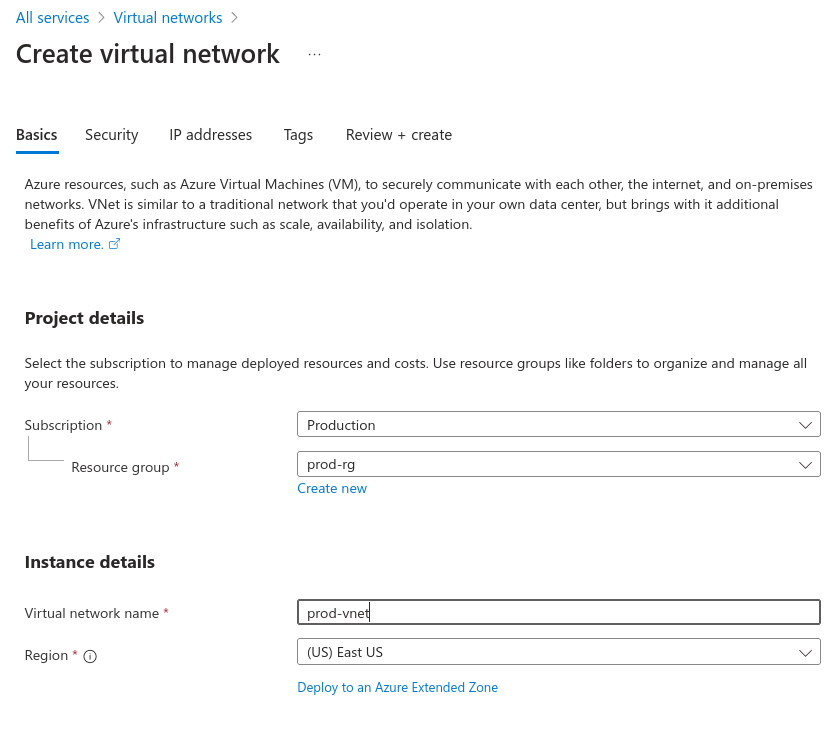
The service we're looking for is Virtual Networks and as always we always need to define the resource group.
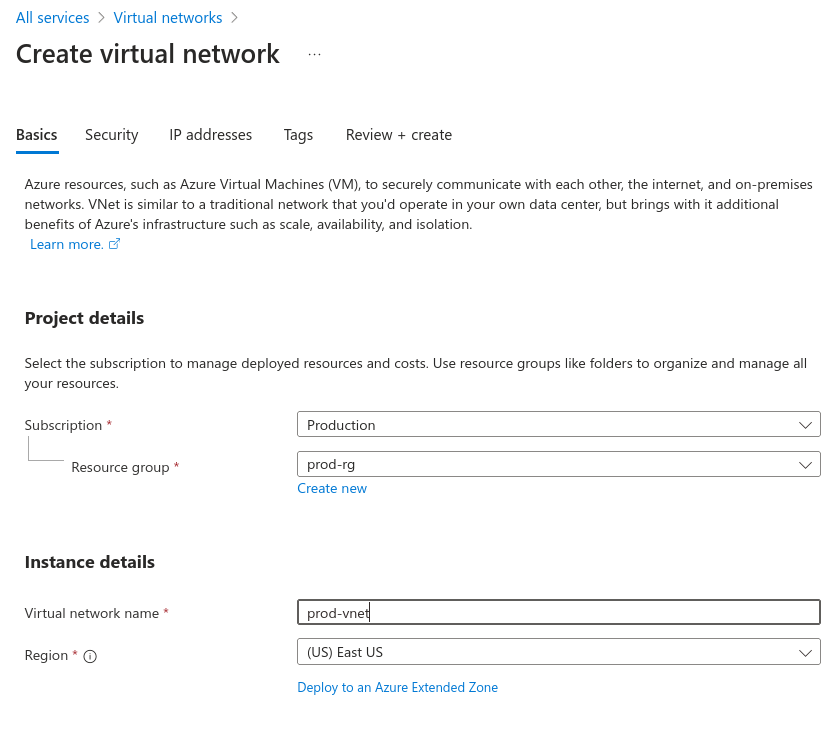
In the IP Address tab we can define subnets. Let's delete the default and create two.
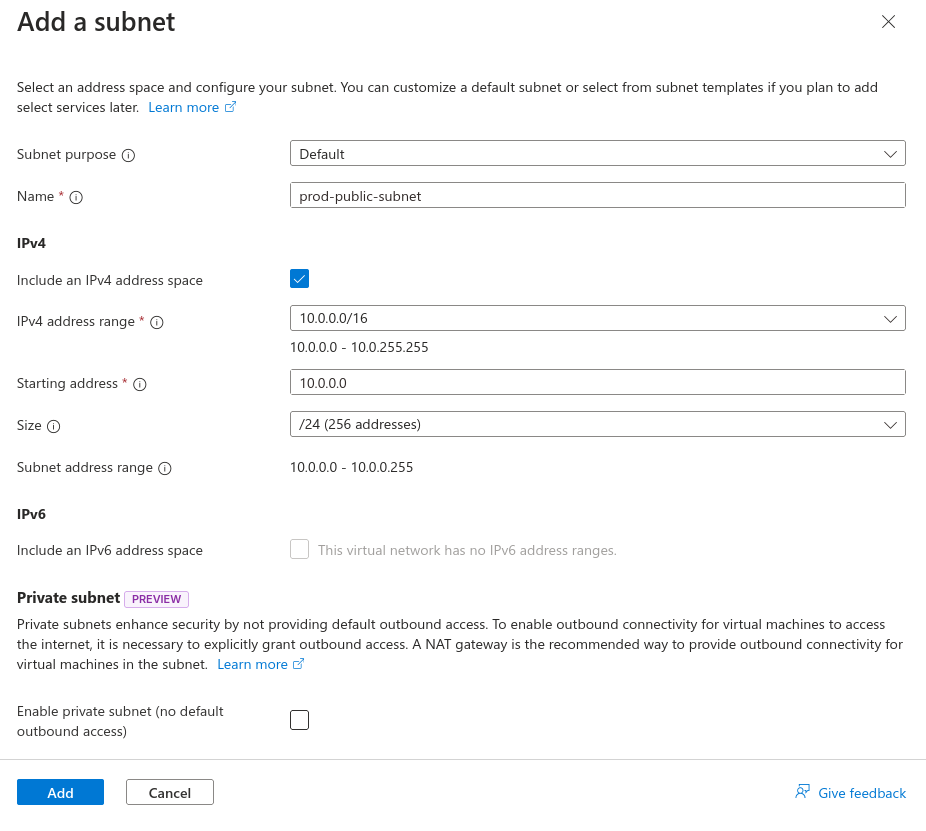
The first will be a public subnet with 24 IPs. Note that during creation, a NAT Gateway was requested so the subnet has internet access.
Let's understand one thing. If a resource, a VM for example, has a public IP, a NAT Gateway is not necessary, for example a load balancer, a bastion host with public IP, etc. So we'll use this public subnet for this type of resource, so we won't create a NAT Gateway now.
We could even create an NSG now for firewall rules.
Let's create the private subnet and a gateway, as no resource will have a public IP, but will need to access the internet. During NAT creation, a public IP is required. Also create a security group to apply rules later.
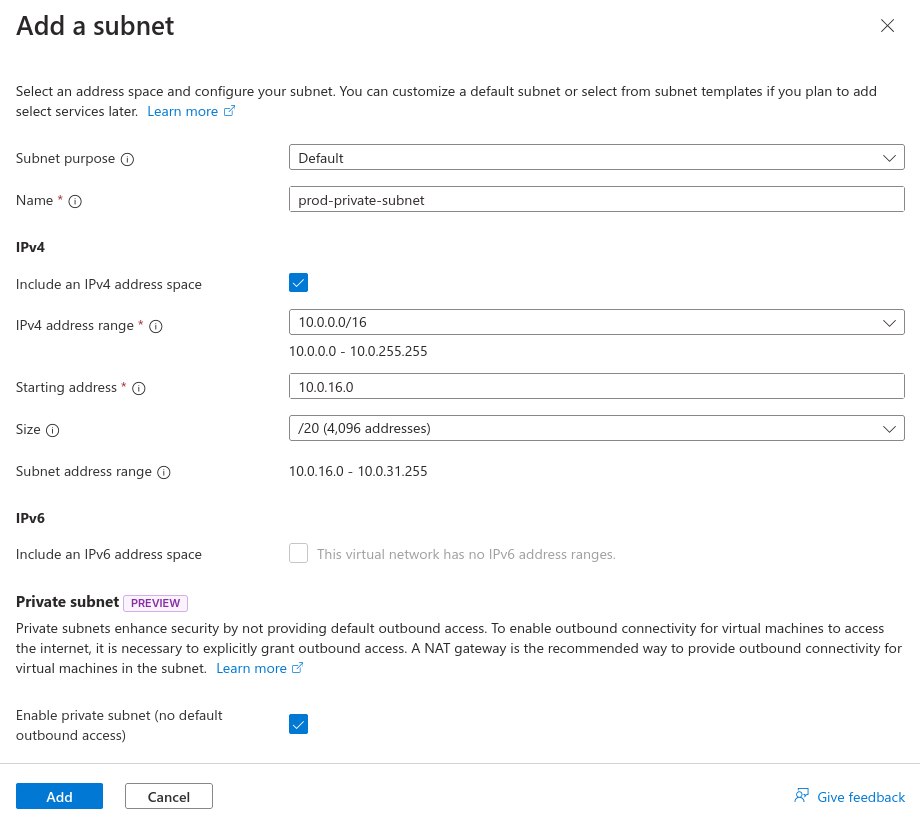
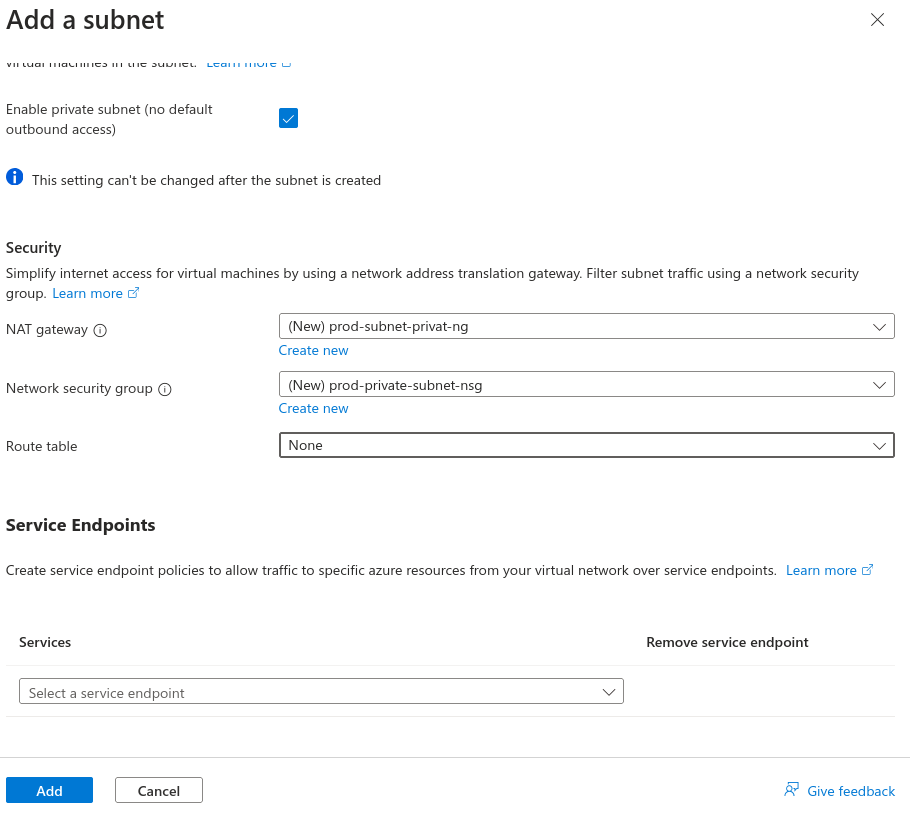
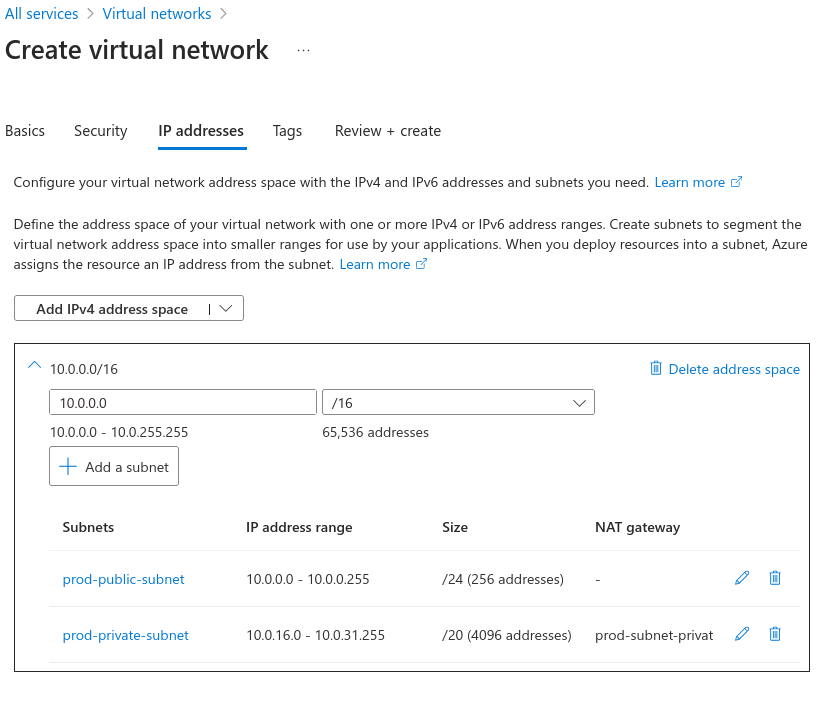
Always remember to use tags to facilitate filtering.
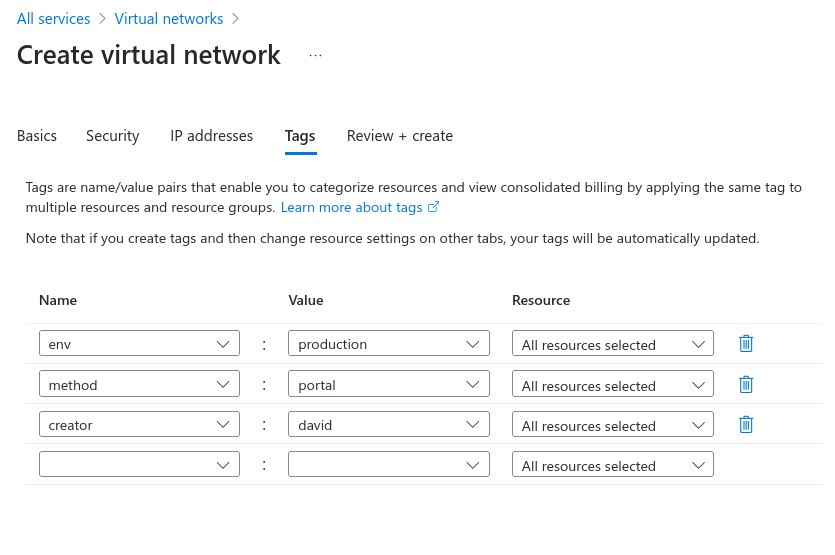
In the end, we have that JSON to use as a template if necessary; I won't put it here because it's very large. Just create it.
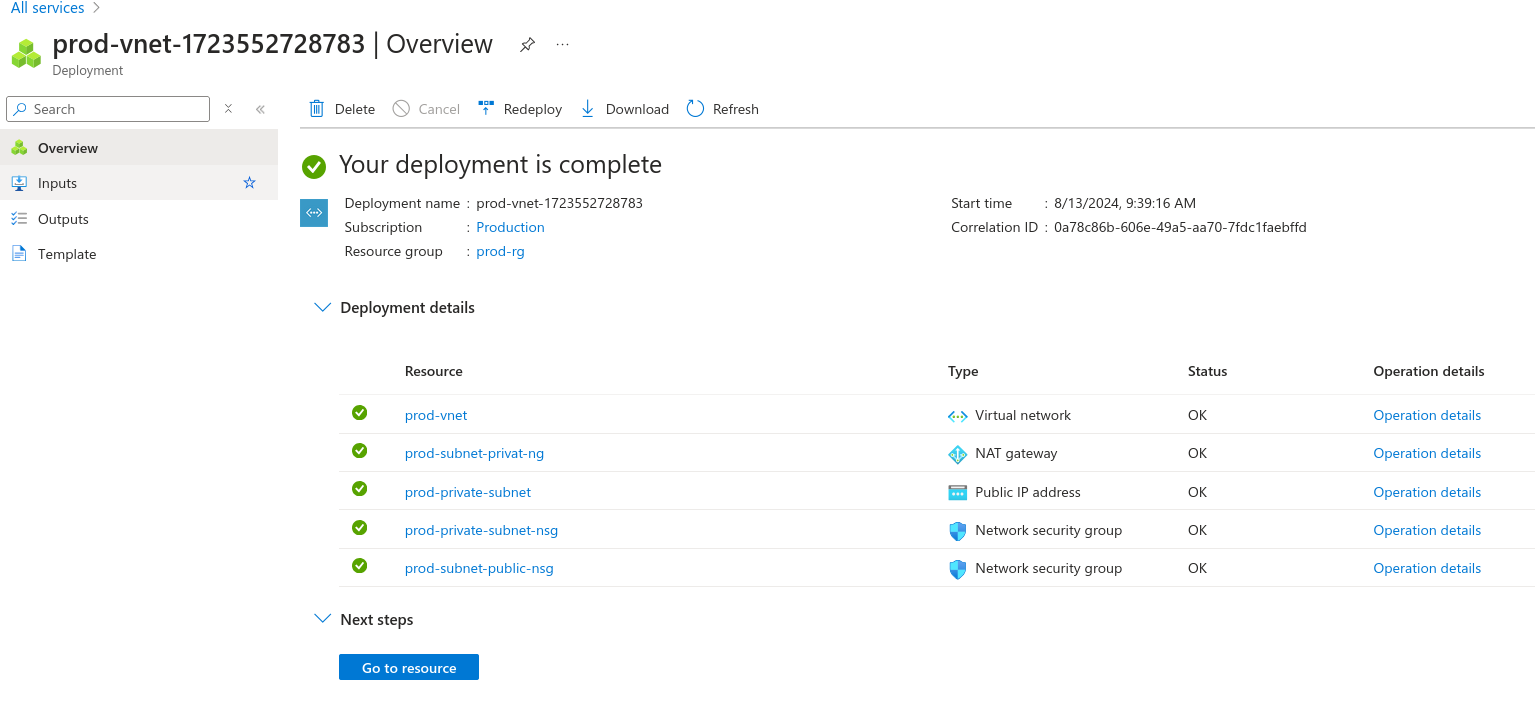
And let's check what we have in our resource group.
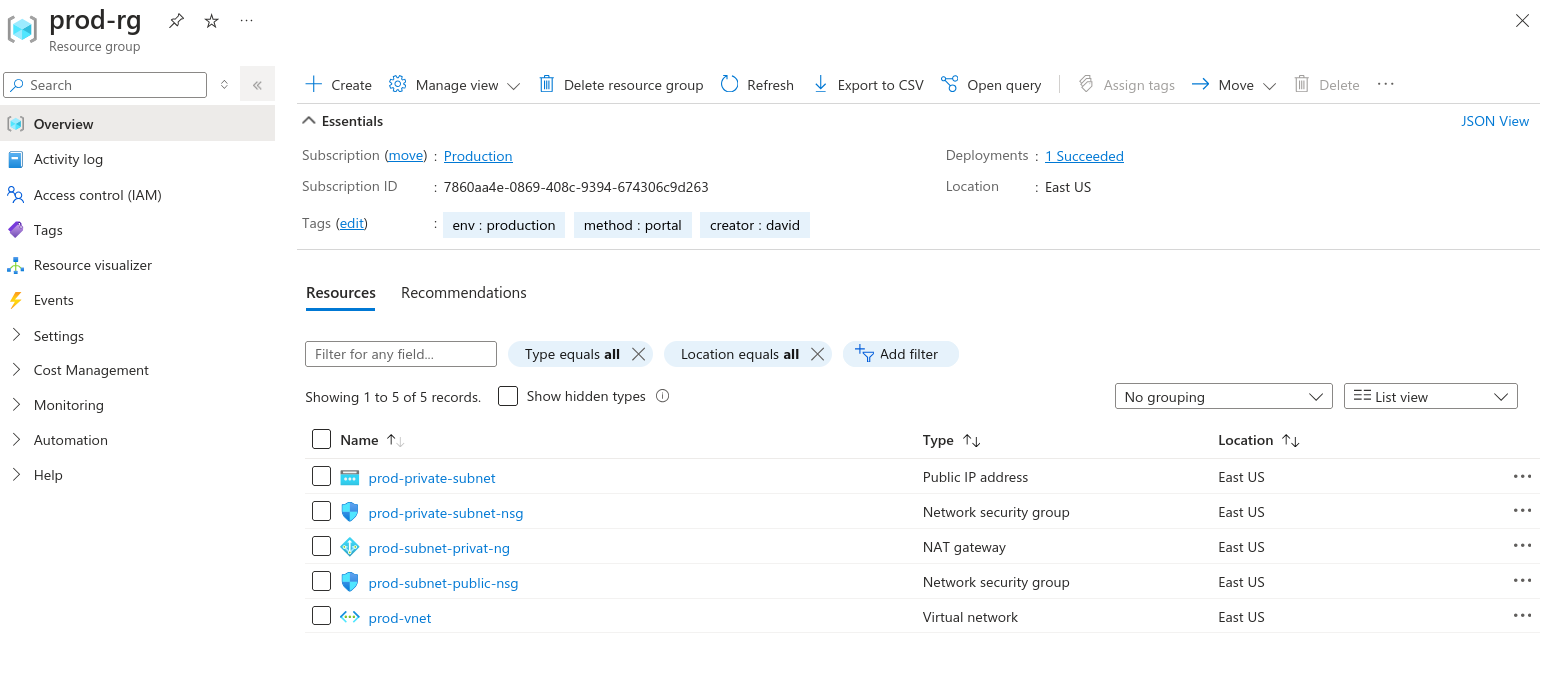
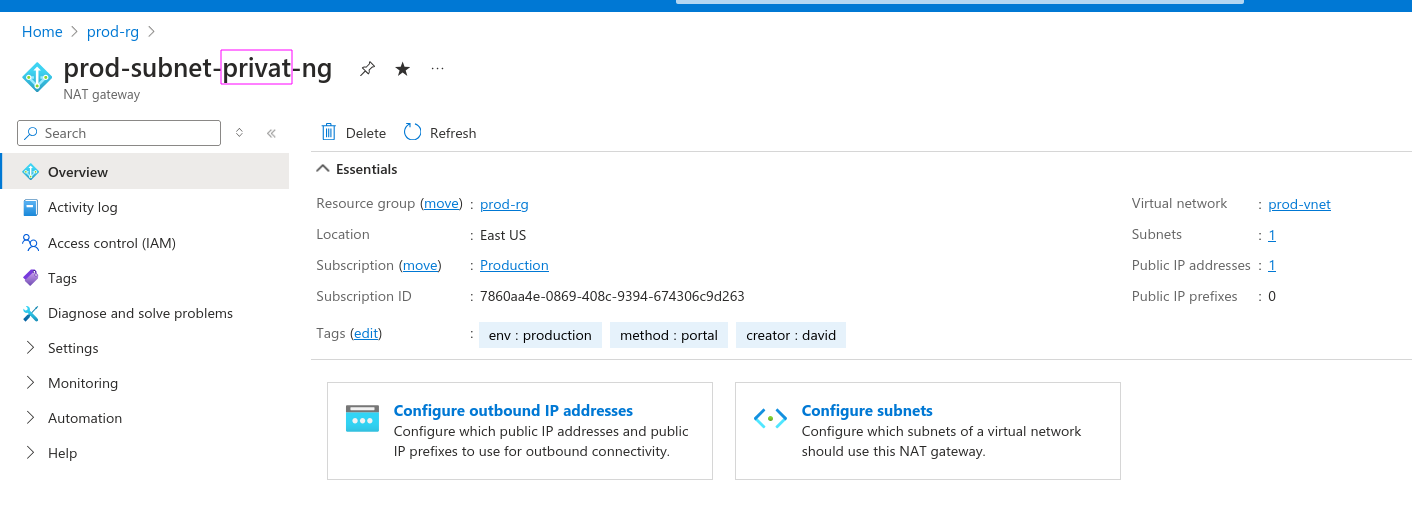
Note: It's not possible to edit a subnet's name. It's necessary to destroy and recreate, so pay close attention.
Now that we've created via portal and know we can create via command line too, let's be honest... At this stage, no one is going to be memorizing CLI commands to create resources.
When working with cloud, the ideal is to use Infrastructure as Code. We'll use the portal just to check and get data, verify, analyze, but to create we'll have a decent project.
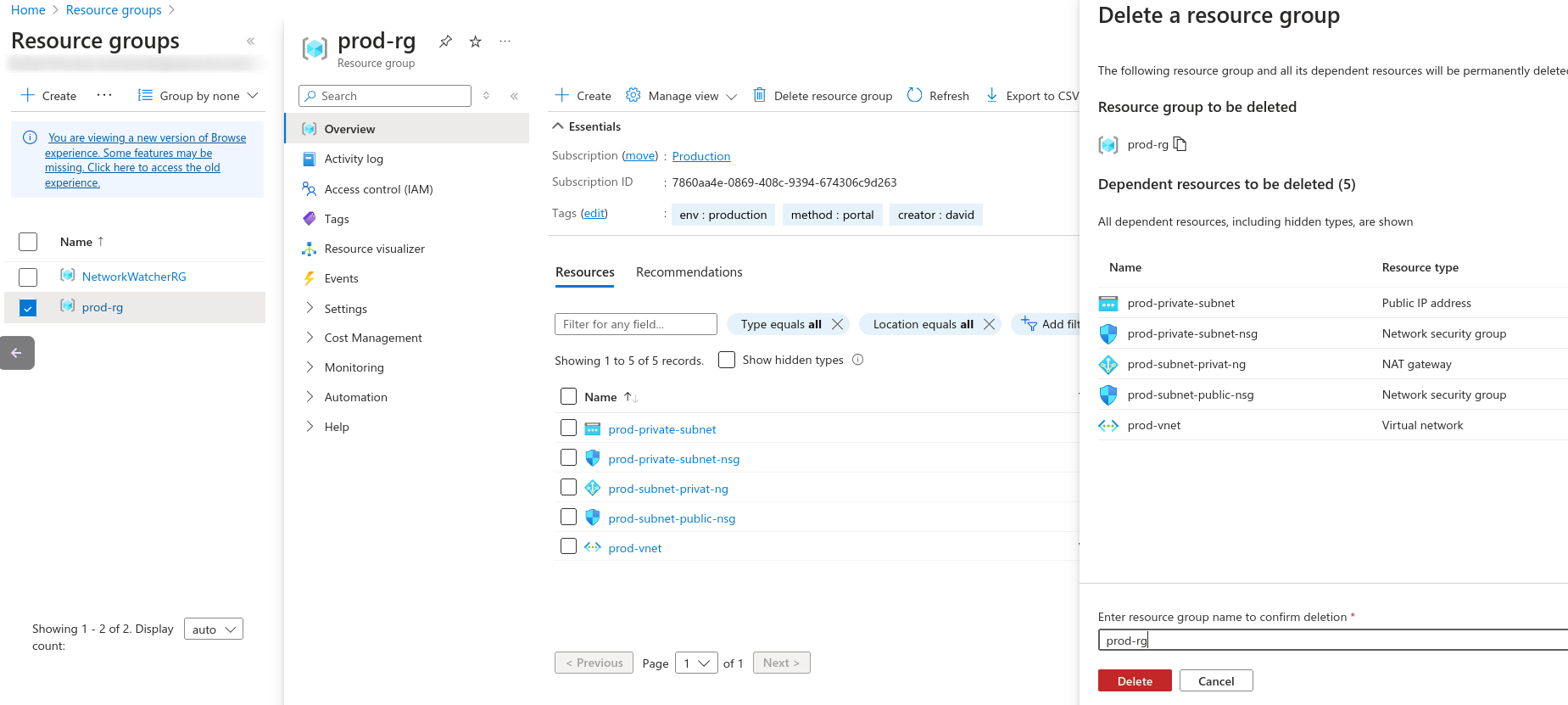
Go to the portal and completely delete the resource group to see if all resources will be deleted.
An important thing is that a subnet spans all availability zones in the same region, not needing to create a subnet for each AZ as is done in AWS. To have high availability, just create resources in the same subnet, but in different AZs.