CKS Exam - Certified Kubernetes Security Specialist
Certified Kubernetes Security Specialist (CKS) provides assurance that a CKS has the skills, knowledge, and competence in a broad range of best practices for securing container-based applications and Kubernetes platforms during build, deployment, and runtime. The CKA certification is required to take this exam. The certificate is valid for 2 years.
Tip! The exam costs on average 300 dollars, but it's possible during Black Friday and year-end periods to get discounts from 35% to 50%
The certification exam is practical and assesses the candidate's knowledge in Kubernetes and security.
What is covered on the exam?
Cluster Setup (10%):
- Use network security policies to restrict cluster access.
- Use the CIS benchmark to perform a security review of Kubernetes components.
- Set up ingress objects with security controls.
- Protect node and endpoint metadata.
- Minimize use of and access to GUI elements.
Cluster Hardening (15%):
- Restrict access to the Kubernetes API.
- Use RBAC to minimize exposure.
- Exercise caution using service accounts, disable defaults, and minimize permissions for newly created ones.
System Hardening (15%):
- Minimize host OS footprint/attack surface.
- Minimize IAM roles.
- Minimize external network access.
- Appropriately use kernel hardening tools such as AppArmor and seccomp.
Minimize Microservice Vulnerabilities (20%):
- Configure security domains at the OS level.
- Manage Kubernetes secrets.
- Use container runtime sandboxes in multi-tenant environments.
Supply Chain Security (20%):
- Minimize base image footprint.
- Ensure only allowed, signed, and validated images are used.
- Use static analysis of workloads.
- Scan images for known vulnerabilities.
Monitoring, Logging & Runtime Security (20%):
- Perform behavioral analytics of syscall process and file activities to detect malicious activities.
- Use audit logs to monitor access.
- Ensure immutability of containers at runtime.
- Deep analytics and forensics to identify possible intruders in environments.
- Detect threats within the attack phases and where they spread.
Retake Policy
A second attempt is possible if the candidate fails on the first try. If you don't pass either attempt, a new purchase will allow for a new retake.
Rescheduling or Cancellation Policy
If you need to reschedule or cancel, it must be done with 24 hours notice; otherwise, it's considered a TOTAL failure without retake rights.
About the Exam
- Online and supervised by a proctor in real-time
- Fully hands-on/practical
- Not a multiple-choice exam
2 Hours- Requesting a pause via the pause function does not stop the timer
- Results delivered within 24 hours via email
About the Exam Environment
- The location must be quiet, private, and well-lit. Cannot be conducted in public spaces.
- Cannot have a window behind the candidate
- Cannot have bright lights behind the candidate
- Only the candidate can be in the room
- The desk must be clear and free of notes and electronics
Code of Conduct
- The candidate cannot communicate with anyone other than the proctor during the exam
- Cannot read questions aloud
- Cannot leave the webcam's view or the desk unless the proctor permits
- Eating is not allowed during the exam; only transparent liquids are permitted. The bottle and cup used to hold the liquid must be transparent and without labels
- Cannot wear headphones or any electronic devices on the body or head unless medically necessary. Therefore, headphones will not be allowed
- Cannot make repetitive and excessive noise. If there's construction near your home, take the exam in a different environment
- Cannot cover the mouth or face
- Cannot write any information on paper or any electronic device. Only on the console screen
- No inappropriate or questionable behavior
Allowed Tools
A VM will be provided for the exam, and within this VM you can use:
- Command line usage
- Review documents installed by the Linux distribution, i.e., /usr/share/*
- Use packages that are part of the distribution
- Access documentation pages using the VM's browser. Allowed pages including subdomains are:
- The search tool from https://kubernetes.io/docs/ can be used, but only access subdomains from the links above
I recommend using only the command line for everything throughout the course
System Requirements
https://docs.linuxfoundation.org/tc-docs/certification/tips-cka-and-ckad
To verify if your environment is capable of running the test, go to https://syscheck.bridge.psiexams.com/
The latest version of Chrome is recommended. One extra monitor can be used and 1080p resolution is recommended to support the ExamUI.
Reliable internet connection:
- Disable bandwidth-intensive services
- Streaming
- Video Calls
- Torrents and downloads
- Disable firewalls and VPNs
- Use ethernet cable if possible
You cannot use a virtual machine to take the exam even if the compatibility check doesn't show issues
Working webcam and microphone. The webcam must be able to be moved to show the environment to the proctor.
No other applications or browser windows can be running during the exam.
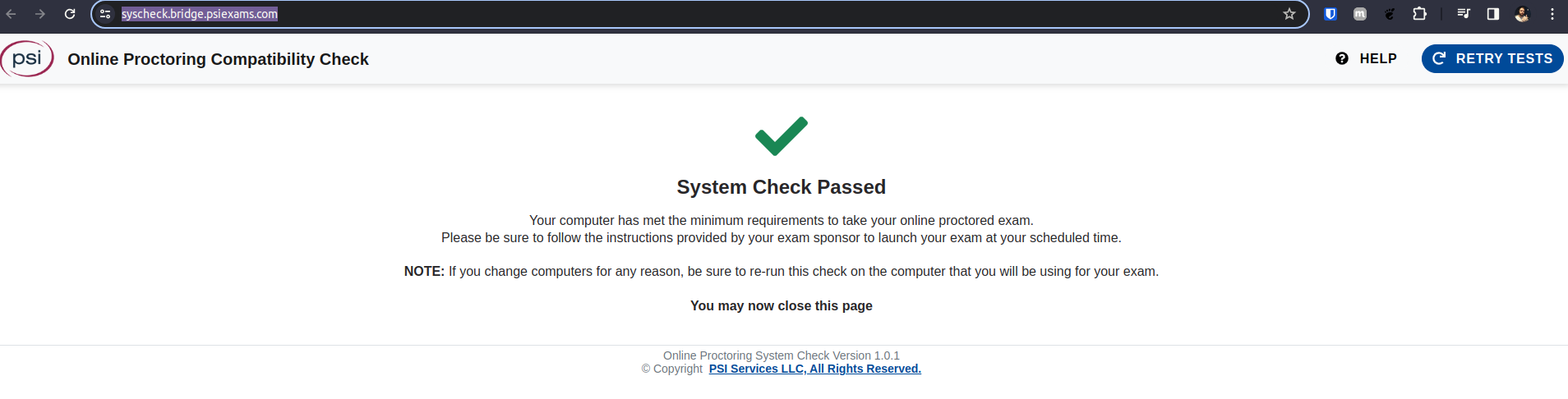
Check requirements at https://helpdesk.psionline.com/hc/en-gb/articles/4409608794260-PSI-Bridge-Platform-System-Requirements
Questions?
- Can I enable kubectl auto-complete? You should
How to Study?
The material used as a base was the Killer Shell course.