Installation
Docker
We can just run the Docker command to start SonarQube and have a first contact, but the problem with doing this is that we lose all data as soon as we destroy the container.
docker run -d --name sonarqube -e SONAR_ES_BOOTSTRAP_CHECKS_DISABLE=true -p 9000:9000 sonarqube:lts-community
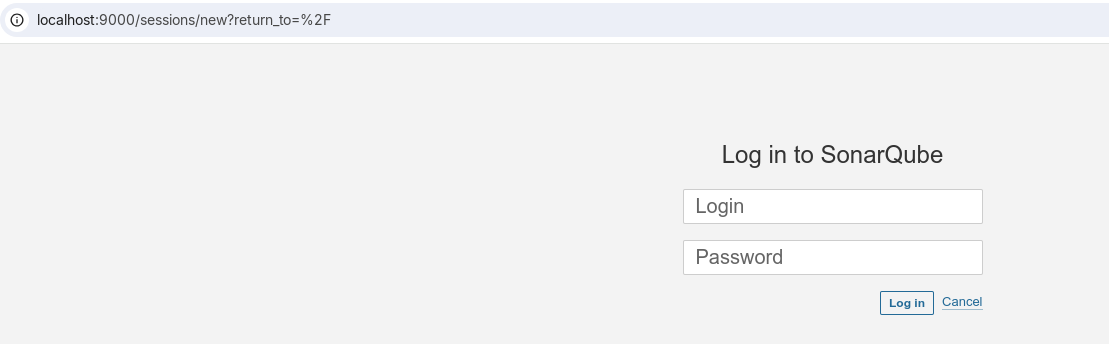
It will be available at localhost:9000 with user: admin and password: admin.
We could start it pre-configured using docker compose to bring up an entire environment ready for use.
services:
  sonarqube:
    image: sonarqube:lts-community
    depends_on:
      - db
    networks:
      - sonarnet
    environment:
      - SONARQUBE_JDBC_USERNAME=sonar
      - SONARQUBE_JDBC_PASSWORD=sonar
      - SONARQUBE_JDBC_URL=jdbc:postgresql://db:5432/sonar
      - SONAR_ADMIN_USERNAME=admin
      - SONAR_ADMIN_PASSWORD=admin
    ports:
      - "9000:9000"
    volumes:
      - sonarqube_conf:/opt/sonarqube/conf
      - sonarqube_data:/opt/sonarqube/data
      - sonarqube_logs:/opt/sonarqube/logs
      - sonarqube_extensions:/opt/sonarqube/extensions

  db:
    image: postgres:13-alpine
    container_name: sonarqube_db
    networks:
      - sonarnet
    environment:
      - POSTGRES_USER=sonar
      - POSTGRES_PASSWORD=sonar
      - POSTGRES_DB=sonar
    volumes:
      - postgresql_data:/var/lib/postgresql/data

networks:
  sonarnet:

volumes:
  sonarqube_conf:
  sonarqube_data:
  sonarqube_logs:
  sonarqube_extensions:
  postgresql_data:
SonarQube Volumes:
-
sonarqube_conf:/opt/sonarqube/conf: SonarQube custom configurations are preserved. If you change settings such as the database URL or authentication parameters, these changes will not be lost when the container is restarted. -
sonarqube_data:/opt/sonarqube/data: Stores persistent SonarQube data, including indexes, analysis history, and other processed data. -
sonarqube_logs:/opt/sonarqube/logs: Stores logs generated by SonarQube. -
sonarqube_extensions:/opt/sonarqube/extensions: Stores plugins and extensions installed in SonarQube. -
postgresql_data:/var/lib/postgresql/data: Stores PostgreSQL database data, including tables, indexes, and records.
There are other installations that can be done directly as a service on your local machine or on the server.
Kubernetes
Let's go straight to the kubernetes installation documentation.
For installation on a cluster, we can use Helm. Installing on a personal cluster on the local machine.
helm repo add sonarqube https://SonarSource.github.io/helm-chart-sonarqube
helm repo update
kubectl create namespace sonarqube
helm show values sonarqube/sonarqube > values.yaml
# Analyze the values.yaml and see if there is anything you would like to change such as adding the ingress, number of replicas, prometheus namespace, etc.
# If the project repositories are on some git server outside the cluster, it will be necessary to configure the ingress so it can receive scanner reports.

helm upgrade --install -n sonarqube sonarqube sonarqube/sonarqube

❯ kubectl get all -n sonarqube
NAME                         READY   STATUS    RESTARTS      AGE
pod/sonarqube-postgresql-0   1/1     Running   6 (25m ago)   41h
pod/sonarqube-sonarqube-0    1/1     Running   6 (25m ago)   41h

NAME                                    TYPE        CLUSTER-IP       EXTERNAL-IP   PORT(S)    AGE
service/sonarqube-postgresql            ClusterIP   10.107.128.240   <none>        5432/TCP   41h
service/sonarqube-postgresql-headless   ClusterIP   None             <none>        5432/TCP   41h
service/sonarqube-sonarqube             ClusterIP   10.100.238.187   <none>        9000/TCP   41h

NAME                                    READY   AGE
statefulset.apps/sonarqube-postgresql   1/1     41h
statefulset.apps/sonarqube-sonarqube    1/1     41h

# Just exposing the service locally for access
kubectl port-forward -n sonarqube svc/sonarqube-sonarqube 9000:9000
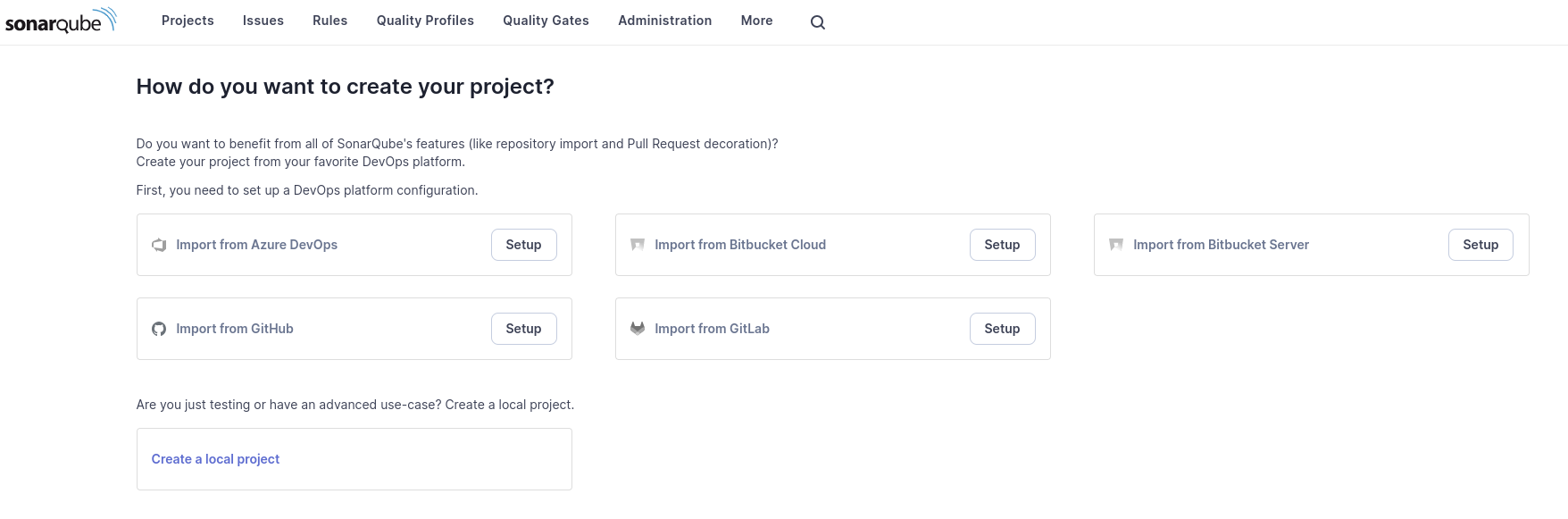
After changing the password, we arrive at the main part.
SonarCloud
If you want to use SonarQube as SaaS, just create an account on SonarCloud and everything will be ready without mystery. You can log in with your GitHub, GitLab, Azure DevOps account, and even SSO.
Components
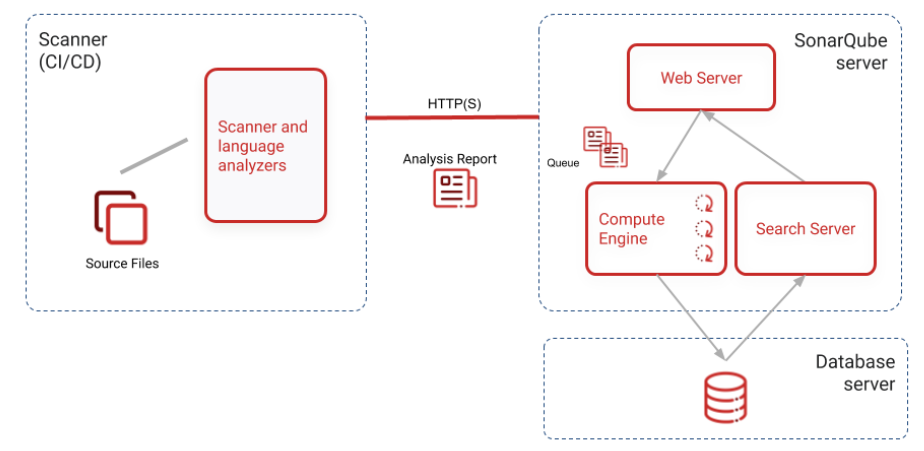
Looking at the image below, we can understand that the scanner is what performs the static analysis and sends the report to the server that maintains the data in a database. Once with the report, the server proposes improvements and corrections that should be made based on rules.
It is necessary to run the scanner during the pipeline, and we can already reject the pull request at this moment if the code has problems. The report should be sent to SonarQube so that team members can see the classification, look at the correction recommendations, and the reasons why the code didn't pass.