Readiness, Liveness, and Startup Probes
Some materials are already available in CKA.
Follow this order:
Before talking about the topics below, let's understand the lifecycle of a pod.
A pod has its status that can be seen with the kubectl describe command. As soon as the pod is created, it stays in Pending. This means the scheduler needs to define a node for it that meets the necessary conditions. If the scheduler can't find a suitable node, it will stay in the pending state.
When a pod enters the Container Creating state, the scheduler has already defined a node. At this moment, the pulling of images from the containers of this pod will begin.
Once the containers are started, it enters the Running state.
For these stages to be marked, we can see them with the kubectl describe command in conditions.
❯ k run nginx --image nginx
pod/nginx created

❯ k describe pod nginx
Name:             nginx
Namespace:        kube-system
Priority:         0
Service Account:  default
Node:             cka-cluster-worker/172.18.0.5
Start Time:       Wed, 01 May 2024 22:55:01 -0300
Labels:           run=nginx
Annotations:      <none>
Status:           Running
IP:               10.42.0.1
IPs:
  IP:  10.42.0.1
Containers:
  nginx:
    Container ID:   containerd://3711ea86007c956593e6bf9f1db3e9859057f9d120163466b3f3d3500fd3155e
    Image:          nginx
    Image ID:       docker.io/library/nginx@sha256:ed6d2c43c8fbcd3eaa44c9dab6d94cb346234476230dc1681227aa72d07181ee
    Port:           <none>
    Host Port:      <none>
    State:          Running
      Started:      Wed, 01 May 2024 22:55:08 -0300
    Ready:          True
    Restart Count:  0
    Environment:    <none>
    Mounts:
      /var/run/secrets/kubernetes.io/serviceaccount from kube-api-access-z4x92 (ro)
Conditions:
  Type                        Status
  PodReadyToStartContainers   True  # <<< SEE THE CONDITIONS
  Initialized                 True
  Ready                       True
  ContainersReady             True
  PodScheduled                True
Volumes:
  kube-api-access-z4x92:
    Type:                    Projected (a volume that contains injected data from multiple sources)
    TokenExpirationSeconds:  3607
    ConfigMapName:           kube-root-ca.crt
    ConfigMapOptional:       <nil>
    DownwardAPI:             true
QoS Class:                   BestEffort
Node-Selectors:              <none>
Tolerations:                 node.kubernetes.io/not-ready:NoExecute op=Exists for 300s
                             node.kubernetes.io/unreachable:NoExecute op=Exists for 300s
Events:
  Type    Reason     Age   From               Message
  ----    ------     ----  ----               -------
  Normal  Scheduled  8s    default-scheduler  Successfully assigned kube-system/nginx to cka-cluster-worker
  Normal  Pulling    8s    kubelet            Pulling image "nginx"
  Normal  Pulled     2s    kubelet            Successfully pulled image "nginx" in 5.718s (5.718s including waiting)
  Normal  Created    2s    kubelet            Created container nginx
  Normal  Started    2s    kubelet            Started container nginx
Let's talk specifically about the block below:
Conditions:
  Type                        Status
  PodReadyToStartContainers   True
  Initialized                 True
  Ready                       True
  ContainersReady             True
  PodScheduled                True
Ready true and ContainersReady mean that the applications inside the pods are working and ready to receive traffic. Some applications take longer than others to be ready. Some take milliseconds to start and others can take 30 seconds to finish the start process. At this moment, the pod is in Running state which is not necessarily true.
By default, Kubernetes understands that a pod, as soon as it's started, is ready to receive traffic and the service pointing to this pod will already distribute traffic to it.
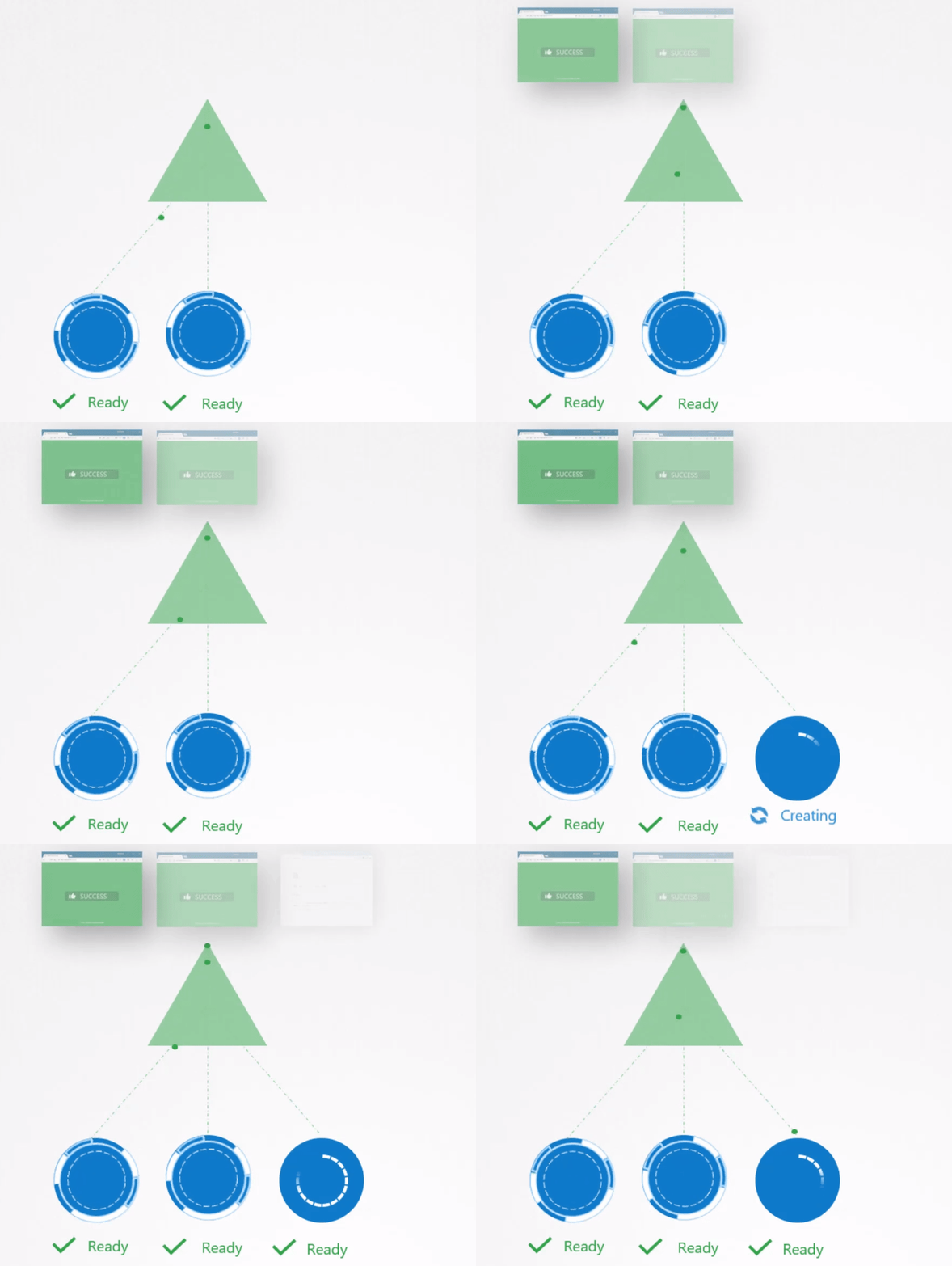
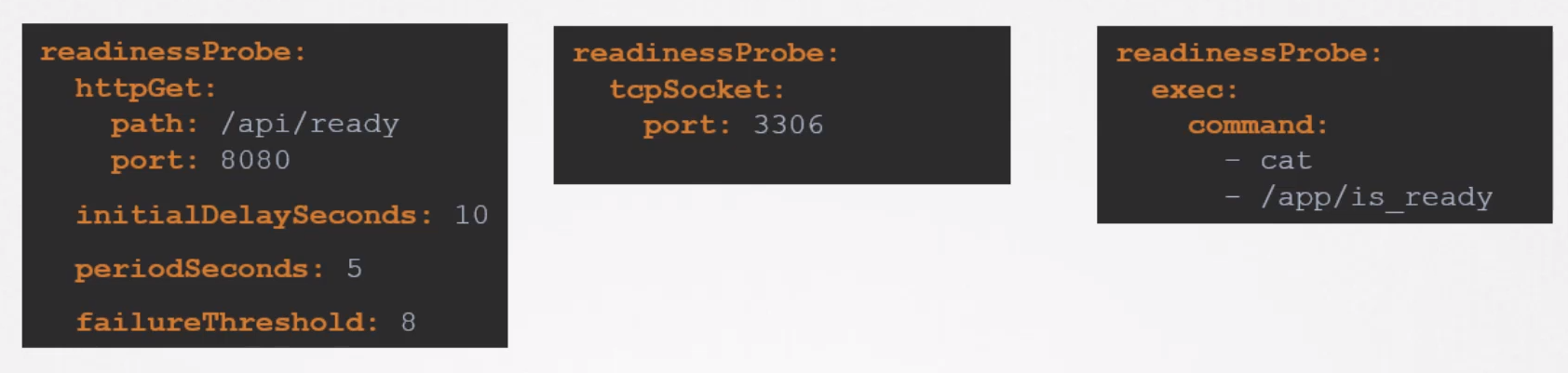
What we can do is test the application in some way so that only if the test is successful will this state be changed to true. This is where probes come in. If it were a web application, as a developer, we could create a healthcheck endpoint that responds ok. We could run a script inside the container to check if everything is ready.
When we have a readinessProbe block, the condition is not immediately set to true.
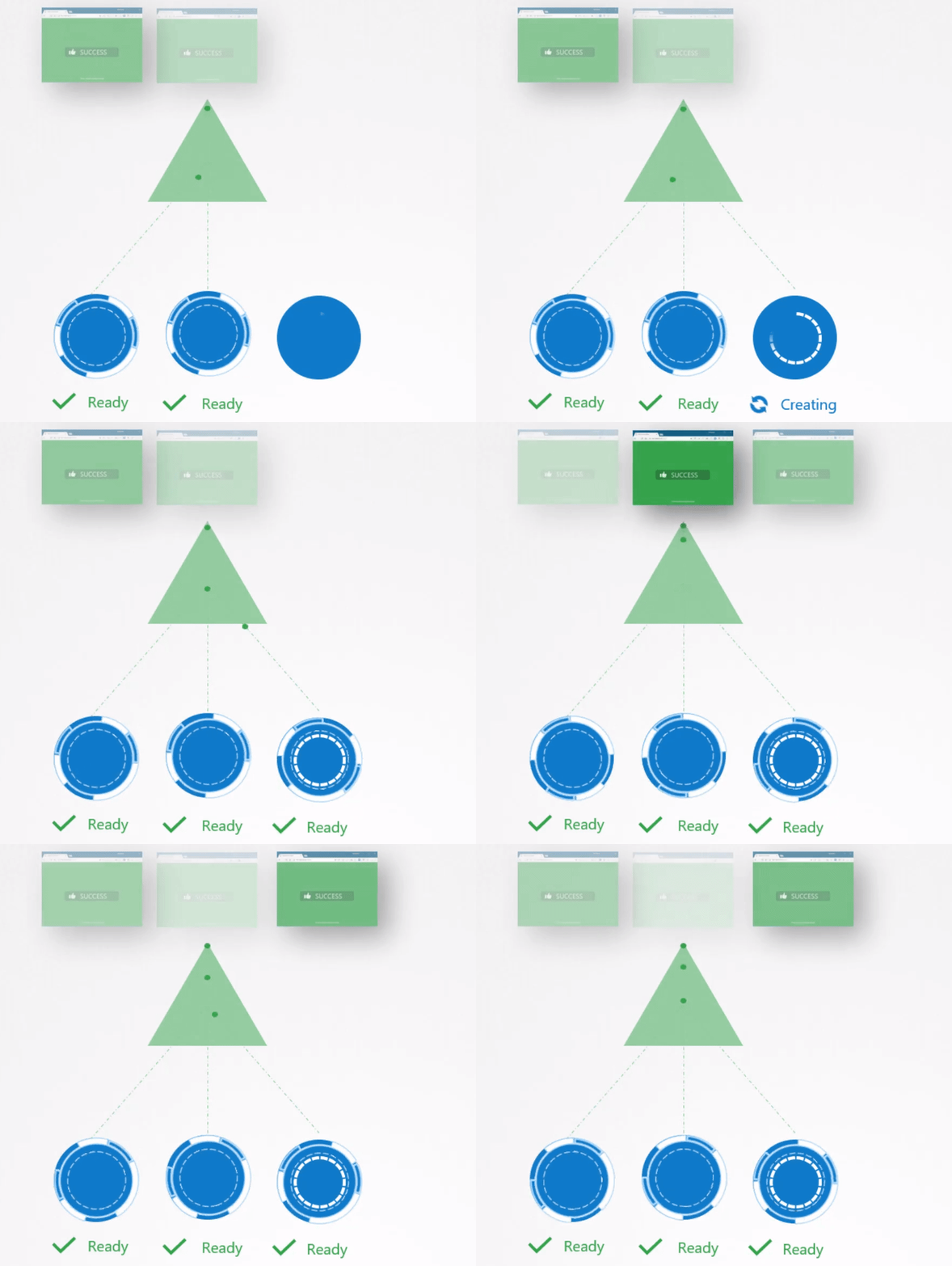
Once having the readiness, this would happen:
Now that we understand a bit, let's talk about liveness. When a container stops working AND KUBERNETES DETECTS IT, it automatically restarts the pod, but there are cases where the container gets stuck in an infinite loop and the application doesn't stop. That's what liveness is for, to constantly test the application to see if it's responding. If it doesn't respond, the conditions are forcefully changed so that this pod can undergo a restart.
The definitions of this block are the same as readiness.
It's worth mentioning that readiness and liveness can suffer from race conditions. Imagine we define a liveness to test a healthcheck endpoint every 5 seconds and we define that if it tests 3 times and doesn't respond, it invalidates the pod, but the application takes 1 minute to be ready. Obviously, the pod will never come up because it will always undergo a restart before it's even ready.