Users
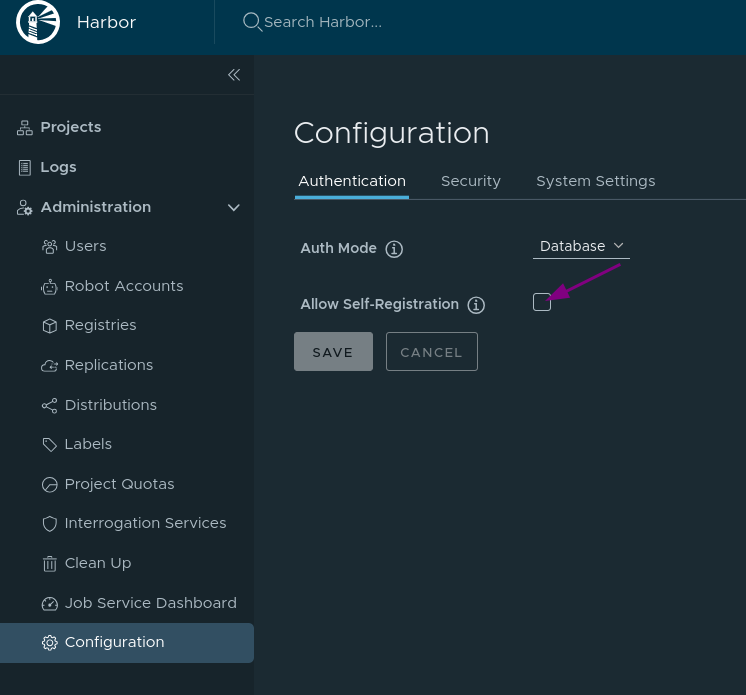
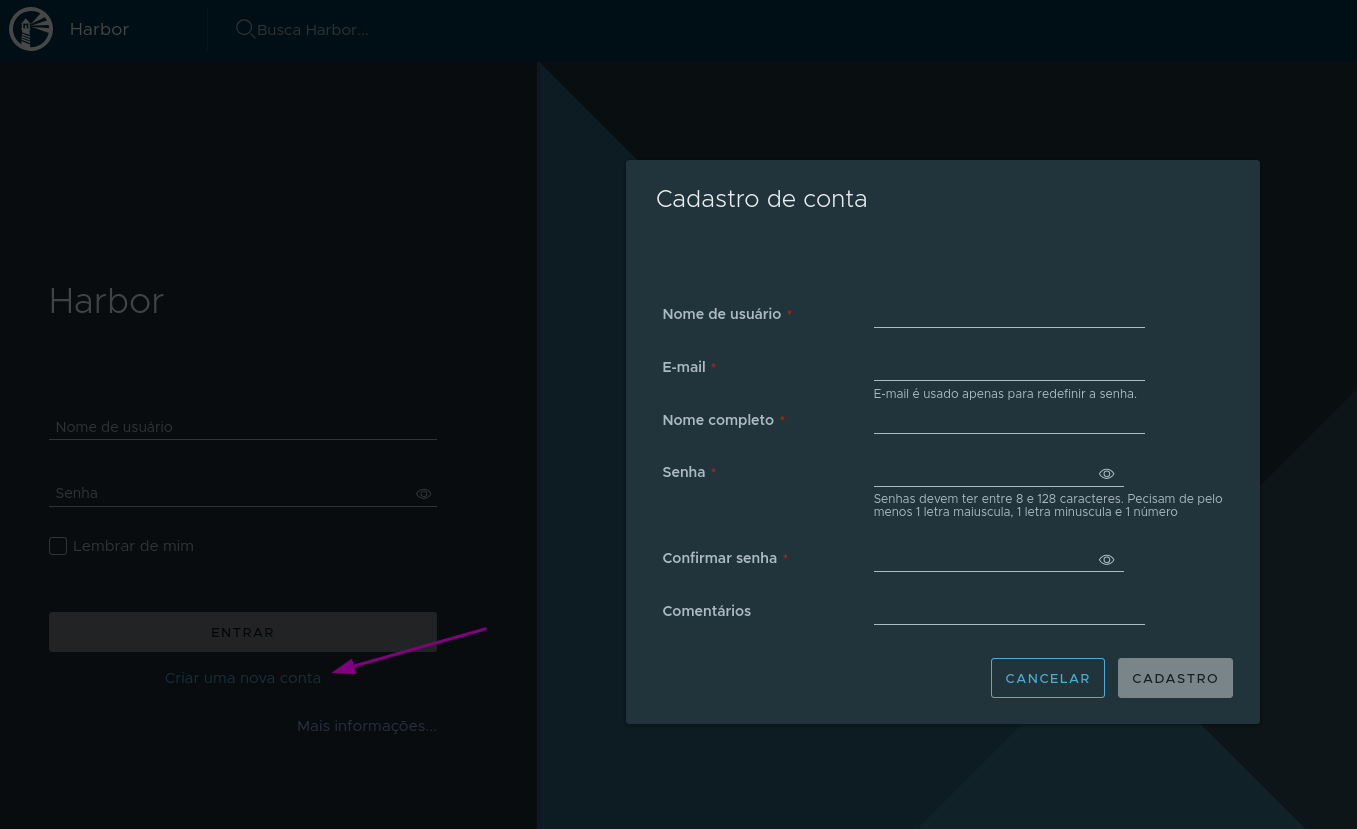
By default (in database-managed user mode) users need to be created by the administrator. To allow someone to create an account on their own, you need to enable Allow Self-Registration, which is unchecked by default.
The library project is the default and belongs to the administrator
To use authentication via SSO such as Okta, Keycloak, and others, no users can exist in the database. In this case, you don't create user accounts in Harbor. Self-registration (as shown above), user deletion, and password reset will also not be possible.
If any user has been created, delete it so the options below appear.
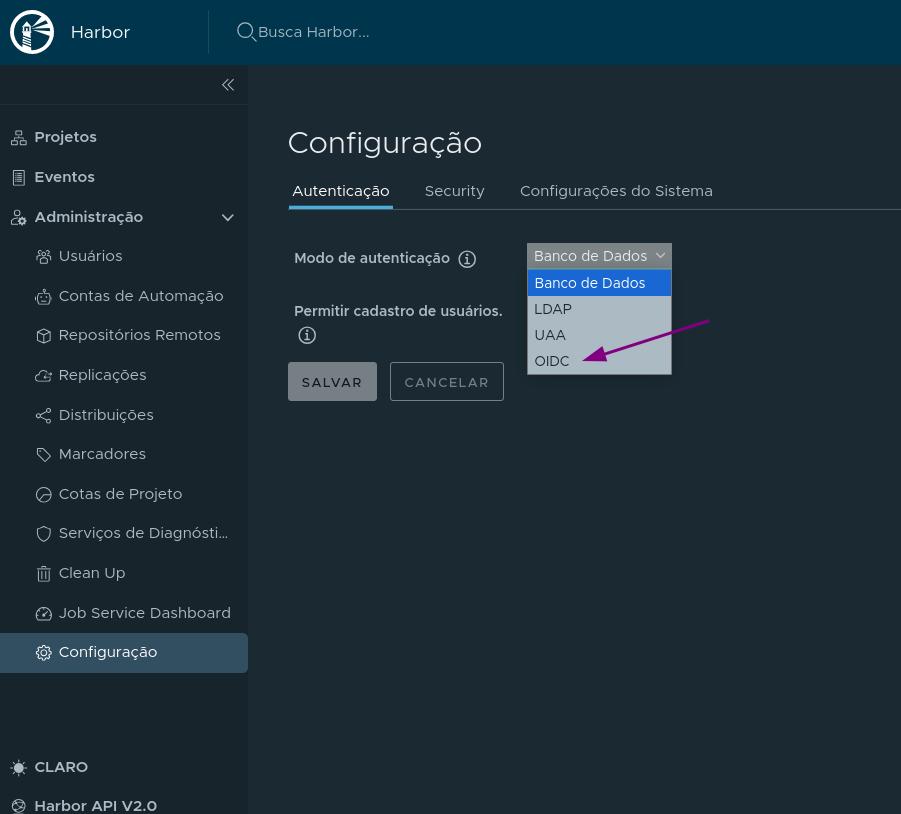
Consult the documentation for more information.
Managing Users
- Images must be in some project.
- In projects we apply quotas and rules, such as maximum image size, maximum number of tags, etc.
- Users exist independently of projects, just like any registration.
- They can be invited to participate in a project created by another user or create their own project to manage their images.
- The project owner or maintainer user can define roles for other project member users.
- It is not possible to granularize permissions. Permissions are according to roles.
- A project can be public or private.
A project member can have the following roles: Limited Guest, Guest, Developer, Maintainer, and Project Admin.
| Action | Limited Guest | Guest | Developer | Maintainer | Project Admin |
|---|---|---|---|---|---|
| View project settings | ✓ | ✓ | ✓ | ✓ | ✓ |
| Edit project settings | ✓ | ||||
| View project members list | ✓ | ✓ | ✓ | ✓ | |
| Create/edit/delete project members | ✓ | ||||
| View project logs list | ✓ | ✓ | ✓ | ✓ | |
| View project replications list | ✓ | ✓ | |||
| View project replication jobs list | ✓ | ||||
| View project tags list | ✓ | ✓ | |||
| Create/edit/delete project labels | ✓ | ✓ | |||
| View repositories list | ✓ | ✓ | ✓ | ✓ | ✓ |
| Create repositories | ✓ | ✓ | ✓ | ||
| Edit/delete repositories | ✓ | ✓ | |||
| View images list | ✓ | ✓ | ✓ | ✓ | ✓ |
| Retag image | ✓ | ✓ | ✓ | ✓ | |
| Pull image | ✓ | ✓ | ✓ | ✓ | ✓ |
| Push image | ✓ | ✓ | ✓ | ||
| Scan/delete image | ✓ | ✓ | |||
| Edit scanners in projects | ✓ | ||||
| View image vulnerabilities list | ✓ | ✓ | ✓ | ✓ | ✓ |
| Create project vulnerabilities list | ✓ | ✓ | ✓ | ||
| Read project vulnerabilities list | ✓ | ✓ | ✓ | ||
| Export project vulnerabilities list | ✓ | ✓ | ✓ | ||
| View image build history | ✓ | ✓ | ✓ | ✓ | ✓ |
| Add/remove image tags | ✓ | ✓ | ✓ | ||
| View helm charts list | ✓ | ✓ | ✓ | ✓ | ✓ |
| Download helm charts | ✓ | ✓ | ✓ | ✓ | ✓ |
| Upload helm charts | ✓ | ✓ | ✓ | ||
| Delete helm charts | ✓ | ✓ | |||
| View helm chart versions list | ✓ | ✓ | ✓ | ✓ | ✓ |
| Download helm chart versions | ✓ | ✓ | ✓ | ✓ | ✓ |
| Upload helm chart versions | ✓ | ✓ | ✓ | ||
| Delete helm chart versions | ✓ | ✓ | |||
| Add/remove helm chart version tags | ✓ | ✓ | ✓ | ||
| View project robots list | ✓ | ✓ | |||
| Create/edit/delete project robots | ✓ | ||||
| View configured CVE allowlist | ✓ | ✓ | ✓ | ✓ | ✓ |
| Create/edit/remove CVE allowlist | ✓ | ||||
| View webhook events | ✓ | ✓ | |||
| Add new webhook events | ✓ | ||||
| Enable/disable webhooks | ✓ | ||||
| Create/delete tag retention rules | ✓ | ✓ | ✓ | ||
| Enable/disable tag retention rules | ✓ | ✓ | ✓ | ||
| Create/delete tag immutability rules | ✓ | ✓ | |||
| Enable/disable tag immutability rules | ✓ | ✓ | |||
| View project quotas | ✓ | ✓ | ✓ | ✓ | ✓ |
| Delete the project | ✓ |
The project administrator can use scanners already configured in Harbor for the project, but cannot add them to Harbor.
Harbor administrator responsibilities include:
- Adding scanners.
- Defining quotas for projects.
- Granting administrator permission to another user. Members are for projects, users are system-wide. A user can be a member of a project.
- Defining vulnerability scan policies for all projects.
- Creating, modifying, and deleting users and projects.
An anonymous user is a user who is not logged into the system and can only have read-only access to public projects.
An automation account is used to create a system user to be used by another system.