CI Example
To execute the steps of each stage, we need runners to do this task. We can use Harness Cloud runners by validating a credit card. Another idea is to create runners locally on your own machine to do the processing using containers.
We can create runners in Kubernetes as we saw previously in the CD example, but this time let's go with docker to change the scenario.
The documentation is at https://developer.harness.io/docs/continuous-integration/use-ci/set-up-build-infrastructure/define-a-docker-build-infrastructure.
Requirements:
- Docker installed is a requirement for this example
- DockerHub account to push the image during the pipeline
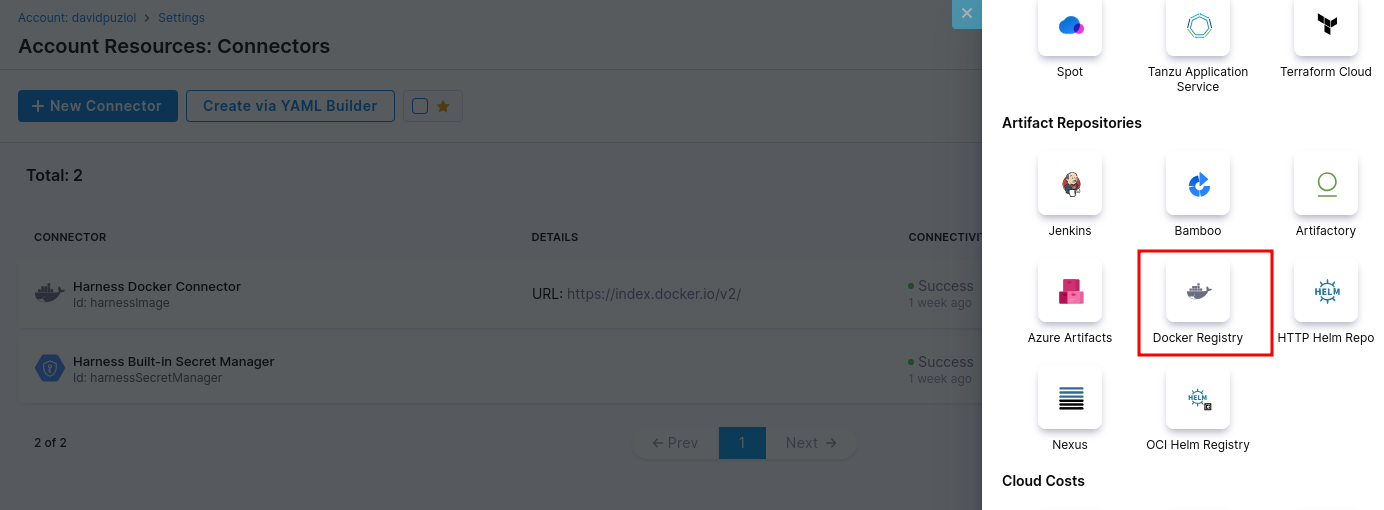
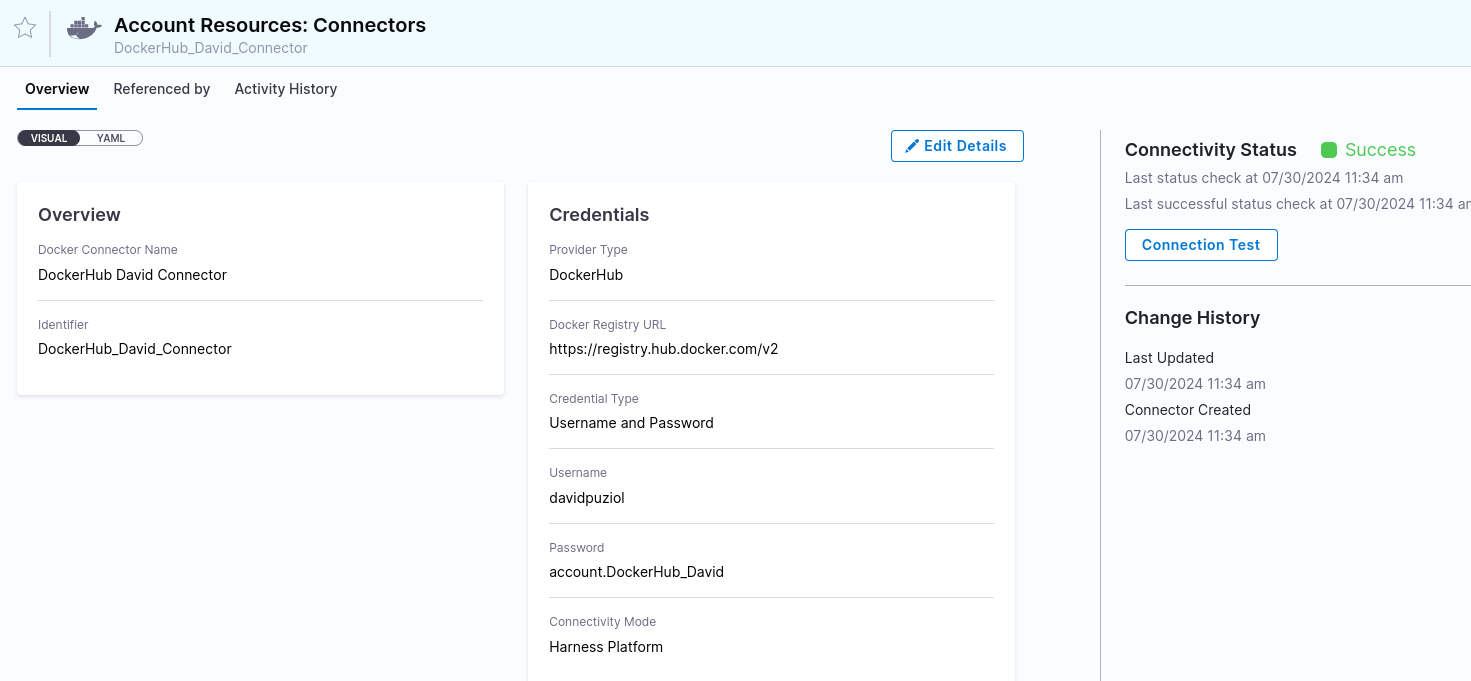
Let's create a connector in the account to access your DockerHub account.
The default DockerHub address if you don't have a custom one is https://registry.hub.docker.com/v2. Put your username and password for it to connect. Give it an easy name to identify. Docker Connector Documentation.
wget https://raw.githubusercontent.com/harness/harness-docker-runner/master/scripts/script-prod.sh -O script.sh
sh script.sh YourAccountID YourDelegateToken 24.07.83605
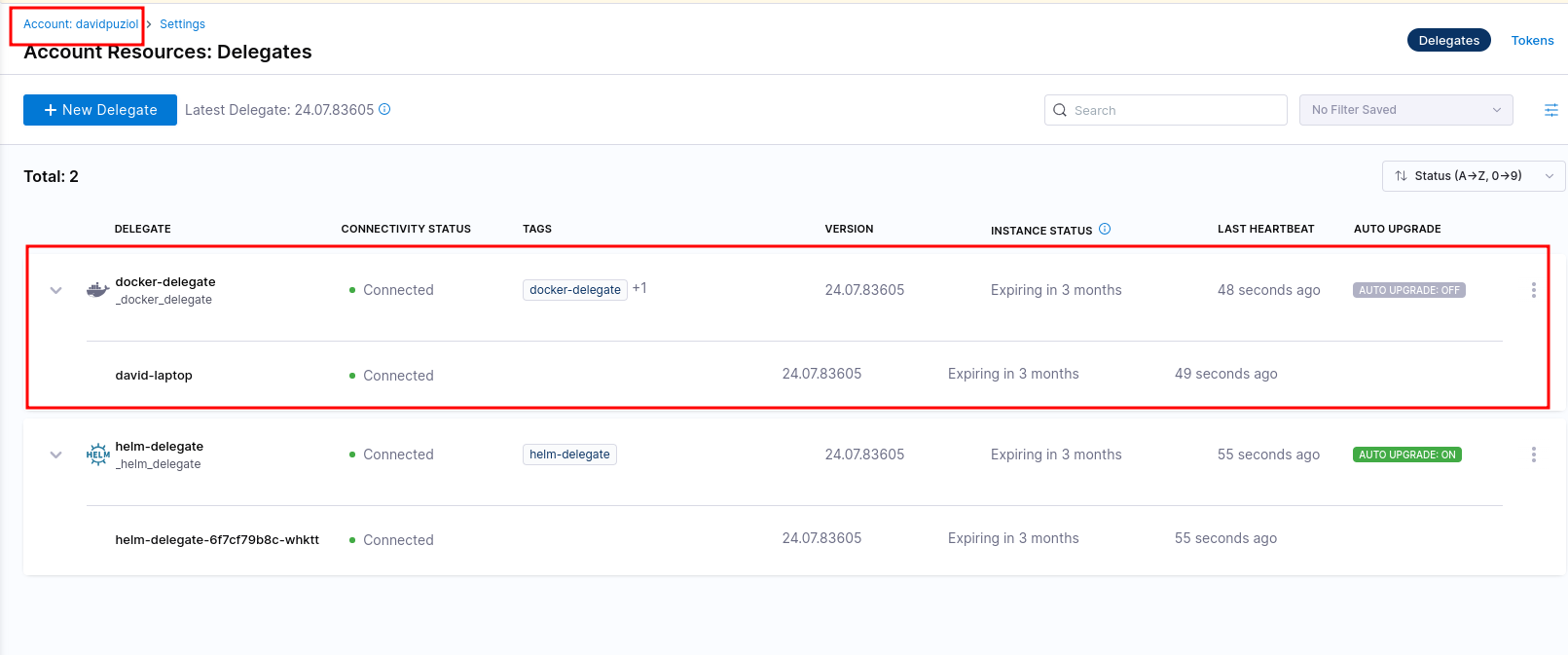
Actually, the main part of the script is a docker command passing the accountID and a Delegate Token that will mount a new delegate but now, not in Kubernetes but directly on the main machine.
# Main code of the example script
docker run --cpus=1 --memory=2g \
  -e DELEGATE_NAME=docker-delegate \
  -e NEXT_GEN="true" \
  -e DELEGATE_TYPE="DOCKER" \
  -e ACCOUNT_ID=H5W8iol5TNWc4G9h5A2MXg \
  -e DELEGATE_TOKEN=YOUR_API_TOKEN \
  -e LOG_STREAMING_SERVICE_URL=https://app.harness.io/gratis/log-service/ \
  -e DELEGATE_TAGS="windows-amd64" \
  -e RUNNER_URL=http://WINDOWS_MACHINE_HOSTNAME_OR_IP:3000 \
  -e MANAGER_HOST_AND_PORT=https://app.harness.io/gratis harness/delegate:23.02.78306
One very important thing is to remember that we're creating these delegates (runners) for the entire account, but they could be created by org or project just like several other resources. In this case, any other project could use this same delegate.
Does this delegate create another container to execute the task being just an entry point or is it actually the runner? We'll find out soon.
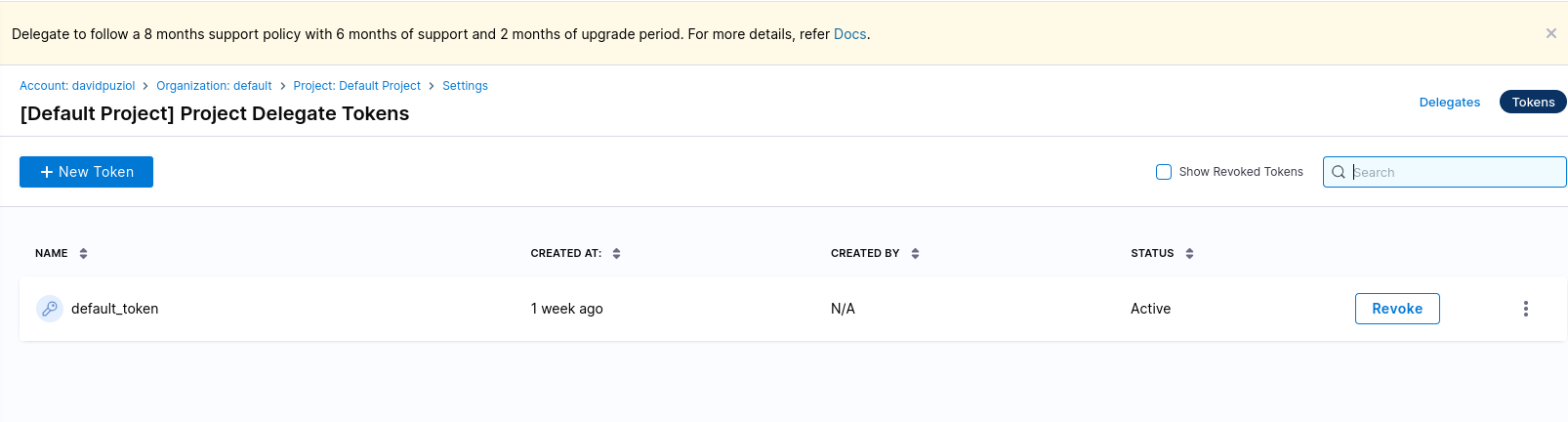
You can create more tokens instead of always using the default one.
Application
We'll use a sample application made in golang. Fork this project to some git repository you use that's available in Harness.
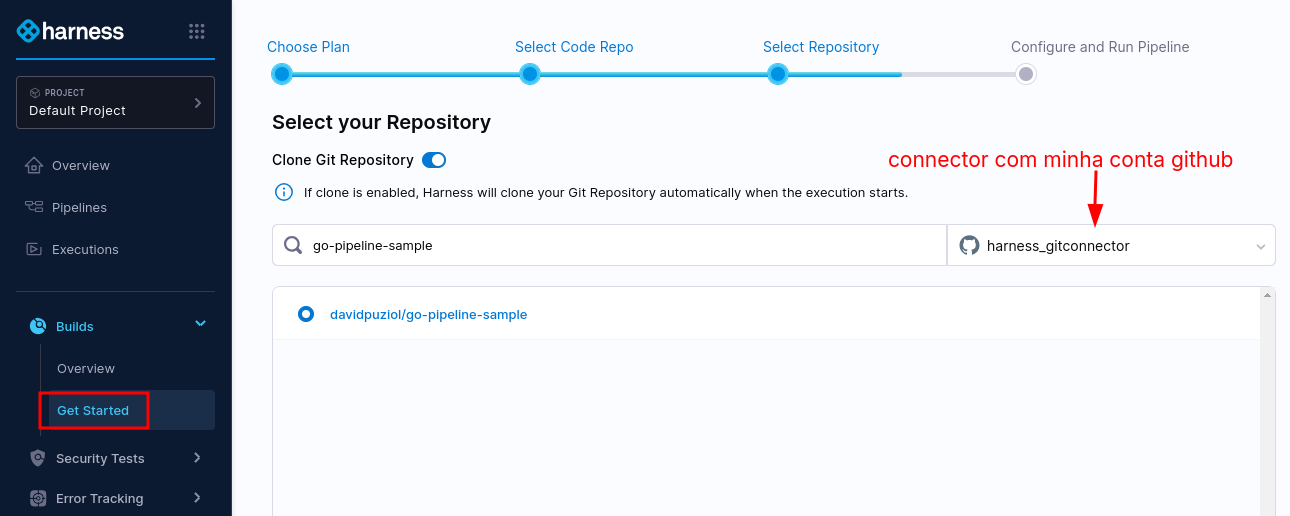
Notice that it already found the .harness/pipelines folder where we have our yaml.
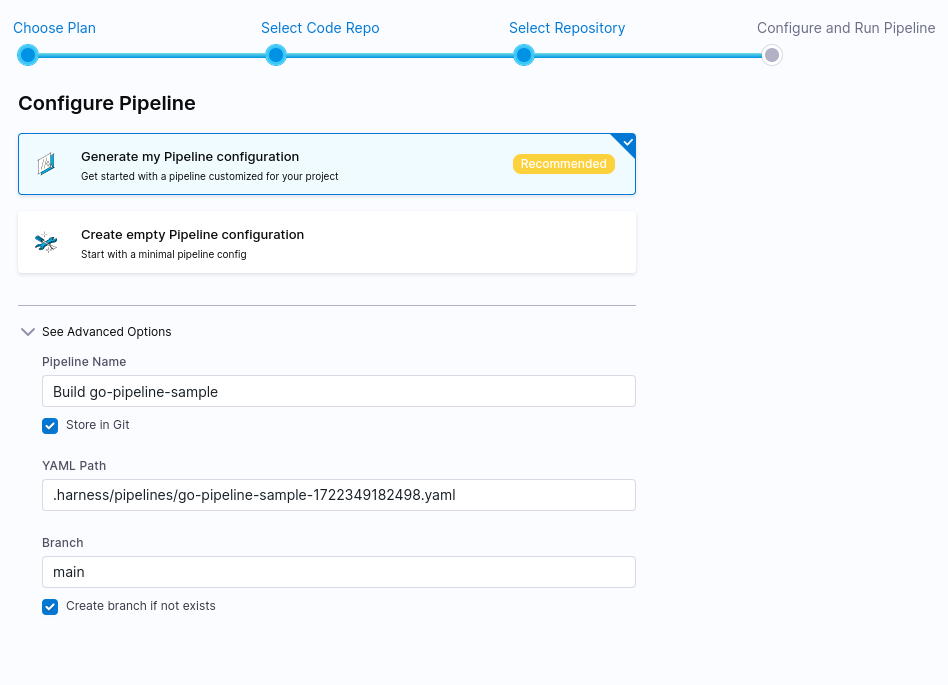
Taking the yaml that defines the pipeline in this repository, it created a pipeline in the project within the Harness platform, but didn't change the pipeline that's defined in the repository.
If we change the pipeline in the repository will it reflect in Harness? If we change in Harness will it commit to the repo? Yes, it will if you allow it.
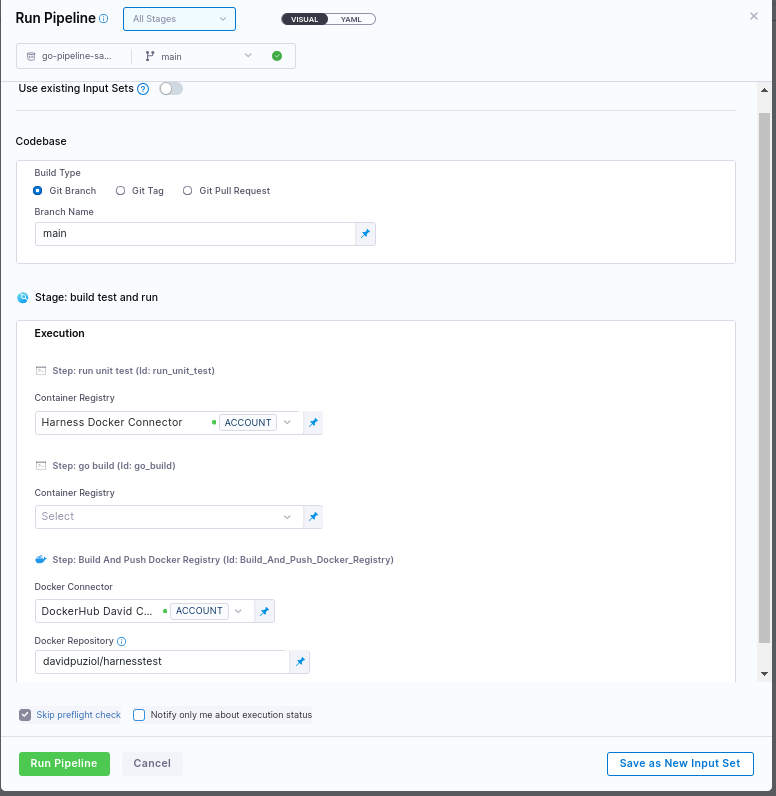
It will show us visually what's in the yaml and we need to complete some details for the pipeline to work because if you look closely at the code we'll have some things similar to the code below.
# Excerpt from the pipeline
              - step:
                  type: BuildAndPushDockerRegistry
                  name: Build And Push Docker Registry
                  identifier: Build_And_Push_Docker_Registry
                  spec:
                    connectorRef: <+input> # Will need to be set at run time
                    repo: <+input> # Will need to be set at run time
                    tags:
                      - latest
If it were defined fixedly, not all inputs would appear, but since it's an example and needs to work for everyone, it was done this way.
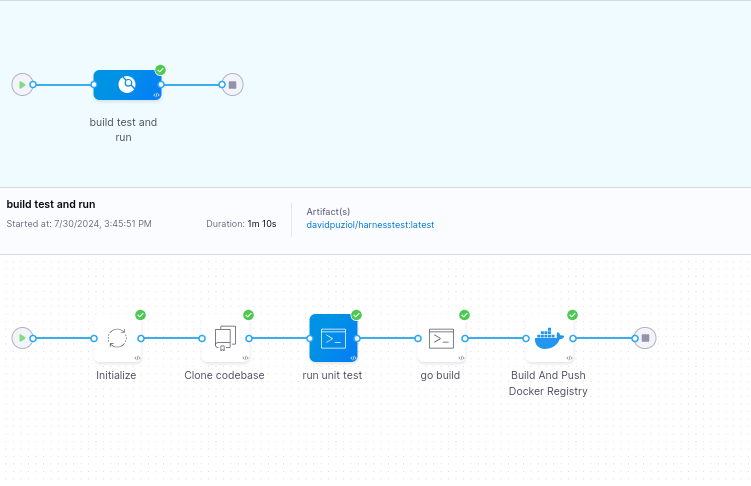
If we run the pipeline directly, some details will be asked for as input.