Concepts
It's important to understand the terms we'll be using.
Accounts
The highest scope entity. It contains organizations and projects, as well as global settings and resources.
Resources, such as connectors, can be added at all scopes (account, organization, or project) and are available to all lower scopes.
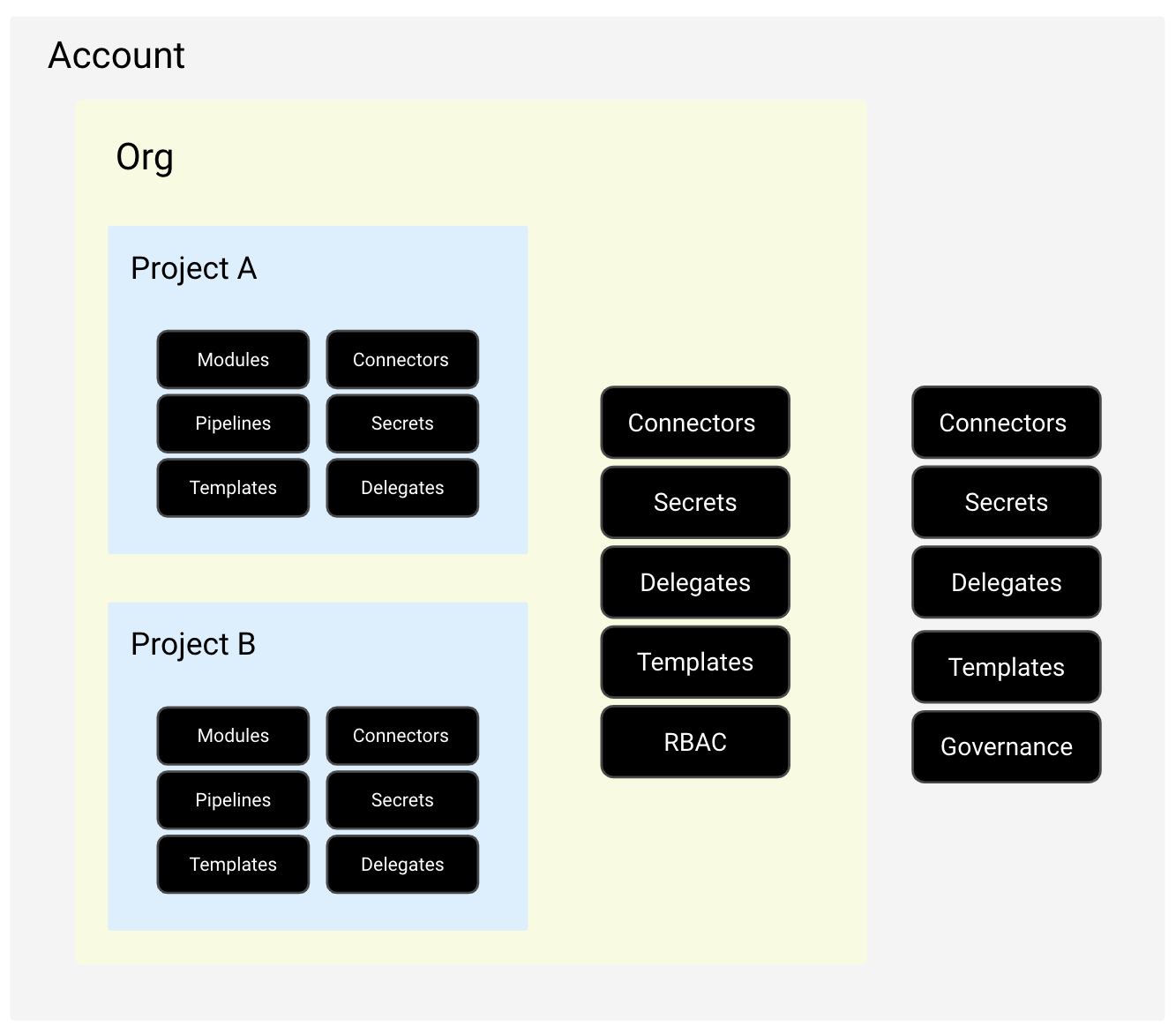
The hierarchy allows teams to manage their resources at the organization level without depending on account administration.
Organizations and Projects
You'll likely have multiple Harness organizations and projects.
Harness organizations (or orgs) allow you to group projects that share the same goal. Each org can have many Harness projects containing Harness pipelines, users, and resources that share the same goal.
Organizations can represent a business unit within your company, while projects represent application development teams within that business unit.
Using Harness RBAC, you can distribute the administration of organizations and projects to their respective owners. For example, you can use the Project Admin role to designate an administrator for a specific project who can invite their team members and independently create/manage their own modules and platform components.
Projects are a shared space where teams can work independently on similar technologies without depending on administrators.
RBAC
Allows you to control access at all scopes, from global account scope to granular entity-specific access to individual pipelines.
Uses the same cloud principles as users, groups, and roles, being able to define permissions for each of them.
Service accounts are similar to users but without any human user association, as they are intended for external systems to integrate with the Harness Platform. An API key is used for authentication and authorization.
It's also possible to use the Open Policy Agent for RBAC policy governance.
Secret Management
Just as we would in a cloud, Kubernetes, and vault, we can manage secrets using the Harness account.
Delegates
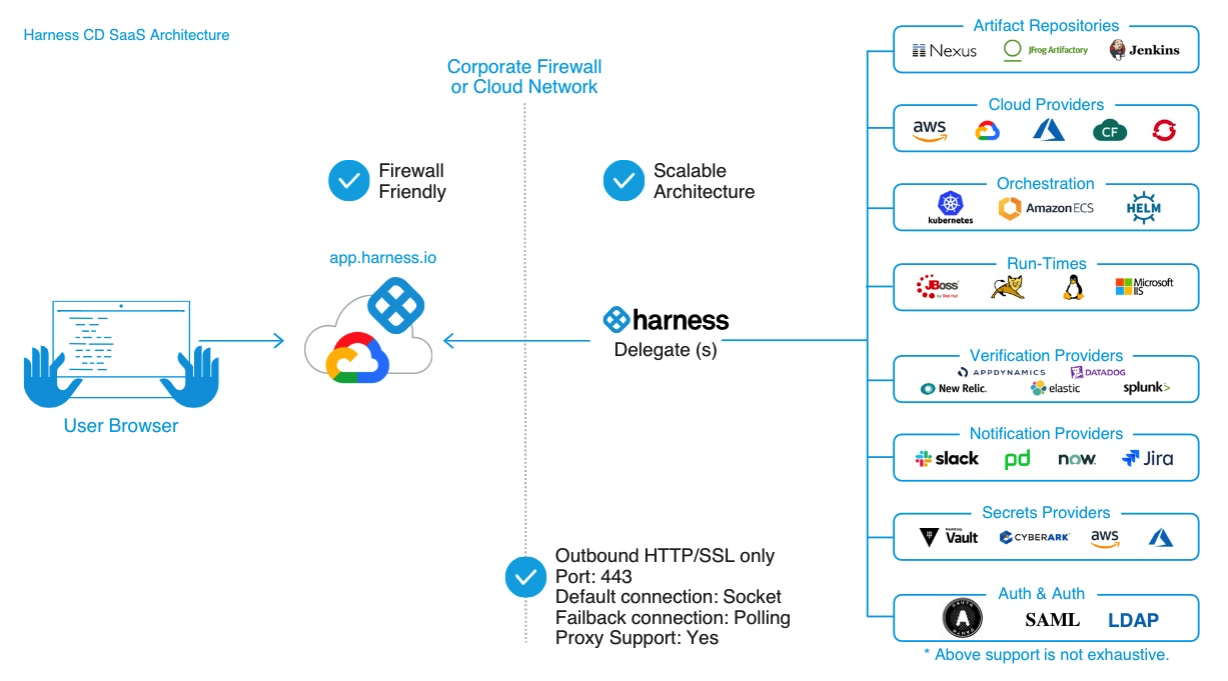
Are processes you install in your infrastructure (like a Kubernetes cluster) that connect to the Harness Platform to execute tasks using your container orchestration platforms, artifact repositories, monitoring systems, and so on.
This allows the Harness platform to leverage the delegate to execute Harness tasks on your behalf, without any of your secrets leaving your network.
Delegates are also the runners.
Connectors
Contain the information needed to integrate and work with third-party tools. For example, a GitHub connector authenticates with a GitHub account and repository and fetches files as part of a build or deploy stage in a pipeline.
Harness offers many types of connectors, including:
- Code repository
- Artifact repository
- Cloud providers
- Monitoring and logging system
- Others
Pipelines
Present in several Harness modules. They represent a workflow and, in Harness, are composed of pipeline-level configurations, stages, and steps. Pipelines can be a cyclical process that includes integration, delivery, operations, testing, deployment, real-time changes, and monitoring.
For example, a pipeline can use the CI module to build, test, and push code, and then a CD module to deploy the artifact to your production infrastructure.
Pipelines are triggered manually in the Harness Platform or automatically in response to Git events, schedules, new artifacts, and so on.
Can be developed in YAML or created visually in Pipeline Studio. You can freely switch between the two editors quickly.
The visual editor provides a graphical user interface (GUI) experience where you can easily define settings, add and remove steps and stages, and drag and drop steps and stages to reorganize them, organize them in parallel, or add or remove them from step groups.
The YAML editor provides a text editor experience for creating pipelines. You can also use Harness Git Experience to manage your Harness YAML entities from your Git repositories.
Within a pipeline, we have two concepts.
- Stage - contains the logic to execute a main segment of the pipeline process. For example, build could be a type of stage.
- Steps - is an individual operation in a stage that can be sequential or parallel. You can group steps when needed. If we were putting a step within the build stage, we could have the first step to download libraries, the second step to check library deprecations, the third step to actually execute the build.
Dashboard Account
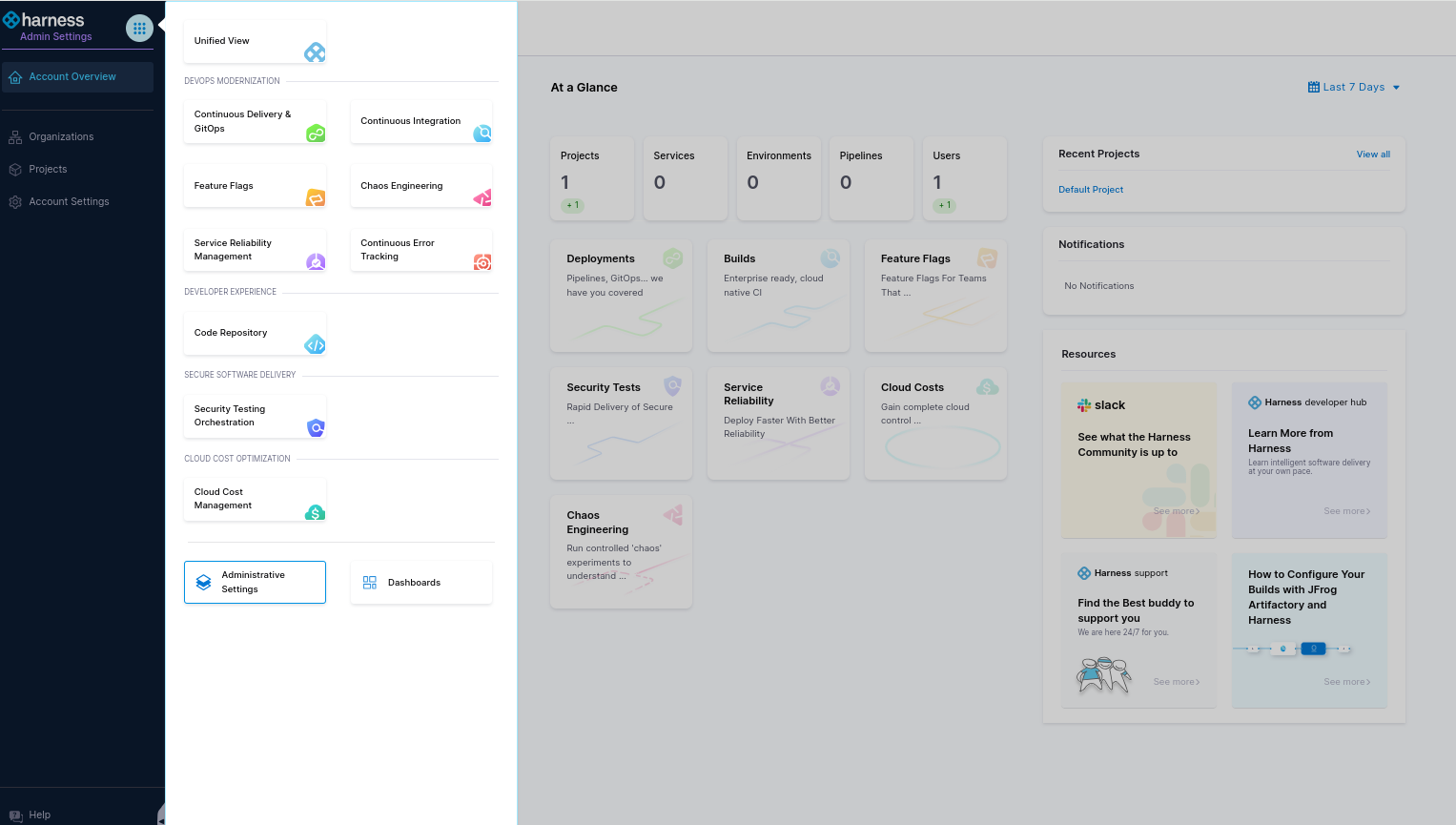
Take a look around and see your account status to learn a bit about the account management graphical interface.