Resource Group
A resource group is a pool of resources, but it's just a logical denomination. If all resources were independent and we needed to grant access permission, we would need to go to each one to create the permission. With the group, we can do this simply: give permission on the group to a user. When deleting, we can delete the entire group. We can calculate costs for a resource group instead of having to sum up resource by resource.
Any new resource created is automatically created within a resource group, and you can create a new resource group or choose an existing one. A resource can only exist in a single resource group. It's also not possible to group resource groups. If you need all resources to be in the same group, then move them to the desired group.
The choice of how to create a resource group depends on how you want to manage things. What I'll say below is an example and not a rule.
- One resource group per region
- One resource group per app
- One resource group just for network resources and each application in a separate resource group.
- It's not because I created the network in a resource group that I can't use it in another group.
- One resource group per environment
A resource group cannot be renamed because of dependencies. It's necessary to delete and recreate. Deleting the resource group involves deleting all resources contained in it.
Another advantage of the resource group is listing everything that is contained in it. Much easier than AWS where we would need to create the same tags on all resources.
Creating a resource group via the Portal is very simple.
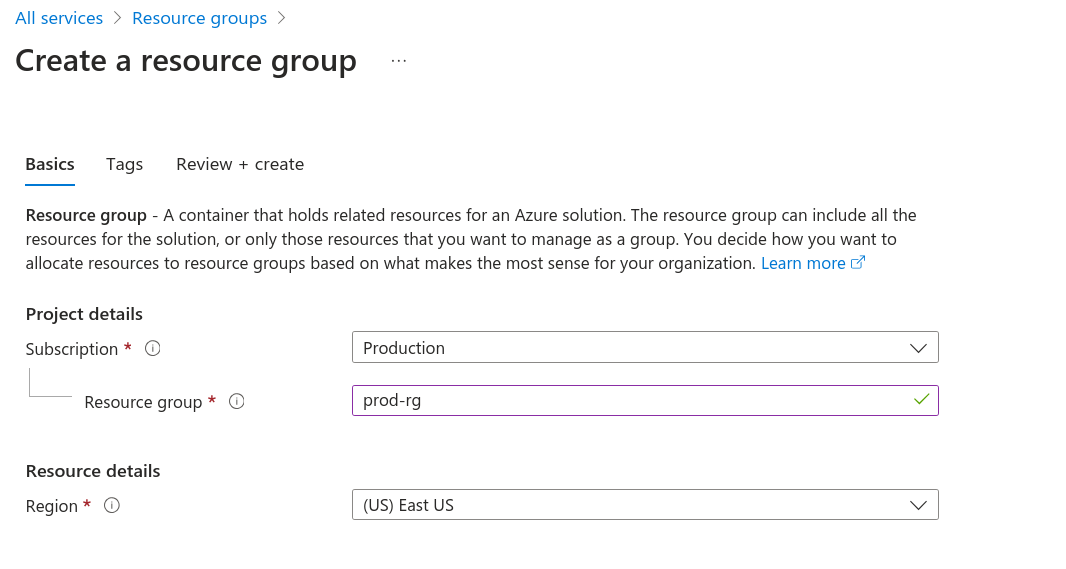
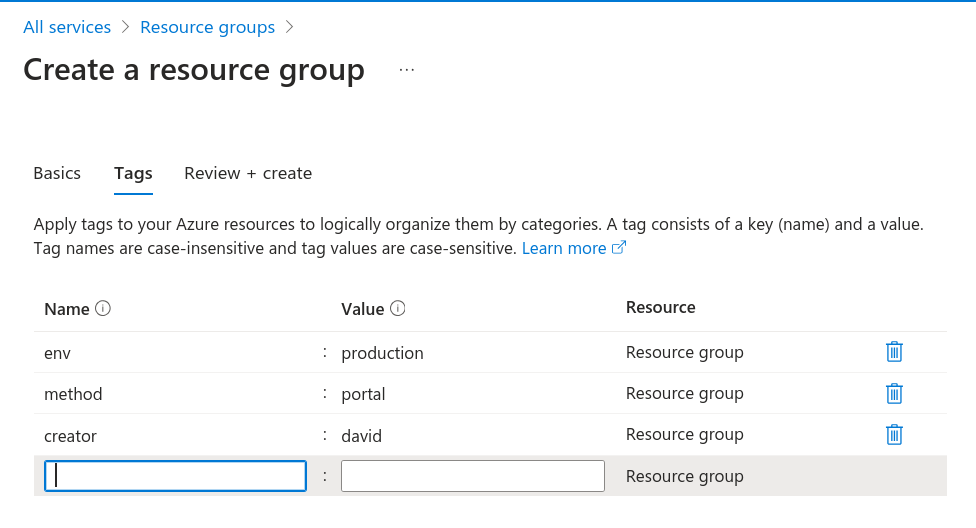
We can add tags for filtering.
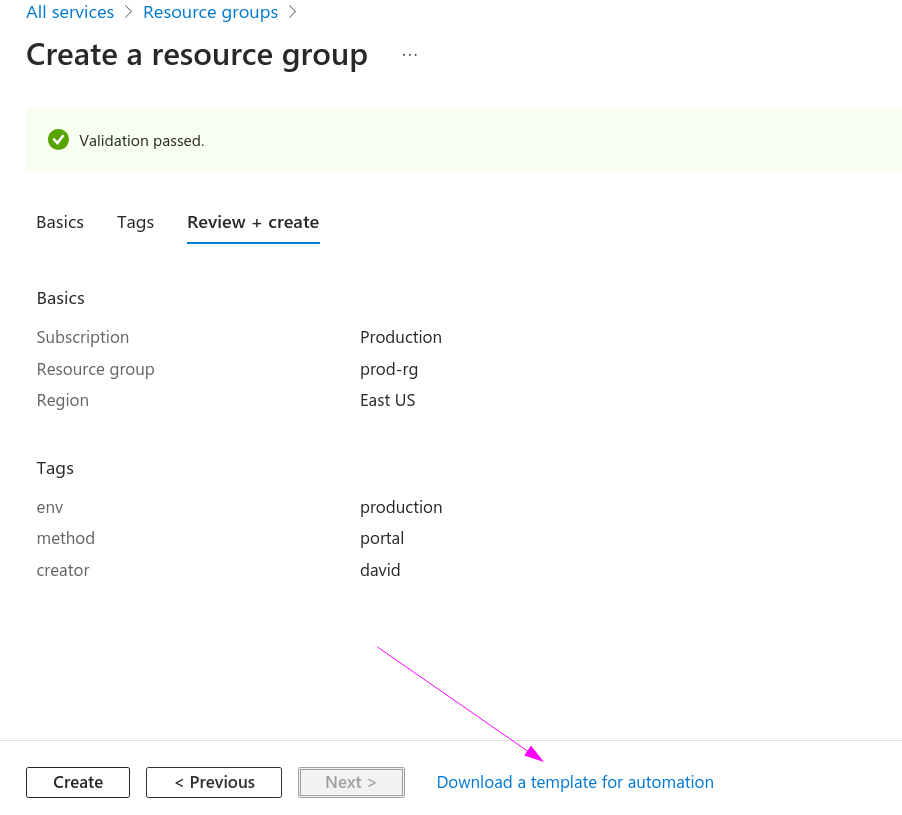
Clicking create will create it. Observe the arrow and see that we can download the template and parameters via JSON.
Template
{
    "$schema": "https://schema.management.azure.com/schemas/2018-05-01/subscriptionDeploymentTemplate.json#",
    "contentVersion": "1.0.0.1",
    "parameters": {
        "rgName": {
            "type": "string"
        },
        "rgLocation": {
            "type": "string"
        },
        "tags": {
            "type": "object",
            "defaultValue": {}
        }
    },
    "variables": {},
    "resources": [
        {
            "type": "Microsoft.Resources/resourceGroups",
            "apiVersion": "2018-05-01",
            "location": "[parameters('rgLocation')]",
            "name": "[parameters('rgName')]",
            "properties": {},
            "tags": "[parameters('tags')]"
        }
    ],
    "outputs": {}
}
Parameters
{
    "$schema": "https://schema.management.azure.com/schemas/2015-01-01/deploymentParameters.json#",
    "contentVersion": "1.0.0.0",
    "parameters": {
        "rgName": {
            "value": "prod-rg"
        },
        "rgLocation": {
            "value": "eastus"
        },
        "tags": {
            "value": {
                "env": "production",
                "method": "portal",
                "creator": "david"
            }
        }
    }
}
And just out of curiosity if it were via Terraform...
resource "azurerm_resource_group" "prod" {
  name     = "prod-rg"
  location = "East US"
  tags = {
    env = "production",
    method = "terraform",
    creator = "david"
  }
}
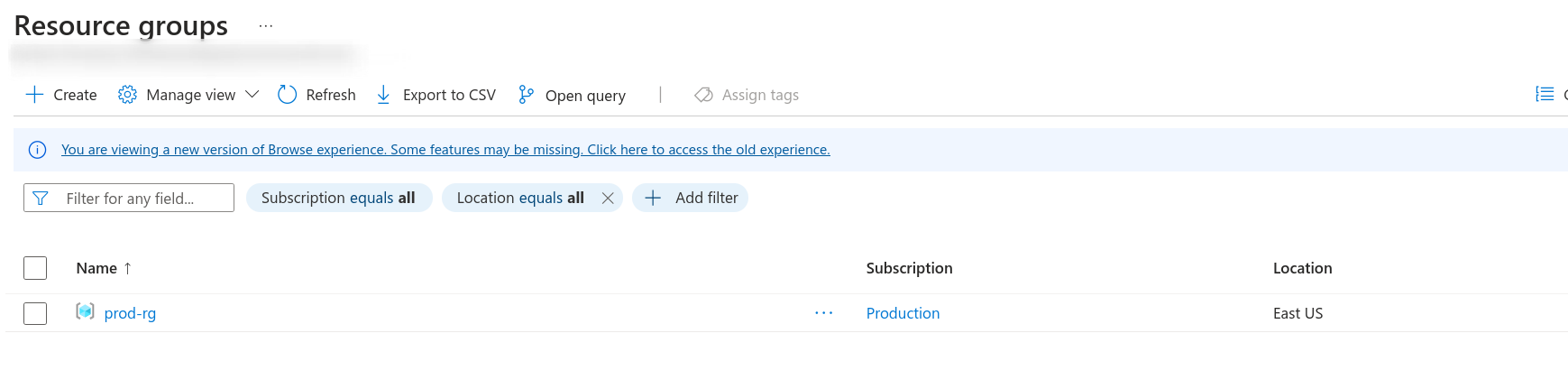
az group list
[
  {
    "id": "/subscriptions/XXXXXXXXXXXXXXXXXXXXXXXXXXXXXX/resourceGroups/prod-rg",
    "location": "eastus",
    "managedBy": null,
    "name": "prod-rg",
    "properties": {
      "provisioningState": "Succeeded"
    },
    "tags": {
      "creator": "david",
      "env": "production",
      "method": "portal"
    },
    "type": "Microsoft.Resources/resourceGroups"
  }
]

az group list --output table
Name     Location    Status
-------  ----------  ---------
prod-rg  eastus      Succeeded

az group create --name development --location brazilsouth

az group list --output table
Name         Location     Status
-----------  -----------  ---------
development  brazilsouth  Succeeded
prod-rg      eastus       Succeeded

az group delete --resource-group development
Are you sure you want to perform this operation? (y/n): y