Cluster Architecture
Kubernetes aims to host your containerized applications in an automated way, facilitating their deployment across multiple instances and simplifying communication between application services. We'll use a more simplified approach than the one proposed in the course.
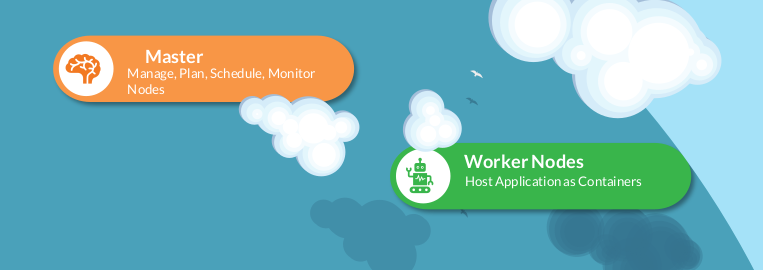
Control Plane (Master)
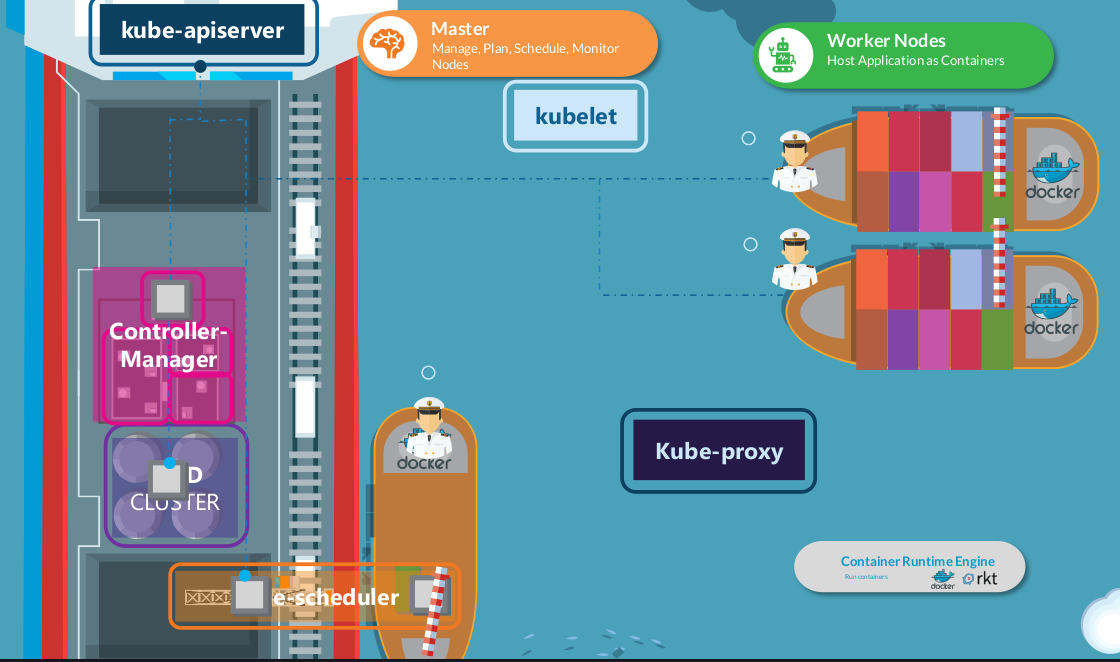
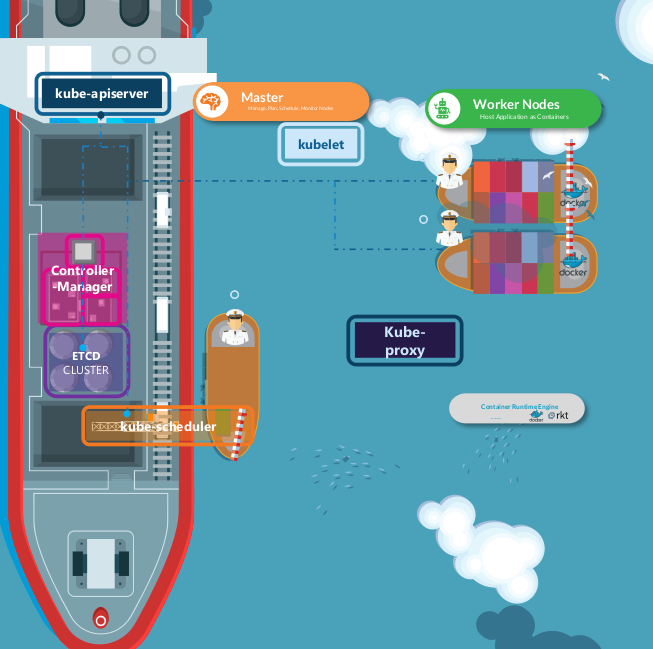
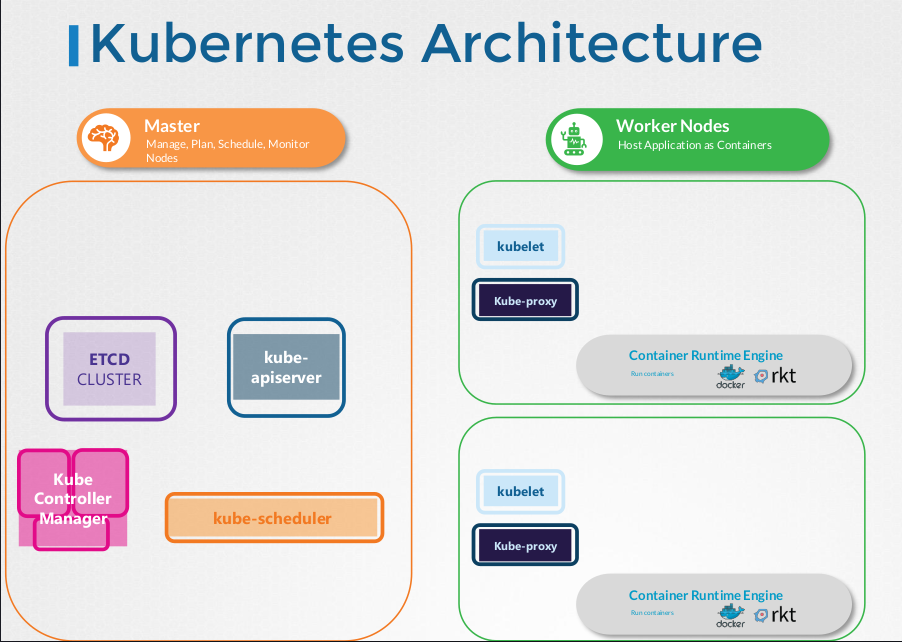
It's the set of nodes that contain the components responsible for governing Kubernetes. These components maintain all the information necessary to ensure the system runs properly and control the pods and worker nodes.
ETCD
It's the Kubernetes database. All cluster information is stored in ETCD through a key-value set.
Kube-Scheduler
It's responsible for making decisions about allocating each pod to cluster nodes, taking into account various established policies, such as node capacity, topology, restriction policies, hardware type, among others. It also considers factors like taints, affinities, and other relevant configurations.
Kube-Controller-Manager
It plays a fundamental role in monitoring cluster health. It detects any failures and attempts to correct them automatically. For example, if a node or pod stops responding, the Kube-Controller-Manager intervenes to ensure the correct number of pods is running, thus restoring the cluster's desired state. This component acts as a kind of auditor, continuously verifying the cluster state to ensure its compliance and integrity.
This component is formed by two other main components: Replication Controller and Node Controller.
Kube-APIServer
In Kubernetes, everything works through APIs. The Kube-APIServer is the central point of this architecture, being responsible for orchestrating operations within the Kubernetes cluster. It interprets requests sent by components, understanding what should be executed or not. Information is stored in ETCD. It's through the Kube-APIServer that users interact and define manifests.
The kubectl command communicates exclusively with the Kube-APIServer. Although less common, it's possible to invoke the APIs directly with a POST command, without using kubectl.
The Kube-APIServer performs several vital functions in the cluster:
- Authenticates the user
- Validates the request
- Retrieves data
- Updates ETCD (the only one that interacts with ETCD)
- Kube-Controller-Manager, Kube-Scheduler and Kubelet use the Kube-APIServer to make updates in the cluster in their respective areas.
Like all Kubernetes components, the Kube-APIServer is distributed as a binary.
Worker Nodes
These are the Kubernetes nodes that will actually be used to run pods.
Kubelet
It's the Kubernetes agent that runs inside nodes to send and receive data from the Kube-APIServer. It's responsible for periodically reading the Kube-APIServer and executing commands inside nodes and sending pod status reports to the Kube-APIServer.
It's the Kubelet that has the function of pulling container images (using the CRI) on the node and executing pods. Then it continues to monitor the pod and report to the Kube-APIServer.
The Kubelet is always manually installed inside each worker node and is usually present only on worker nodes and not on masters. Kubeadm doesn't install the Kubelet. Some configurations can be passed to the Kubelet.
Kube-proxy
It's the network agent that ensures communication between cluster pods even when they are on different nodes.
Containers
All machines that run pods, usually workers, need to have a Container Runtime Interface (CRI) installed to run containers. It doesn't have to be Docker. In fact, it's not very recommended to install Docker as the CRI, because it brings with it many other tools that interact with the CRI and are not necessary on nodes.
For this, we can use containerd, which implements runc, which is the core of the CRI without bringing all these tools that Docker brings. Both Docker and containerd use the container declaration specification we already know, so any image created by Docker works on containerd. Containerd is a CNCF graduated project.
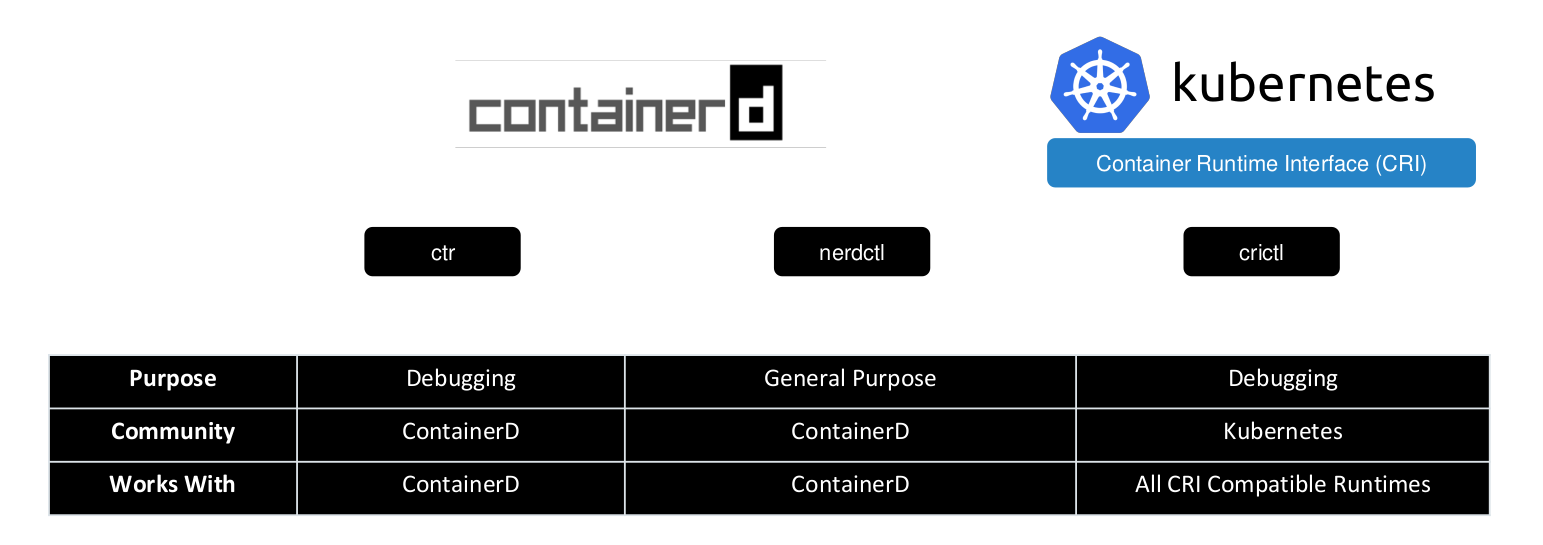
However, containerd brings with it a CLI called ctr that is not very user-friendly and is mostly used for debugging, as it has limited features. To improve interaction with containerd, crictl was created, which extends ctr's features, but is still not user-friendly for general purposes and is mainly for debugging, especially on worker nodes.
To run things in a more user-friendly way, we can use nerdctl which is very similar to Docker CLI, supports most options that Docker supports, and has general purposes, including being used for image development.