Container Immutability
What does this mean?
The container will not be modified during its lifetime. Nothing will be added or removed from the container. If changes are necessary, another image will be created with the appropriate modification and a new instance will be created.
The advantage of this approach is that we always know the state in which the container is. Entering an application and changing a configuration won't be replicable again.
Immutable containers allow us to:
- Use advanced deployment methods
- Easy rollback
- Greater reliability
- Better security (at the container level), because we can always create a new one, certain that there are no malicious processes running
Immutability and the ease of burning new images are some of the reasons that made containers so popular.
What can we do to ensure containers are immutable:
- Remove bash/shell so it's not possible to interact with the container
- Make the filesystem read-only so it's not possible to write
- Run with a non-root user
This is what best practices mandate and how to harden a container.
But what if we don't have control over container images? In this case, it's always possible to use the image as a base and modify it to generate a new one.
If that's still not possible, there are some things we can do.
We can change the command and pass all the commands we want and lastly call the command that will run the container.
  containers:
  - image: nginx
    name: nginx
    # Remove all write permissions recursively before calling the nginx executable
    command:
    - "chmod a-w -R / && nginx"
    resources: {}
We can still solve this using the startup probe, which is very similar to readiness or liveness probes, however these last two will only be executed after the startup probe succeeds, otherwise the container will keep restarting. This way we won't even need to know the container's entrypoint.
  containers:
  - image: nginx
    name: nginx
    startupProbe:
      exec:
        command:
        - chmod
        - a-w -R /
      initialDelaySeconds: 1
      periodSeconds: 5
The methods above are possible, but just because something is possible doesn't mean we should do it.
The best way would be to enforce read-only on /root using SecurityContext and/or PodSecurityPolicies.
  containers:
  - image: httpd
    name: httpd
    securityContext:
      readOnlyRootFilesystem: true
However, this pod will need to write to /usr/local/apache2/logs. When this happens, we can mount an emptyDir.
  containers:
  - image: httpd
    name: httpd
    securityContext:
      readOnlyRootFilesystem: true
    volumeMounts:
    - mountPath: /usr/local/apache2/logs
      name: logs
  volumes:
  - name: logs
    emptyDir: {}
If we translate this to the Docker world, it would be like executing the command below.
docker run --read-only --tmpfs /run my-container
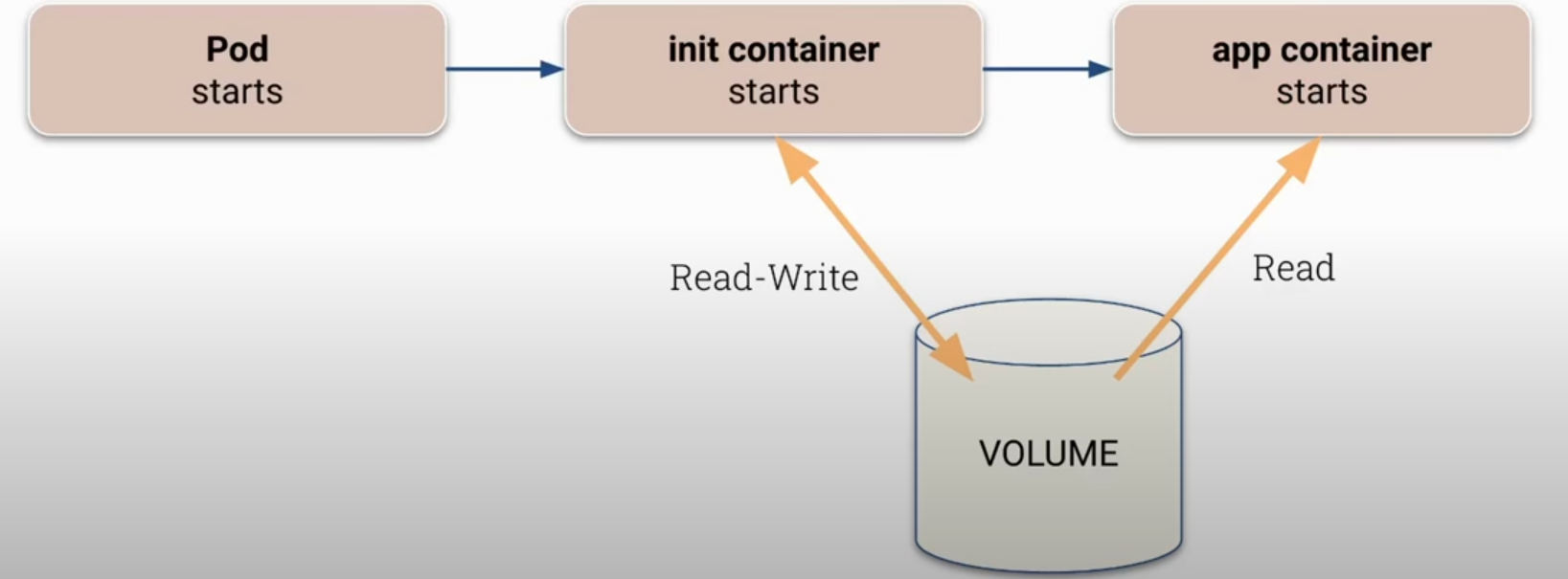
We could still use the init container resource which starts before the application, prepares the ground, and only after it finishes will the application container be launched. If the init container prepares the volume that will be used by the application, giving it only read resources, it can be a good scenario.
Obviously, it's necessary to protect users from changing the pod spec using RBAC.