Initializing a Git Repository
SSH Authentication in Git
Before starting to talk about git, create an account on gitlab or github and link an SSH key so you don't have to keep typing username and password all the time, because it's annoying.
ssh-keygen -b 2048 -t rsa
This command generates two keys, one public (id_rsa.pub) and one private (id_rsa) which are stored in your user directory in the .ssh folder. Think of the public key as the lock and the private key as the key. Only you can have the key, but you can install the lock anywhere.
Copy the content of the public key to the location below:
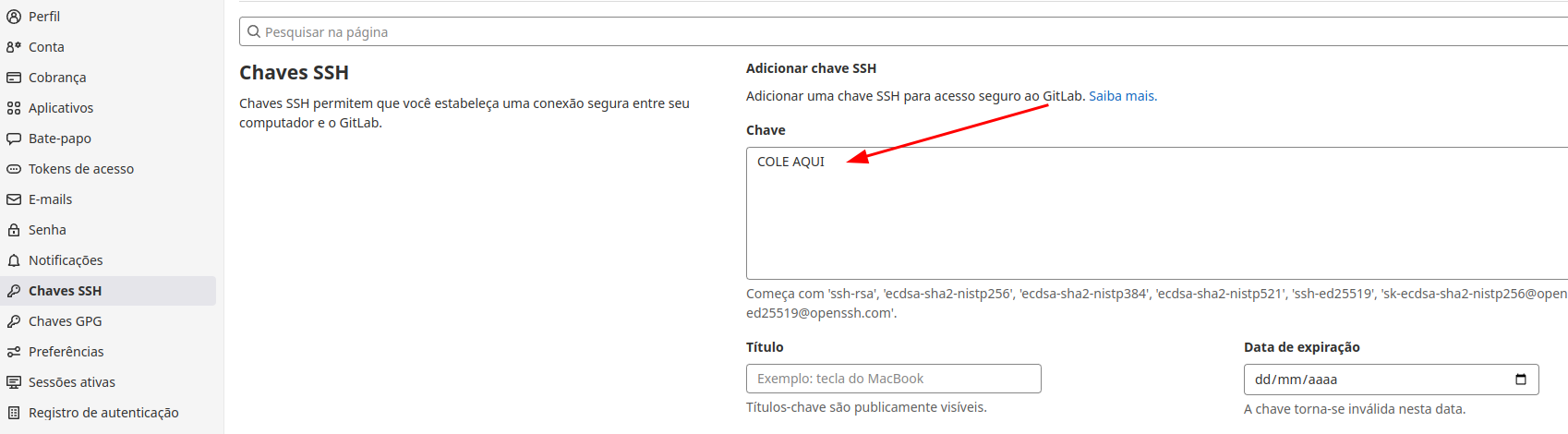
Example of URL for standard authentication:
https://gitlab.com/davidpuziol/teste.git
Example of URL for SSH authentication:
[email protected]:davidpuziol/teste.git
Init Command
Every time we have a folder/project, inside it there will be a hidden git control file called .git. A folder that doesn't have this file is not being controlled by git. For this, the command is necessary inside the folder.
Generally, you can go to the repository and create a project and then clone it so the .git will already be linked to the repository. I'll create the project meurepo and clone it using SSH and show the .git:
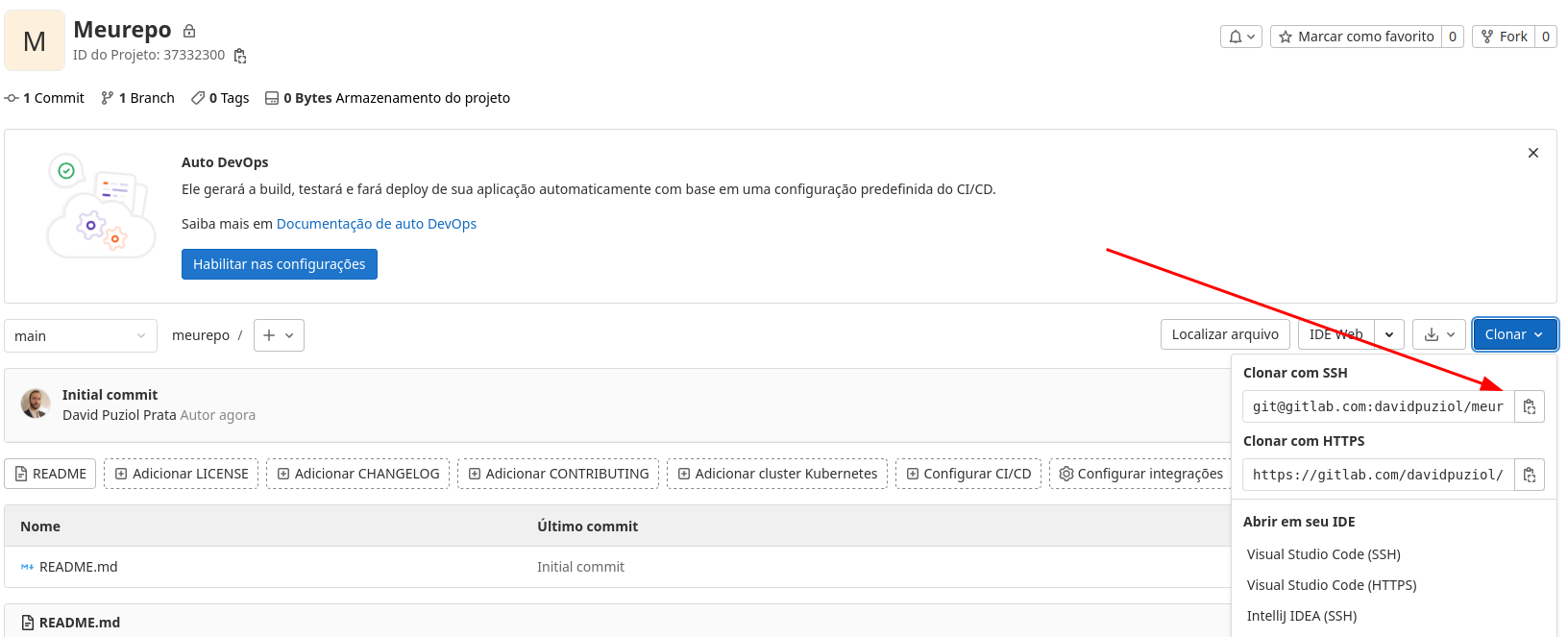
❯ git clone [email protected]:davidpuziol/meurepo.git
Cloning into 'meurepo'...
remote: Enumerating objects: 3, done.
remote: Counting objects: 100% (3/3), done.
remote: Compressing objects: 100% (2/2), done.
remote: Total 3 (delta 0), reused 0 (delta 0), pack-reused 0
Receiving objects: 100% (3/3), done.

❯ cd meurepo
❯ ls -lha
total 20K
drwxrwxr-x  3 david david 4,0K jun 25 07:22 .
drwxrwxr-x 11 david david 4,0K jun 25 07:05 ..
drwxrwxr-x  8 david david 4,0K jun 25 07:22 .git
-rw-rw-r--  1 david david 6,1K jun 25 07:22 README.md
❯ cat .git/config
[core]
        repositoryformatversion = 0
        filemode = true
        bare = false
        logallrefupdates = true
# observe that the origin already came configured and fetch too
[remote "origin"]

# see that the url we use here doesn't start with http, so it will be using the ssh key for authentication
        url = [email protected]:davidpuziol/meurepo.git
        fetch = +refs/heads/*:refs/remotes/origin/*
# a branch called main also came defined
[branch "main"]
        remote = origin
        merge = refs/heads/main
But let's do this manually, creating a project on the machine itself and then creating a repo and linking an existing project to a new repo.
The git init command creates by default the branch called master, but nowadays we use main, so we can change this initially by passing the branch name:
❯ mkdir teste
❯ cd teste
# I'm already creating and defining the branch name as main
❯ git init -b main
Initialized empty Git repository in /home/david/projects/pessoais/teste/.git/
❯ cat .git/config
[core]
        repositoryformatversion = 0
        filemode = true
        bare = false
        logallrefupdates = true
Let's now imagine we've already done something, just to better understand. You don't need to understand all the commands now.
# we create 3 files in the default branch (main)
touch arquivo1 arquivo2 arquivo3
git add .
git commit -m "first init"
# we create a new develop branch based on the default one we're on
git branch develop
# we switch to the develop branch
git checkout develop
# we create one more file and add it
touch arquivo4
git add .
git commit -m "add arquivo4"
Now we have 2 branches, one main with 3 files and one develop with 4 files.
Let's link this to a repository. Create a repo.
Now let's add the configurations:
# adding the repo origin
❯ git remote add origin [email protected]:davidpuziol/teste.git
# If you created master instead of main and your repo has main, you need to move master to main
❯ git branch -M main

# If you created a repo with a README.md file for example you need to bring it and do a rebase of your local main branch with the main branch of the repo. Your local main branch doesn't have the files that are already in the repo's main branch.
❯ git pull origin main --rebase
From gitlab.com:davidpuziol/teste
 * branch            main       -> FETCH_HEAD
Successfully rebased and updated refs/heads/main.
# Now let's push the local main to the repo main
❯ git push origin main
Enumerating objects: 6, done.
Counting objects: 100% (6/6), done.
Delta compression using up to 12 threads
Compressing objects: 100% (4/4), done.
Writing objects: 100% (5/5), 483 bytes | 483.00 KiB/s, done.
Total 5 (delta 1), reused 0 (delta 0), pack-reused 0
To gitlab.com:davidpuziol/teste.git
   54fdd8a..f2d4649  main -> main
Remember that you only pushed the local main, the develop is still missing:
# to switch to the develop branch and also push it to the repository
git checkout develop
git push origin develop
Checking...
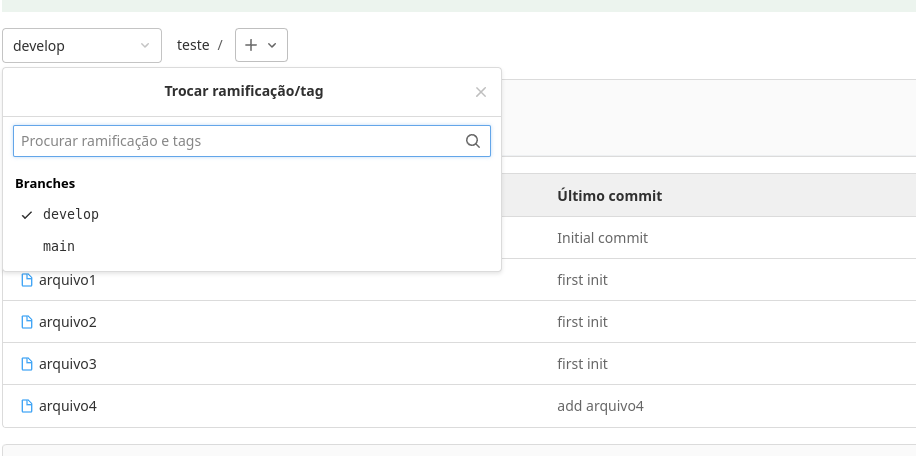
Every time you do a push or pull it doesn't know which branch you're referring to, that's why we use origin. In the config it's possible to define the default branch.