Git Installation
Windows
Just download and install with next, next, next.
https://git-scm.com/download/win
Linux
On Debian-based distros:
sudo apt-get install git
For others, check the documentation, but basically just go to the package installer and execute the git package installation.
https://git-scm.com/download/linux
Mac
Download the pkg and install. In some cases, you need to allow installation from unknown sources in the Mac security system.
https://git-scm.com/download/mac
I strongly recommend that you learn to use Git in the terminal and avoid using Git Desktop or any other graphical interface system. This is the only way you'll truly learn the tool.
Once you've mastered it well, there are extensions in vscode that make life much easier.
To make sure git was installed, run the command in the terminal:
git --version
I recommend first reading the document to the end and then starting test and practice commands. Understand the concept and then apply it.
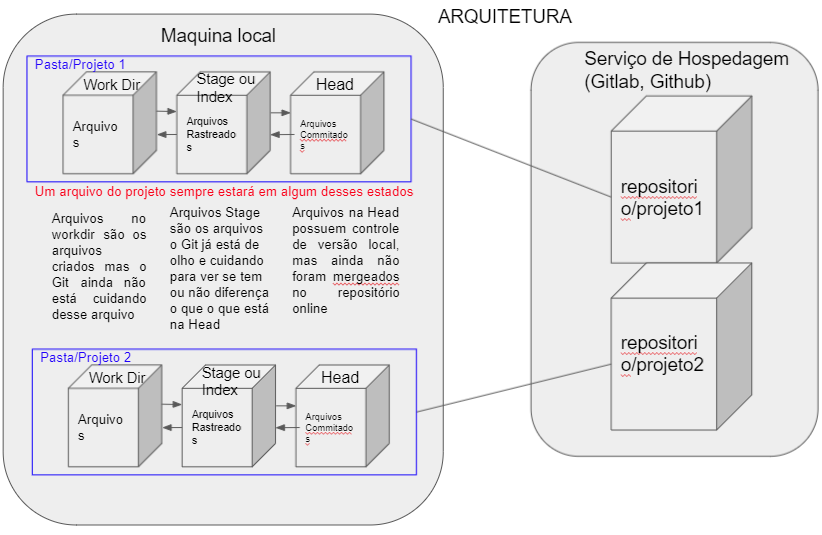
Architecture