Volumes
We know that the container's function is to process data and die, and what keeps it alive is the process with ID 1. If that process dies, the container stops. Data is only destroyed when the container is destroyed.

In the container world, to persist data, we use volumes.
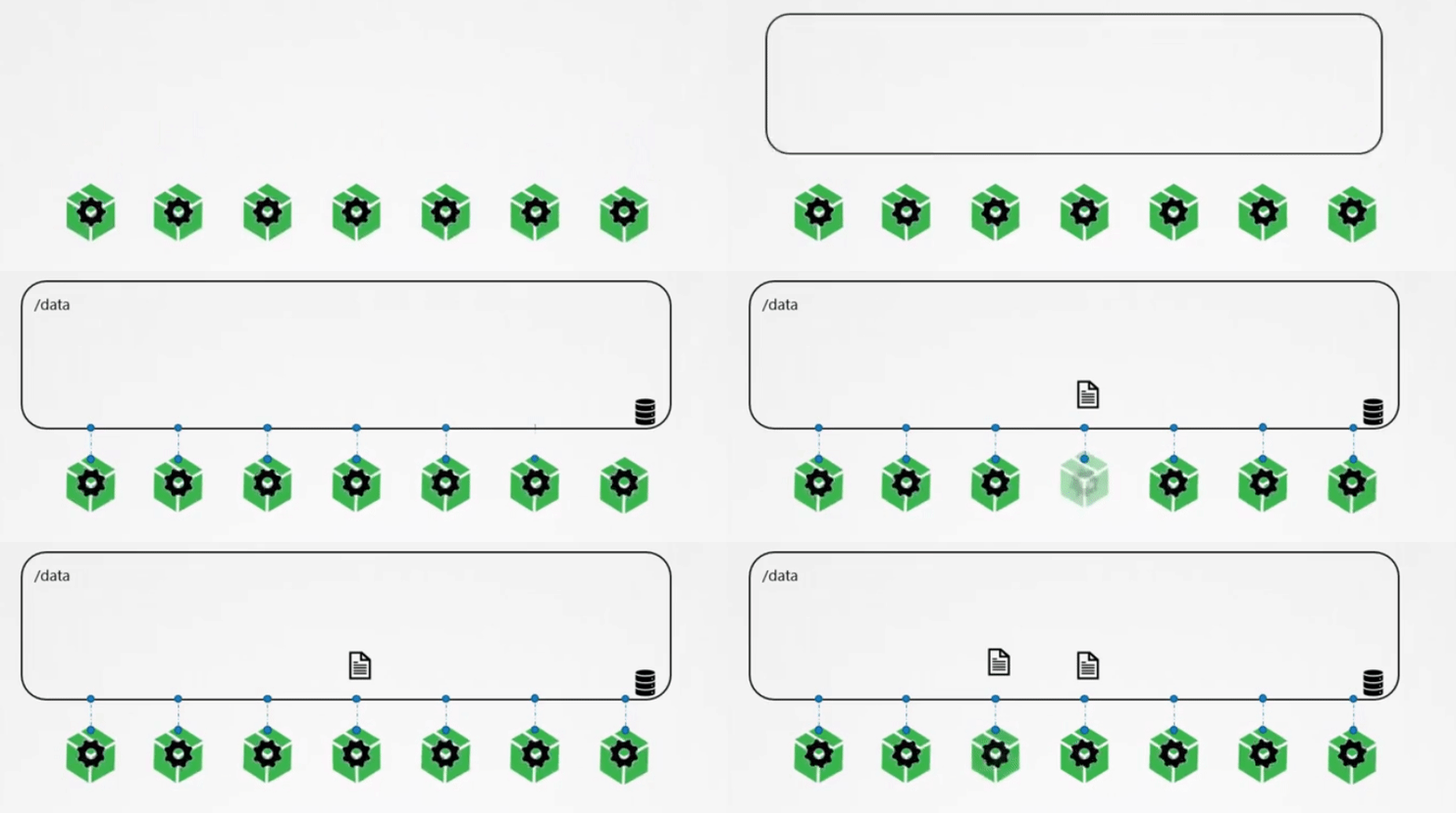
Containers within a pod run in their respective read-write layers as we discussed earlier. The pod controls the containers inside it, and when a pod is terminated, it destroys its respective containers, taking the data with it.

To persist data, it's also necessary to use volumes.

If we create a pod normally, data is lost when the pod dies
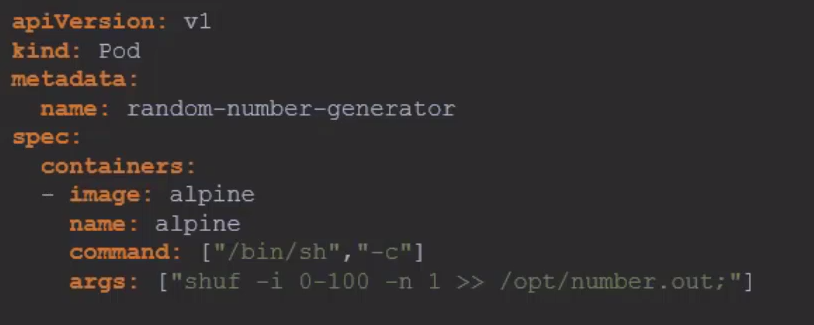
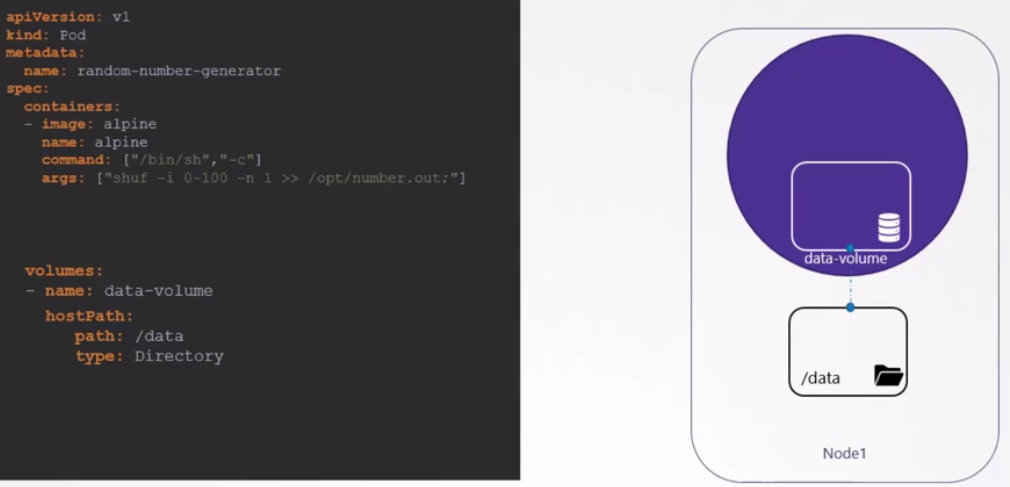
To create a volume using a Local driver, we need to declare a volume. It would be the same process when a container automatically creates the volume. In the scenario below, we create a volume inside the host, but the volume is not yet being used.
It's necessary to map that the container's /opt corresponds to the volume at /data.
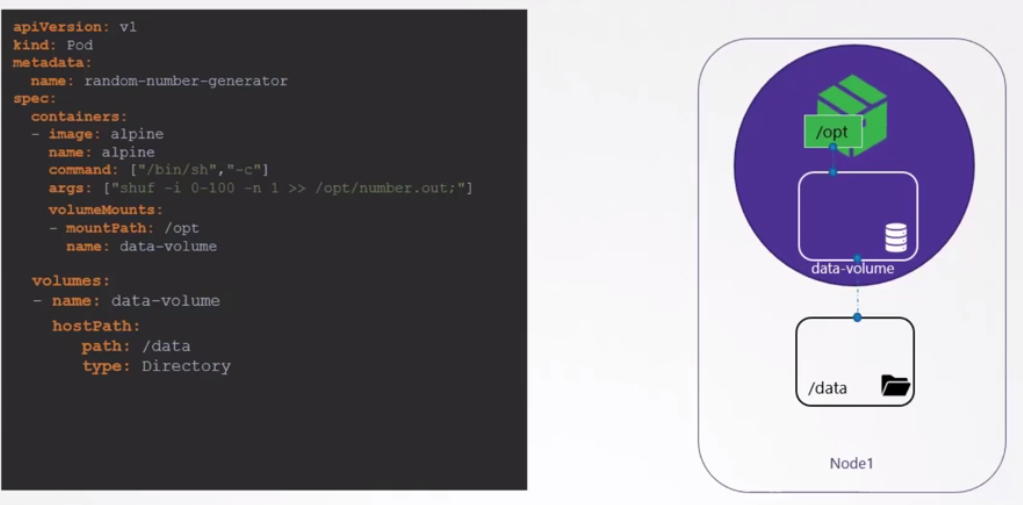
If this pod is destroyed and created again and comes up on a different node, will the data be there? No.
Two points we must consider here.
-
This volume is passing a path on the node, so this directory must exist previously with appropriate permission.
-
This would work for a single-node cluster.
-
In a multi-node cluster, the pod can come up on any node that passes scheduler filtering. Data would not be available if it came up on a different node than the one it came up on before.
Having replicas for the same pod requires all pods to see the same directory for the data to make sense.
cat <<EOF | kubectl apply -f -
apiVersion: v1
kind: Pod
metadata:
  name: "ramdon-number-generator"
spec:
  containers:
  - name: alpine
    image: "alpine"

    command: ["/bin/sh", "-c"]
    args: ["shuf -i 0-100 -n 1 >> /opt/number.out;"]
    volumeMounts:
    - name: data-volume
      mountPath: /opt
  volumes:
    - name: data-volume
      hostPath:
        path: /data
        type: Directory
EOF

# Observe that the pod is not ready.
kubectl get pods
NAME                      READY   STATUS              RESTARTS   AGE
ramdon-number-generator   0/1     ContainerCreating   0          22s

kubectl describe pod ramdon-number-generator
## Removed for easier reading
Events:
  Type     Reason       Age                From               Message
  ----     ------       ----               ----               -------
  Normal   Scheduled    28s                default-scheduler  Successfully assigned default/ramdon-number-generator to kind-cluster-worker2
  # Failed to mount as expected
  Warning  FailedMount  13s (x6 over 29s)  kubelet            MountVolume.SetUp failed for volume "data-volume" : hostPath type check failed: /data is not a directory
If you changed it to /tmp, it would work.
But this is a specific solution for some and not for the vast majority. Ideally, don't store application data inside nodes, but have an external solution for this purpose.
Kubernetes supports different types of storage solutions.
- NFS
- GlusterFS
- Flocker
- Ceph
- Scaleio
- vSphere
- Others
And also many cloud solutions like:
- AWS
- Azure
- GCP
- others
For example, on AWS, we could use EBS.
  volumes:
    - name: data-volume
      awsElasticBlockStore:
        volumeID: <volume-id>
        fsType: ext4
Let's create an nginx container and a volume shared between it and another. The second container should put the time in nginx's index.html.
cat <<EOF | kubectl apply -f -
apiVersion: v1
kind: Pod
metadata:
  name: pod-com-dois-containers
spec:
  containers:
    - name: nginx-container
      image: nginx
      ports:
        - containerPort: 80
      volumeMounts:
        - name: html-volume
          mountPath: /usr/share/nginx/html
    - name: hora-container
      image: alpine
      command: ["/bin/sh", "-c"]
      args:
        - while true; do echo "$(date '+%Y-%m-%d %H:%M:%S')" > /mnt/html/index.html; sleep 1; done
      volumeMounts:
        - name: html-volume
          mountPath: /mnt/html
  volumes:
    - name: html-volume
      emptyDir: {}
EOF