Open in VSCode
· 2 min read

Hello everyone,
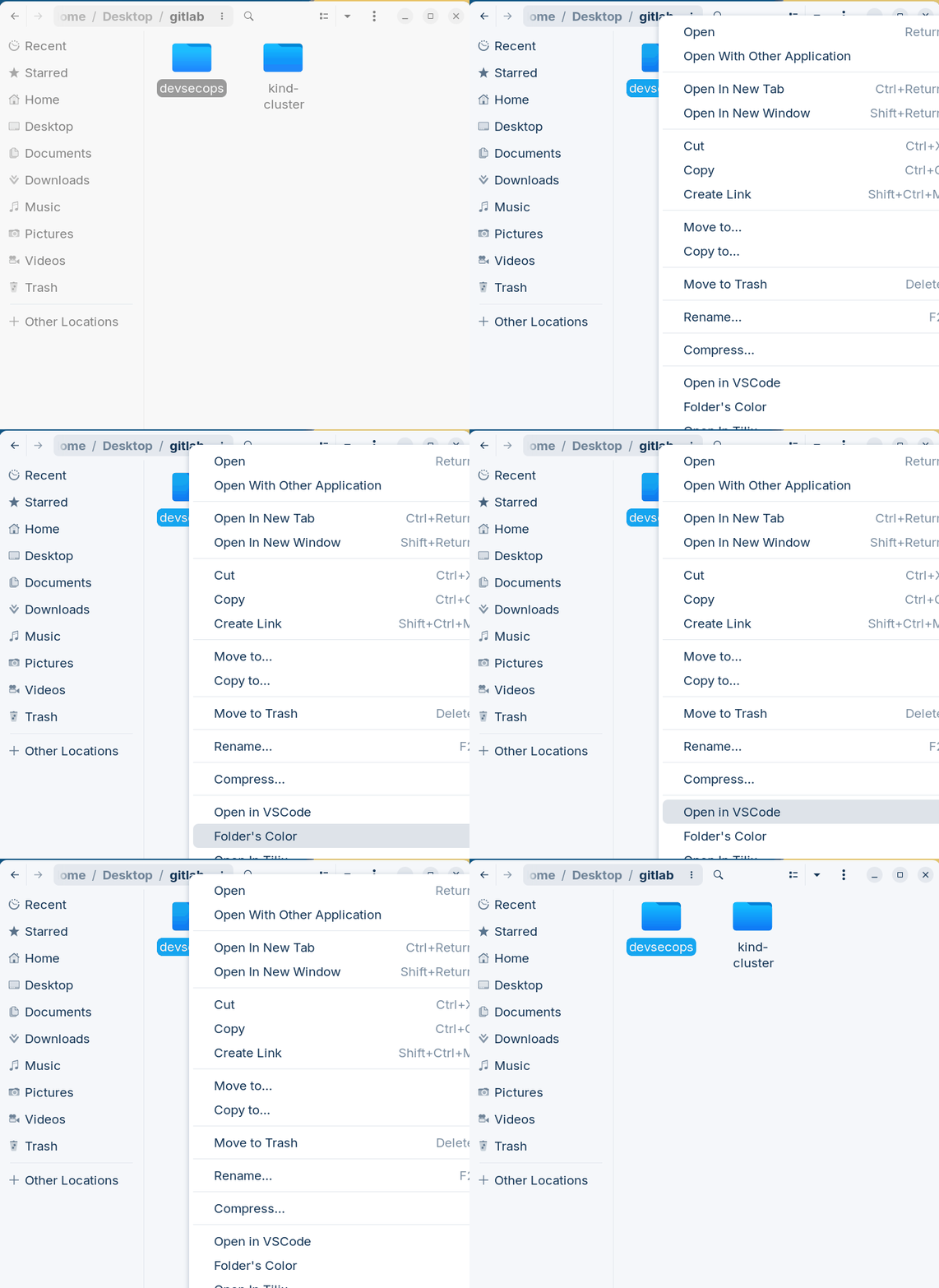
Let's make it easier to open projects directly in VSCode without needing to open the terminal and type code .?
It's easier than it seems...
We'll need the python3-nautilus package installed on the system and prepare the folder where we'll put our script
sudo apt-get install python3-nautilus -y
mkdir -p ~/.local/share/nautilus-python/extensions
cd ~/.local/share/nautilus-python/extensions
Create a file called open-vscode.py inside the folder created above and paste the content below.
import os
import subprocess
from gi.repository import Nautilus, GObject

class OpenInVSCodeExtension(Nautilus.MenuProvider, GObject.GObject):
    def __init__(self):
        pass

    def menu_activate_cb(self, menu, file):
        subprocess.call(['code', file.get_location().get_path()])

    def menu_background_activate_cb(self, menu, file):
        subprocess.call(['code', file.get_location().get_path()])

    def get_file_items(self, window, files):
        if len(files) != 1:
            return None

        file = files[0]
        if not file.is_directory() or file.get_uri_scheme() != 'file':
            return None

        item = Nautilus.MenuItem(name='NautilusPython::open_vscode_file_item',
                                 label='Open in VSCode',
                                 tip='Open this directory in VSCode')
        item.connect('activate', self.menu_activate_cb, file)
        return (item, )

    def get_background_items(self, window, file):
        item = Nautilus.MenuItem(name='NautilusPython::open_in_vscode',
                                 label='Open in VSCode',
                                 tip='Open this directory in VSCode')
        item.connect('activate', self.menu_background_activate_cb, file)
        return (item, )
This script is activated when the right button is clicked and simply executes the command code + path.
Restart nautilus with the command nautilus -q && nautilus & or restart the system.