Authentication
What are the possible types of users we have in the cluster?
- Admins: Those who access the cluster for administrative tasks. They usually have full cluster access.
- Developers: Access the cluster to test or deploy applications.
- End Users: Access applications running in the cluster.
- Bots: Third-party applications that access applications in the cluster for integration purposes.
It's necessary to protect communication between internal components and access from these possible users through authentication and authorization mechanisms.
Application users are managed by the applications themselves, so let's remove them from this scenario.
So we're left with two types of users:
- Humans:
- admins
- developers
- Applications (services, processes, applications, etc)
For applications, we use Kubernetes ServiceAccounts, but we can't create a user with a kubectl create user david command. An external source is needed to validate a user and allow them to use some role within the cluster. We could use LDAP, for example.
All user access is managed by kube-apiserver, whether accessing via kubectl or via API.
The kube-apiserver authenticates the user before processing the request.
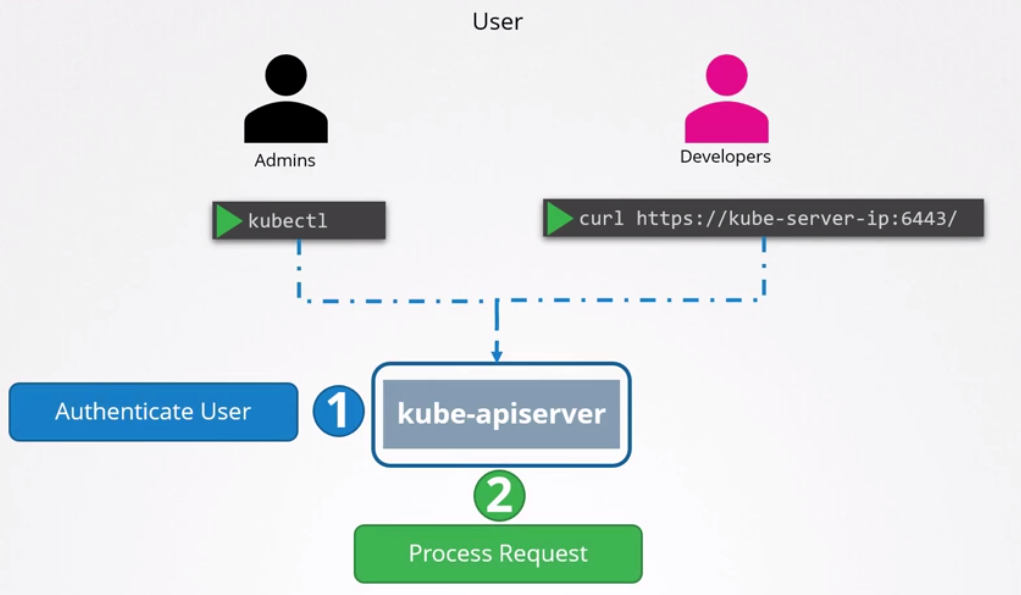
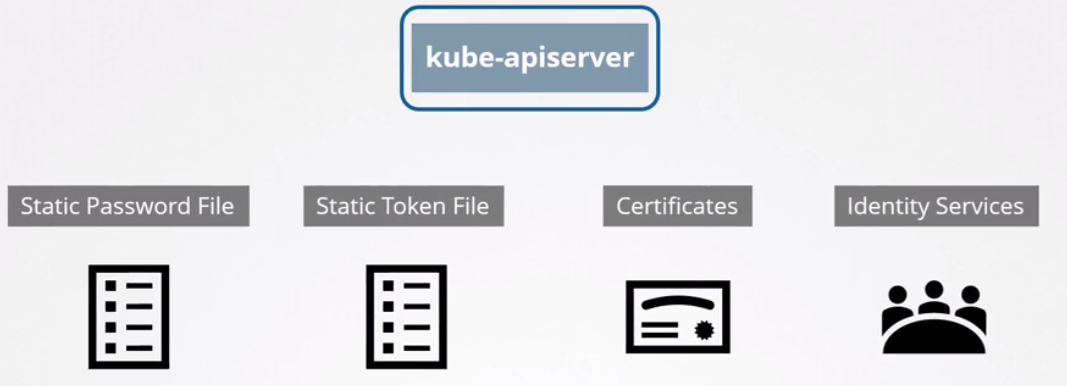
But how does kube-apiserver perform this authentication?
- Static password file.
- Static token file.
- Certificates
- Identity services like LDAP, Kerberos, etc
Static Passwords and Tokens
This method was DISCONTINUED in 1.19 and won't even appear on the exam, but it's worth it for a first introduction to the subject.
You need to create a CSV file with the columns password, username, and userid. The last column for groups is optional.
For example, user-details.csv with the following content:
abcd123,david,u0001,group1
asdf4321,joao,u0002,group1
4321qwer,maria,u0003,grou2
You can also create the token file, for example creating a token-details.csv file:
Kuandfa1AD123ava234adavc12,david,u0010,group1
dDAar1435ASAdvcra32314dcca,joao,u0020,group1
Adafa13279DiiyrteuYUTR345c,maria,u0030,grou2
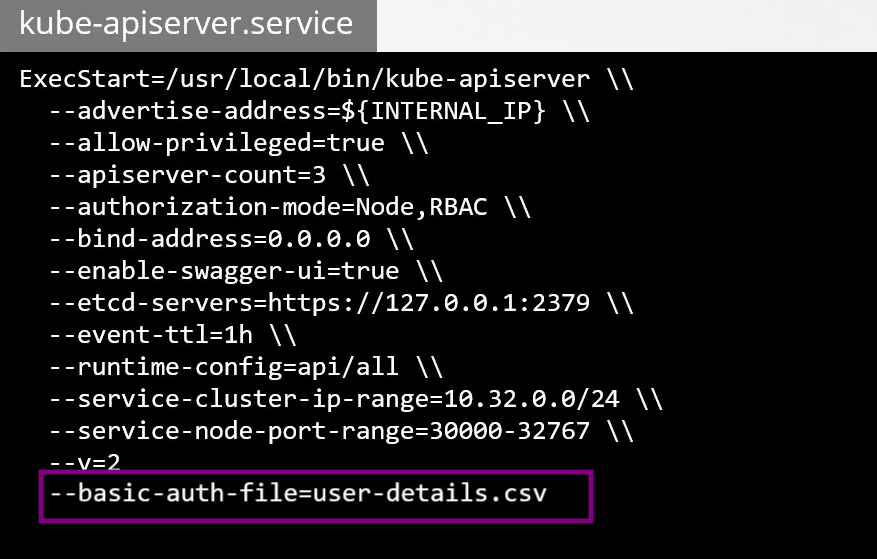
The kube-apiserver needs to start knowing where these files are located by passing the flags
--basic-auth-file=user-details.csvand--token-auth-file=token-details.csv. You don't need to pass both, as they are just different authentication methods.
If you're running as a service, you should pass it like this. You need to restart the service for it to take effect.
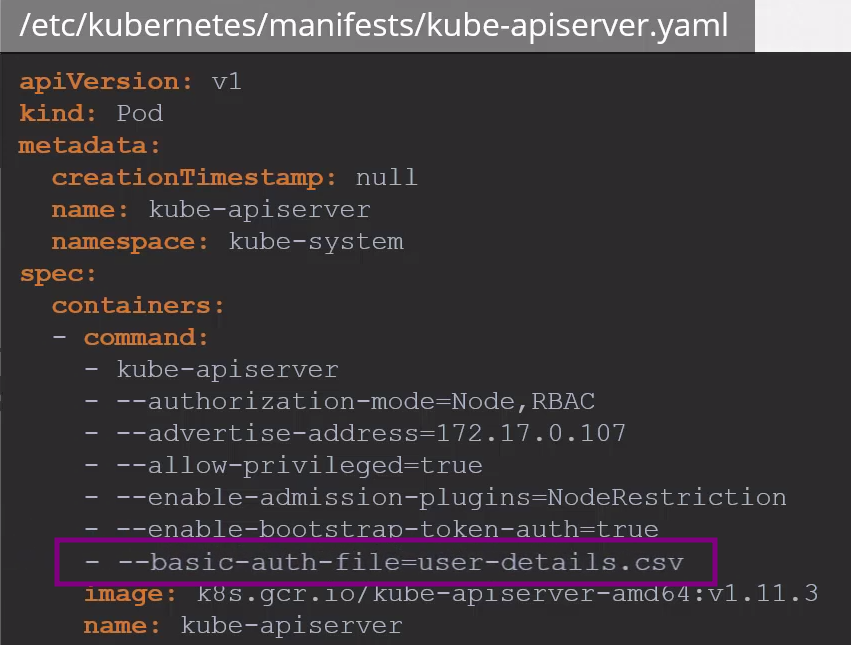
If we're running kube-apiserver through pods, for example launched by kubeadm, you need to modify the kube-apiserver.yaml pod. The kubeadm tool will automatically restart kube-apiserver with the new modifications.
To use kubectl with username and password authentication, we need to pass the username and password.
kubectl get pods --username=david --password=abcd123
# via API password and username (david)
curl -v -k https://master-node-ip:6443/api/v1/pods -u "david:abcd123"
# via API token (joao)
curl -v -k https://master-node-ip:6443/api/v1/pods --header "Authorization: Bearer: dDAar1435ASAdvcra32314dcca"
Or in our .kube/config file, the user for the cluster would be like this, so we wouldn't need to pass the username and password with each command:
clusters:
- name: my-cluster
  cluster:
    server: https://cluster-address
 ...
contexts:
- name: joao-token
  context:
    cluster: my-cluster
    user: joao
- name: david-password
  context:
    cluster: my-cluster
    user: david
current-context: joao-token

users:
- name: david
  user:
    auth-provider:
      name: "basic-auth"
      config:
        username: david
        password: abcd123
- name: joao
  user:
    auth-provider:
      name: "token"
      config:
        token: dDAar1435ASAdvcra32314dcca
These methods are not recommended and are considered insecure, especially with passwords and tokens that are very easy to use in brute force attacks. Storing passwords and tokens in files has never been a secure option.
You should consider passing the path where the files were created.