Installation
If you want to run the Keycloak project locally for testing, you need to have Java installed. We'll run the project locally to get familiar with the files we're interested in and then we'll move on to running it as a container. If you want to run via Docker, we have the command right below in Running with Docker, but it's good to understand the project first.
On the Download page download the zip file and extract it somewhere.
❯ cd Downloads
❯ ls
keycloak-26.2.4.zip
❯ unzip keycloak-26.2.4.zip
❯ cd keycloak-26.2.4
❯ ls
bin         conf        lib         LICENSE.txt providers   README.md   themes      version.txt

# Check if Java is installed, if not, look for how to install it on your system
❯ java --version
openjdk 24.0.1 2025-04-15
OpenJDK Runtime Environment Temurin-24.0.1+9 (build 24.0.1+9)
OpenJDK 64-Bit Server VM Temurin-24.0.1+9 (build 24.0.1+9, mixed mode, sharing)
Some applications and tools (like Keycloak itself) need the JAVA_HOME variable set to know where Java is.
❯ echo $JAVA_HOME
/Library/Java/JavaVirtualMachines/temurin-24.jdk/Contents/Home
To run keycloak
❯ ./bin/kc.sh start-dev
Updating the configuration and installing your custom providers, if any. Please wait.
WARNING: A terminally deprecated method in sun.misc.Unsafe has been called
WARNING: sun.misc.Unsafe::objectFieldOffset has been called by org.jboss.threads.JBossExecutors (file:/Users/davidprata/Downloads/keycloak-26.2.4/lib/lib/main/org.jboss.threads.jboss-threads-3.8.0.Final.jar)
WARNING: Please consider reporting this to the maintainers of class org.jboss.threads.JBossExecutors
WARNING: sun.misc.Unsafe::objectFieldOffset will be removed in a future release
2025-05-21 09:46:04,471 INFO  [io.quarkus.deployment.QuarkusAugmentor] (main) Quarkus augmentation completed in 2621ms
Running the server in development mode. DO NOT use this configuration in production.
WARNING: A terminally deprecated method in sun.misc.Unsafe has been called
WARNING: sun.misc.Unsafe::allocateMemory has been called by io.netty.util.internal.PlatformDependent0$2 (file:/Users/davidprata/Downloads/keycloak-26.2.4/lib/lib/main/io.netty.netty-common-4.1.118.Final.jar)
WARNING: Please consider reporting this to the maintainers of class io.netty.util.internal.PlatformDependent0$2
WARNING: sun.misc.Unsafe::allocateMemory will be removed in a future release
2025-05-21 09:46:07,291 INFO  [org.keycloak.quarkus.runtime.storage.database.liquibase.QuarkusJpaUpdaterProvider] (main) Initializing database schema. Using changelog META-INF/jpa-changelog-master.xml
2025-05-21 09:46:08,576 INFO  [org.keycloak.quarkus.runtime.storage.infinispan.CacheManagerFactory] (main) Starting Infinispan embedded cache manager
2025-05-21 09:46:08,620 INFO  [org.keycloak.quarkus.runtime.storage.infinispan.CacheManagerFactory] (main) JGroups JDBC_PING discovery enabled.
2025-05-21 09:46:08,692 INFO  [org.infinispan.CONTAINER] (main) Virtual threads support enabled
2025-05-21 09:46:08,816 INFO  [org.infinispan.CONTAINER] (main) ISPN000556: Starting user marshaller 'org.infinispan.commons.marshall.ImmutableProtoStreamMarshaller'
2025-05-21 09:46:09,014 INFO  [org.keycloak.connections.infinispan.DefaultInfinispanConnectionProviderFactory] (main) Node name: node_105167, Site name: null
2025-05-21 09:46:09,146 INFO  [org.keycloak.services] (main) KC-SERVICES0050: Initializing master realm
2025-05-21 09:46:10,734 INFO  [io.quarkus] (main) Keycloak 26.2.4 on JVM (powered by Quarkus 3.20.0) started in 6.167s. Listening on: http://0.0.0.0:8080
2025-05-21 09:46:10,735 INFO  [io.quarkus] (main) Profile dev activated.
2025-05-21 09:46:10,735 INFO  [io.quarkus] (main) Installed features: [agroal, cdi, hibernate-orm, jdbc-h2, keycloak, narayana-jta, opentelemetry, reactive-routes, rest, rest-jackson, smallrye-context-propagation, vertx]
2025-05-21 09:46:19,591 WARN  [org.keycloak.cookie.DefaultCookieProvider] (executor-thread-1) Non-secure context detected; cookies are not secured, and will not be available in cross-origin POST requests
As we can see it came up at http://0.0.0.0:8080.
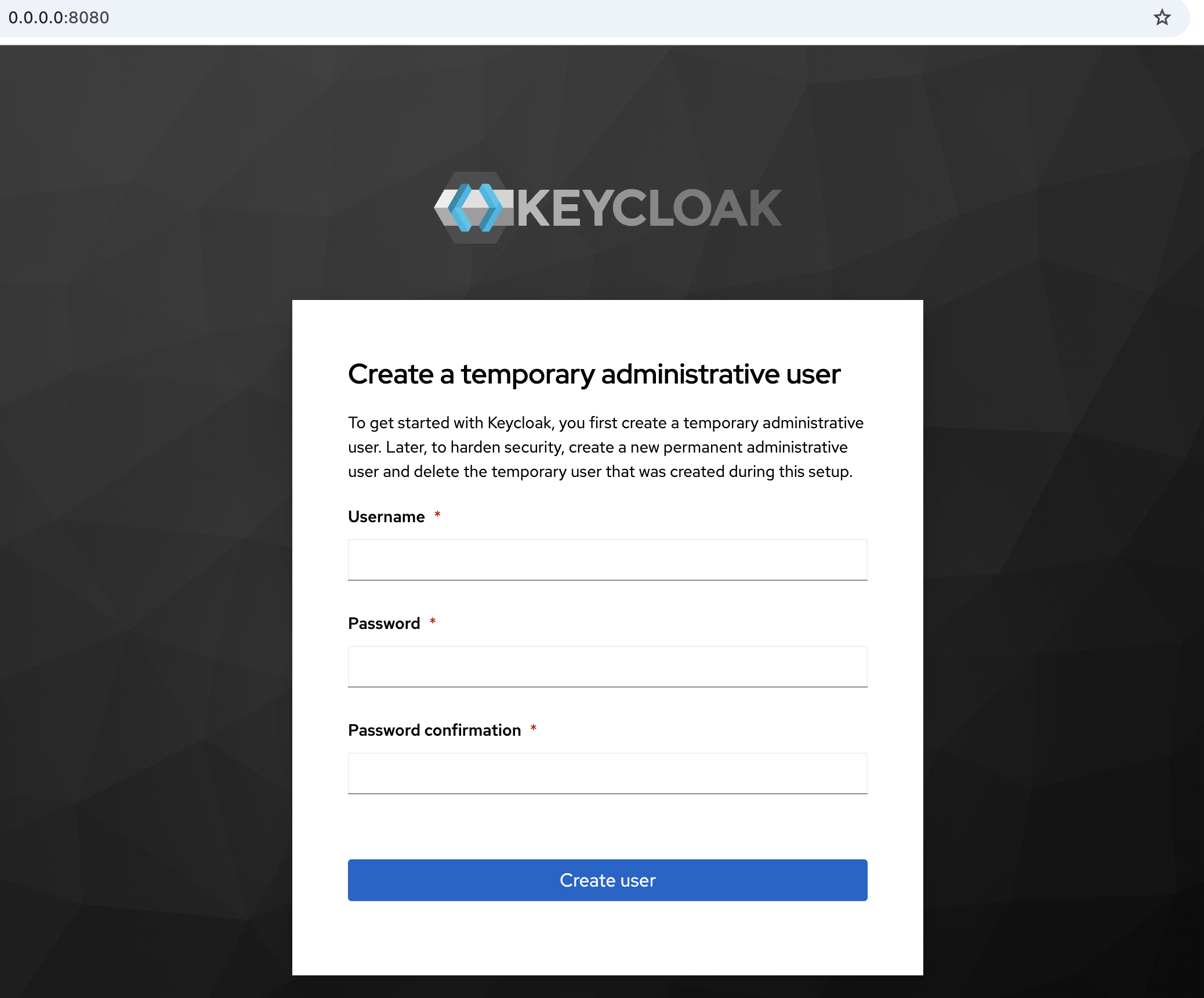
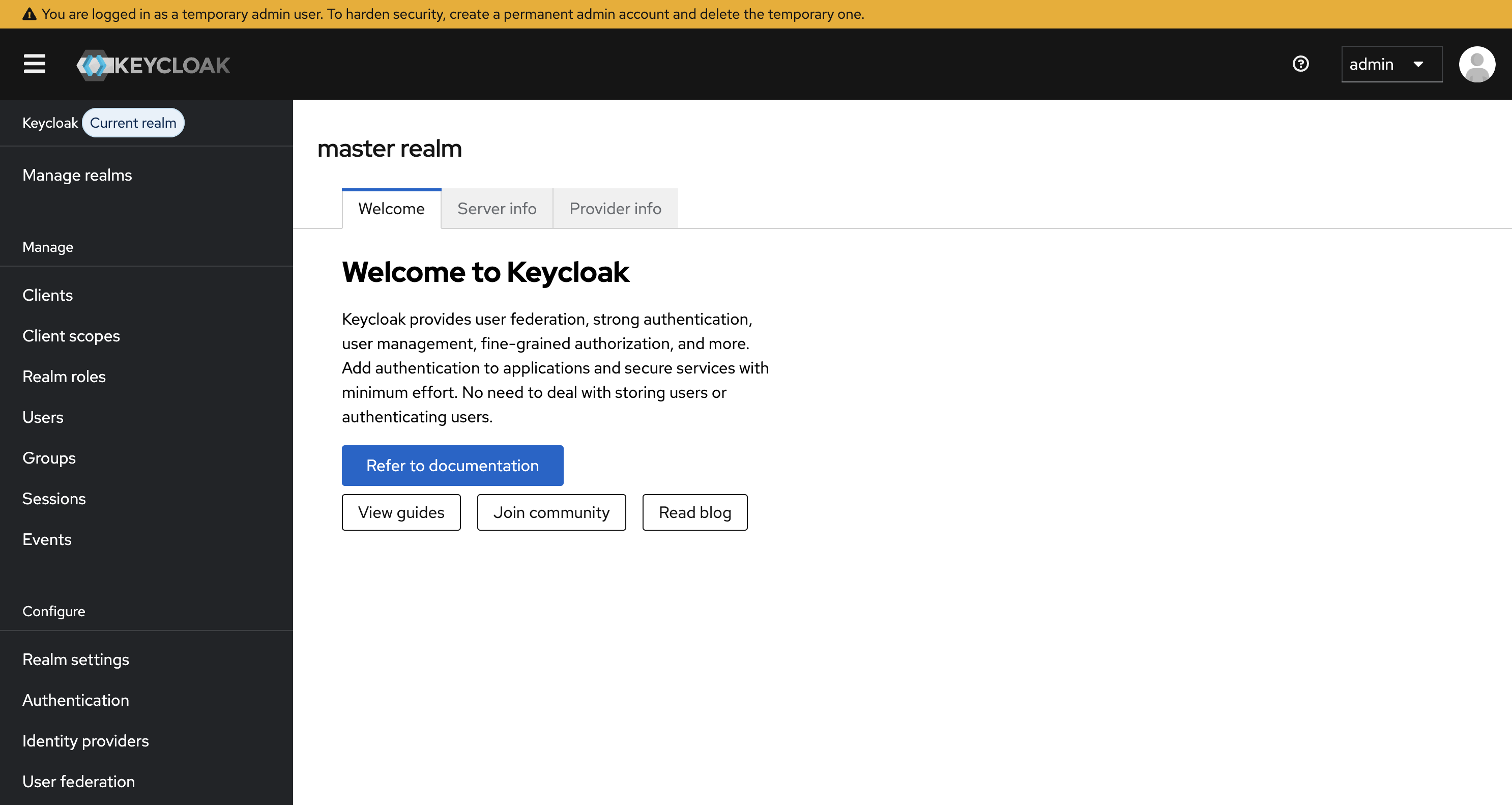
Define the username and password for the admin administrator. In production, look for a really strong password and a different username than admin. Logging in with this user we already reach the home page.
In development mode, that's why using start-dev, the data directory was created. This is the database in development mode. If the database is not provided, the project will create an H2 database for local use. In production we must have a database for this.
 ~/Downloads/keycloak-26.2.4
❯ tree data
data
├── h2
│   ├── keycloakdb.mv.db
│   └── keycloakdb.trace.db
└── transaction-logs
    └── ShadowNoFileLockStore
        └── defaultStore

5 directories, 2 files
For the server to start it will use the keycloak.conf configuration file that is in the conf folder. Initially everything is commented out.
The conf/keycloak.conf file is one of the formal ways to configure Keycloak, especially when you run it via the kc.sh script.
It's equivalent to configuring via environment variables, just more organized and centralized.
❯ cat conf/keycloak.conf
# Basic settings for running in production. Change accordingly before deploying the server.

# Database

# The database vendor.
#db=postgres

# The username of the database user.
#db-username=keycloak

# The password of the database user.
#db-password=password

# The full database JDBC URL. If not provided, a default URL is set based on the selected database vendor.
#db-url=jdbc:postgresql://localhost/keycloak

# Observability

# If the server should expose healthcheck endpoints.
#health-enabled=true

# If the server should expose metrics endpoints.
#metrics-enabled=true

# HTTP

# The file path to a server certificate or certificate chain in PEM format.
#https-certificate-file=${kc.home.dir}/conf/server.crt.pem

# The file path to a private key in PEM format.
#https-certificate-key-file=${kc.home.dir}/conf/server.key.pem

# The proxy address forwarding mode if the server is behind a reverse proxy.
#proxy=reencrypt

# Do not attach route to cookies and rely on the session affinity capabilities from reverse proxy
#spi-sticky-session-encoder-infinispan-should-attach-route=false

# Hostname for the Keycloak server.
#hostname=myhostname
Keycloak follows this order of priority (from lowest to highest) in search of its configurations.
- Internal defaults
- conf/keycloak.conf
- Environment variables (e.g.: KC_HTTP_PORT=8181)
- CLI arguments (e.g.: bin/kc.sh start-dev --http-port=8181)
All configurations can be found on the all-config page.
For example, if we want to change the port which is 8080 (default) to 9090.
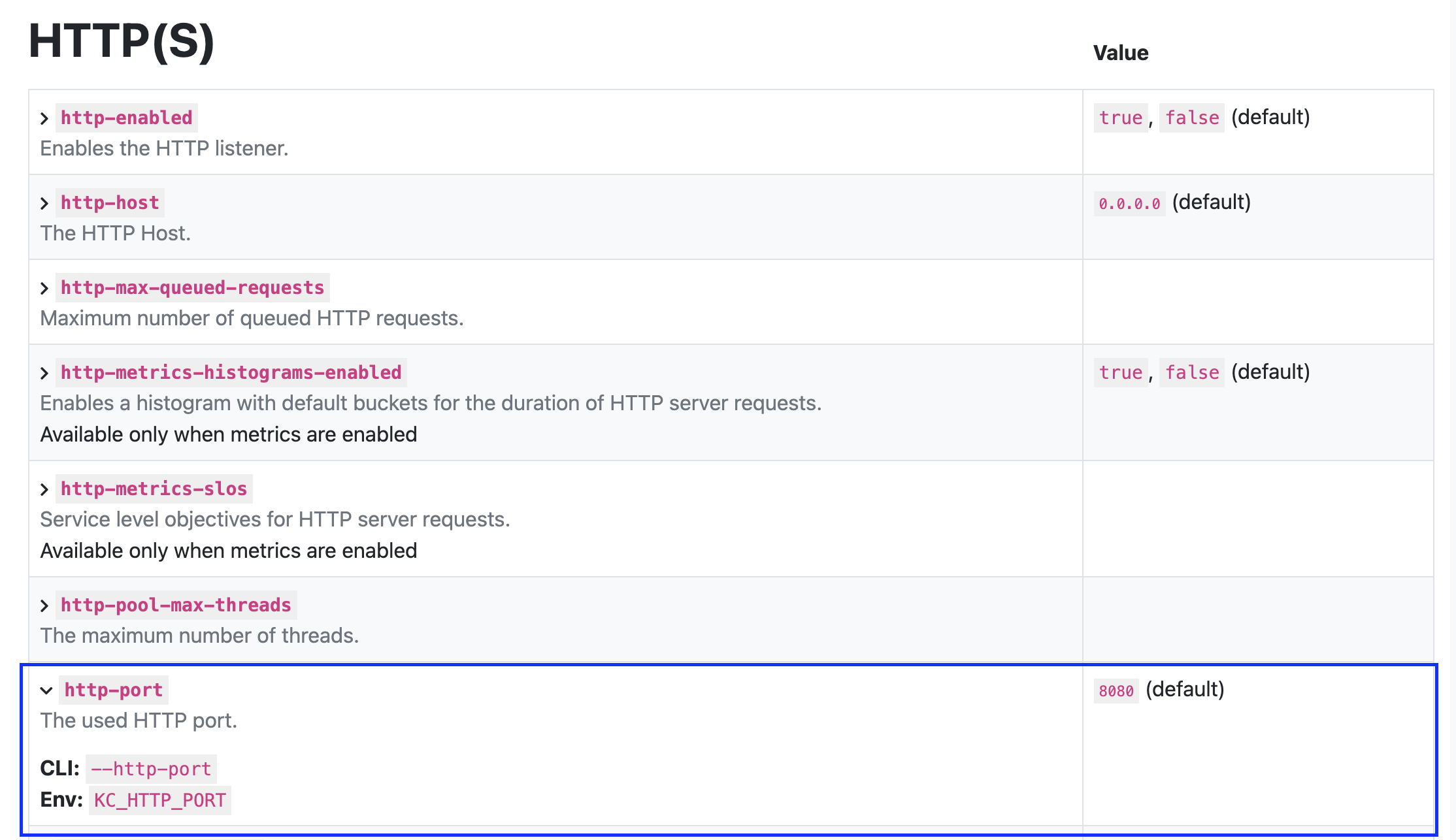
We could add http-port=9090 to the configuration file, pass it as a flag in the command, or put it in the environment variable. Let's test.
❯ export KC_HTTP_PORT=9090
❯ bin/kc.sh start-dev
Running the server in development mode. DO NOT use this configuration in production.
WARNING: A terminally deprecated method in sun.misc.Unsafe has been called
WARNING: sun.misc.Unsafe::allocateMemory has been called by io.netty.util.internal.PlatformDependent0$2 (file:/Users/davidprata/Downloads/keycloak-26.2.4/lib/lib/main/io.netty.netty-common-4.1.118.Final.jar)
WARNING: Please consider reporting this to the maintainers of class io.netty.util.internal.PlatformDependent0$2
WARNING: sun.misc.Unsafe::allocateMemory will be removed in a future release
2025-05-21 10:15:30,211 INFO  [org.keycloak.quarkus.runtime.storage.infinispan.CacheManagerFactory] (main) Starting Infinispan embedded cache manager
2025-05-21 10:15:30,251 INFO  [org.keycloak.quarkus.runtime.storage.infinispan.CacheManagerFactory] (main) JGroups JDBC_PING discovery enabled.
2025-05-21 10:15:30,331 INFO  [org.infinispan.CONTAINER] (main) Virtual threads support enabled
2025-05-21 10:15:30,451 INFO  [org.infinispan.CONTAINER] (main) ISPN000556: Starting user marshaller 'org.infinispan.commons.marshall.ImmutableProtoStreamMarshaller'
2025-05-21 10:15:30,635 INFO  [org.keycloak.connections.infinispan.DefaultInfinispanConnectionProviderFactory] (main) Node name: node_350678, Site name: null
2025-05-21 10:15:31,217 INFO  [io.quarkus] (main) Keycloak 26.2.4 on JVM (powered by Quarkus 3.20.0) started in 3.353s. Listening on: http://0.0.0.0:9090 # HERE!
2025-05-21 10:15:31,217 INFO  [io.quarkus] (main) Profile dev activated.
2025-05-21 10:15:31,217 I
These configurations involve items such as:
- cache
- config
- database
- features
- hostname
- http
- Management
- metrics
- vault
- logging
- tracing
- event
- trustore
- security
- import
- export
- bootstrap
All configurations involving identity are persisted in the database, not configured via file or environment variables. If we were to bring up a keycloak that already had identity configurations, it would be necessary to do an export and then an import to the new keycloak.
With the export command we could export all or part of the configuration, we'll see more about this when talking about backups.
Here's some server information.
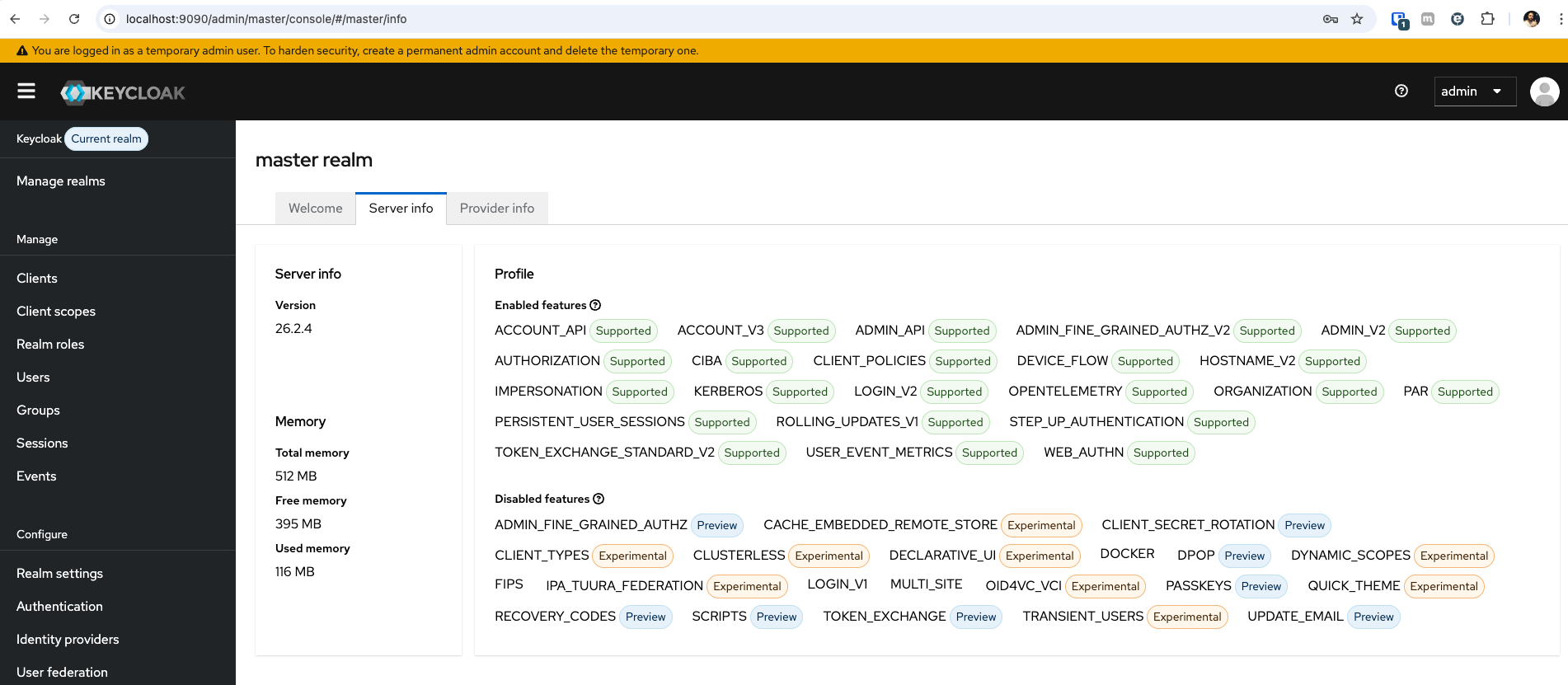
Some identity providers we could configure.
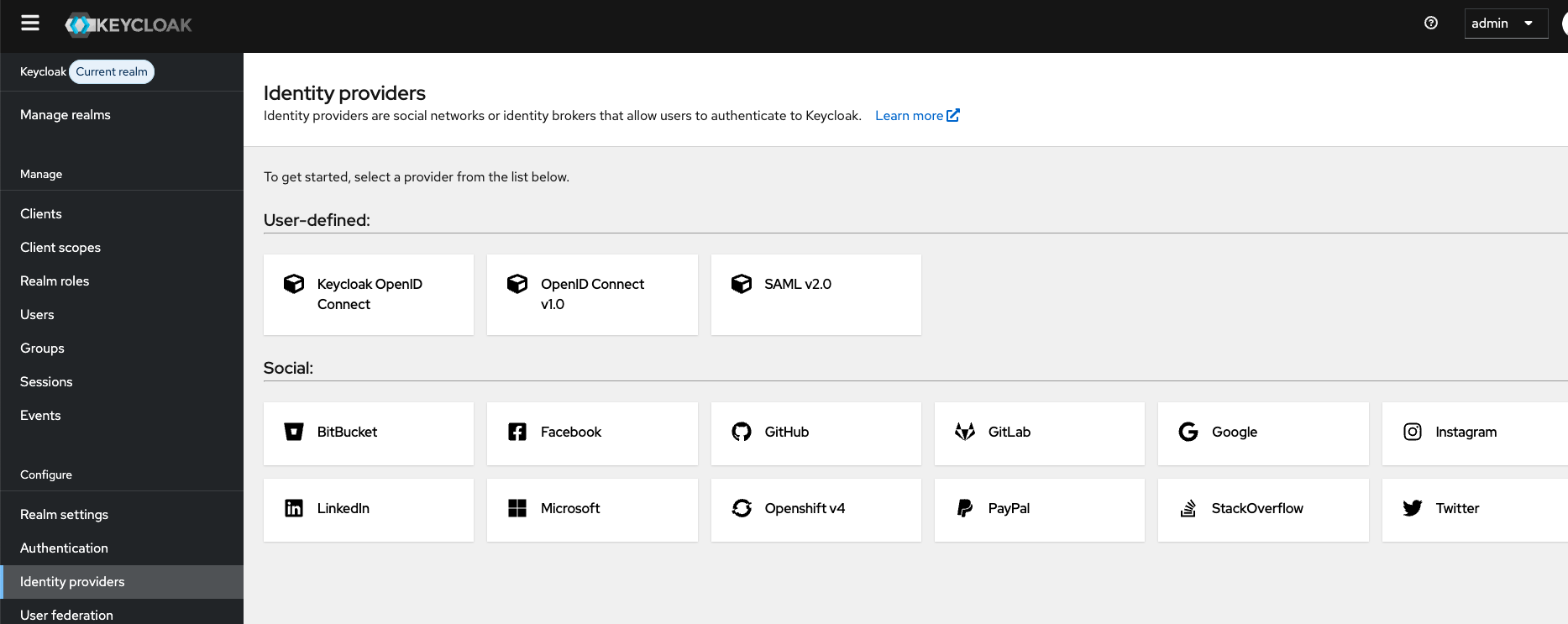
Let's explore things in more detail a bit later.
Now let's test bringing up a database locally to see what tables we have. Do the download and install directly on the host. Install pgAdmin together just so we can analyze the tables via UI.
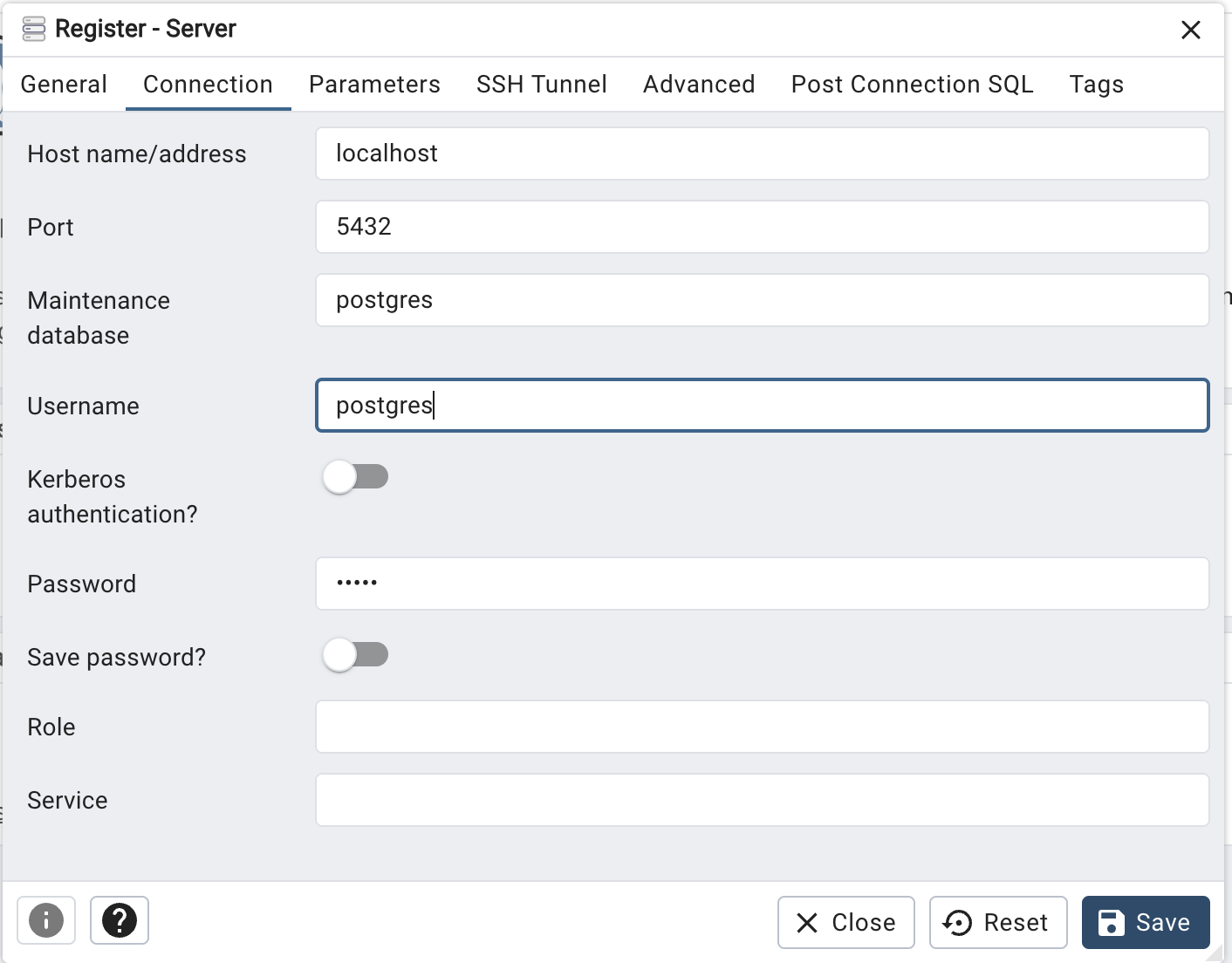
Add a connection and put the administrator password you configured. Since it will be just a local test database I put the password admin.
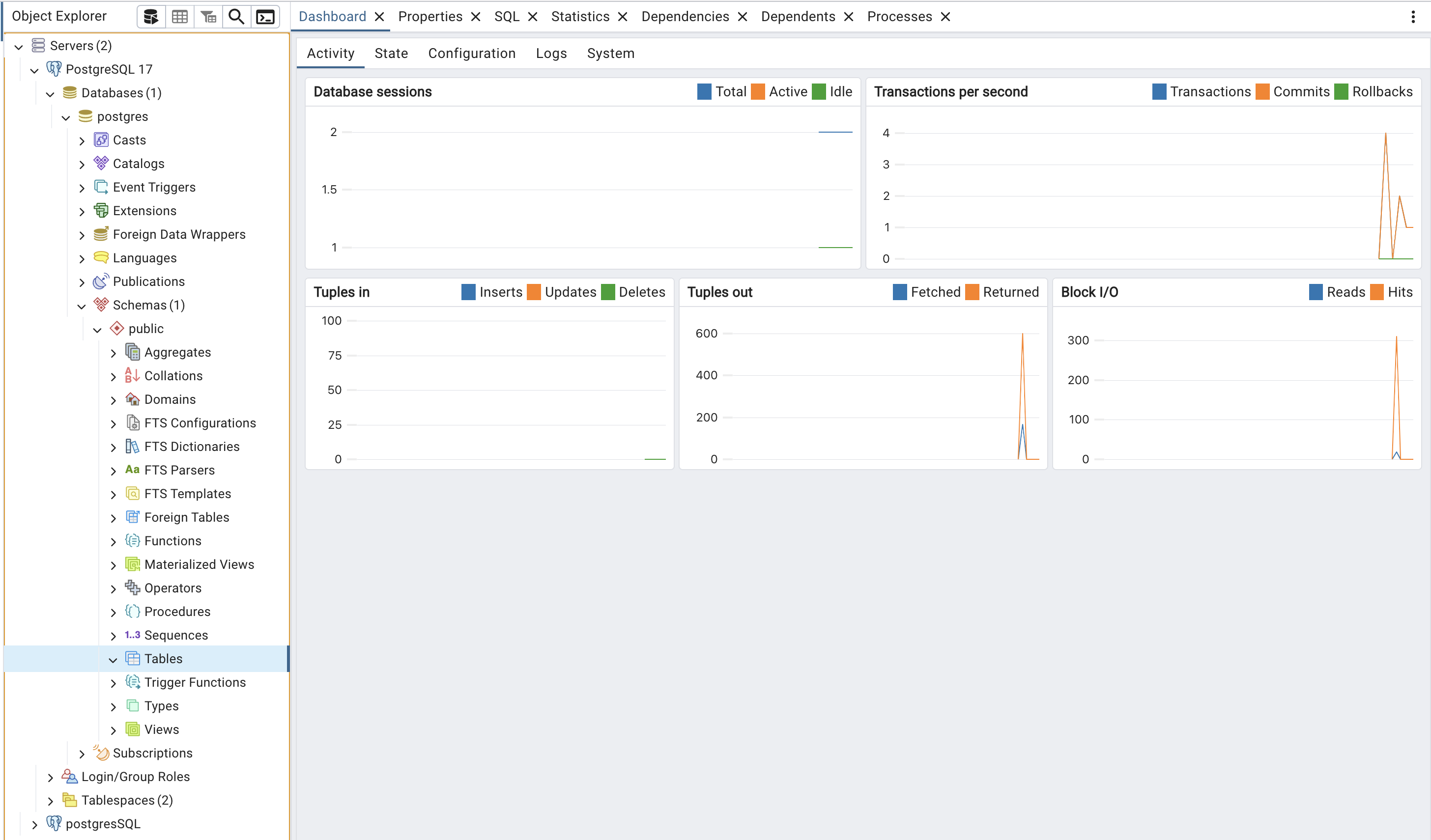
As it's a clean installation we only have the postgres database and inside it no tables.
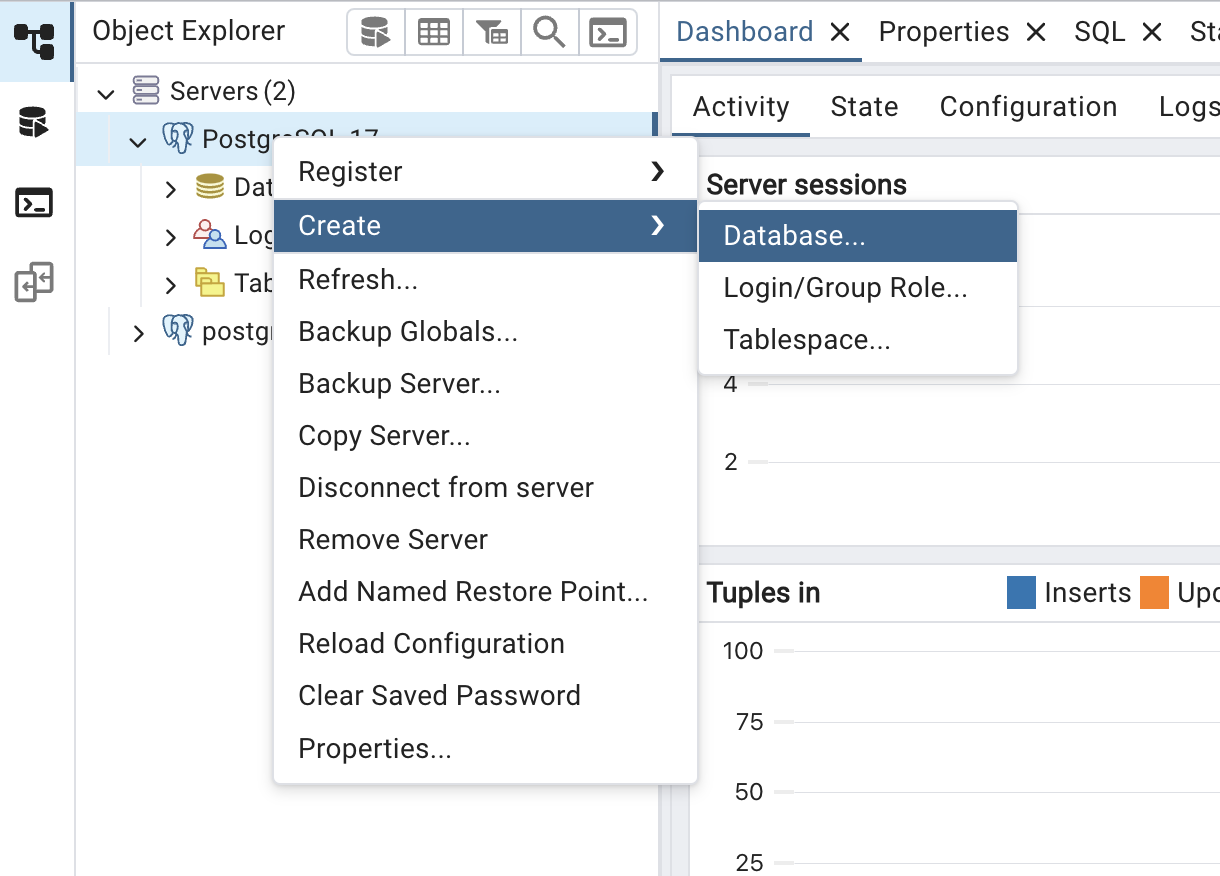
Let's create a database just for Keycloak to keep it isolated. I'll name it keycloakdb. Likewise this database will start clean and without any tables in the schemas.
Now let's configure Keycloak to use this database, we'll adjust the environment variables for the database. If you want to do it via file it's also possible. I'll do it this way because in the future we'll use these environment variables to install keycloak on kubernetes and all configurations will be passed via environment variable.
# This is the database type, could be another mysql
❯ export KC_DB=postgres
❯ export KC_DB_USERNAME=postgres
❯ export KC_DB_PASSWORD=admin
# In the url we specify which database, that's why /keycloackdb
❯ export KC_DB_URL=jdbc:postgresql://localhost:5432/keycloakdb
❯ bin/kc.sh start-dev
When changing the database we need to recreate the administrator user because this user was stored in the H2 database previously.
We can see all the tables that were created. Since Keycloak didn't find the tables it needs, it created all of them. Only the tables will be created if they are not found. When we update Keycloak it automatically makes adjustments to the tables. New tables can be created and some existing ones can be changed according to the upgrade needs. For this a library called Liquibase is used. Nothing needs to be done manually, which is a great advantage.
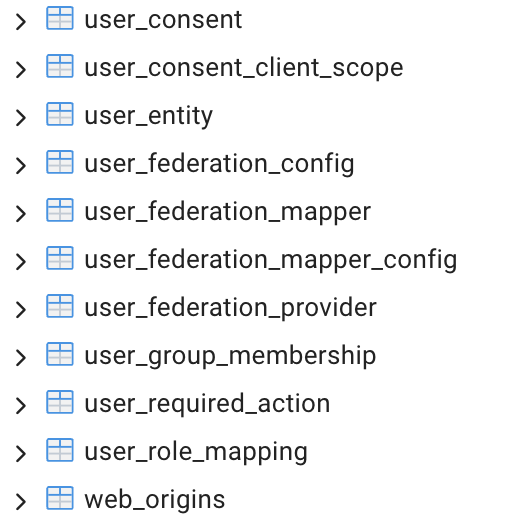
88 tables were created. Take an overview of these tables.
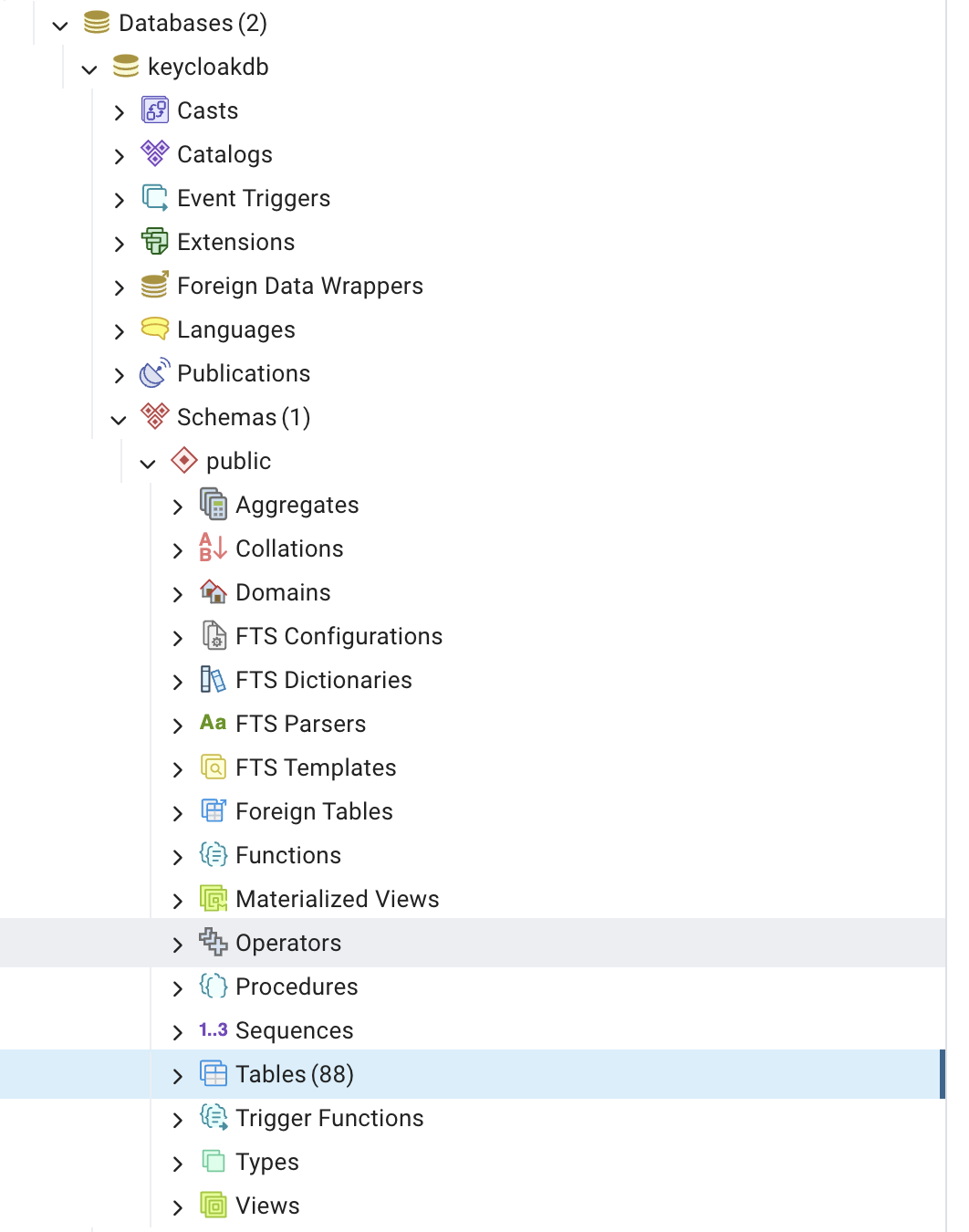
The list of tables already brings us the first contact with some important concepts we'll see in the Keycloak UI.
|  |
|--------------------------|--------------------------|--------------------------|--------------------------|
|
|--------------------------|--------------------------|--------------------------|--------------------------|
Running with Docker
We can also bring up Keycloak already using containers. In this example we're already setting the administrator username and password as one more environment variable we can use. In this example we'll run Keycloak but the database will be H2 and will be lost as soon as the container dies, because we didn't map volumes, it's great for initial testing.
docker run -p 8080:8080 -e KC_BOOTSTRAP_ADMIN_USERNAME=admin -e KC_BOOTSTRAP_ADMIN_PASSWORD=admin quay.io/keycloak/keycloak:26.2.4 start-dev
Since I have a personal homelab, I'm going to set up a docker to provide the service so that I can redirect the domain keycloak.puziol.com.br to my homelab IP on the chosen port.
To set up this docker we'll use the following command.
docker run
  -d
  --name='keycloak'
  --net='dockernet' # My docker network in the homelab
  --pids-limit 2048
  -e TZ="America/Sao_Paulo"
  -e HOST_OS="Unraid"
  -e HOST_HOSTNAME="Unraid"
  -e HOST_CONTAINERNAME="keycloak"
  -e 'KEYCLOAK_HOSTNAME'='https://keycloak.puziol.com.br' # MUST BE A VALID URL FOR PRODUCTION
  -e 'KEYCLOAK_ADMIN'='PutYourAdministrator'
  -e 'KEYCLOAK_ADMIN_PASSWORD'='PutAStrongPassword'
  -e 'KEYCLOAK_DATABASE_HOST'='postgres'
  -e 'KEYCLOAK_DATABASE_PORT'='5432'
  -e 'KEYCLOAK_DATABASE_USER'='DatabaseUser'
  -e 'KEYCLOAK_DATABASE_PASSWORD'='DatabasePassword'
  -e 'KEYCLOAK_DATABASE_NAME'='keycloak'
  -e 'KEYCLOAK_HOSTNAME_ADMIN'='http://10.0.0.10:9999'
  -e 'KEYCLOAK_PRODUCTION'='true'
  -e 'KEYCLOAK_HOSTNAME_STRICT'='false'
  -e 'KEYCLOACK_PROXY'='edge'
  -e 'KEYCLOAK_PROXY_HEADERS'='xforwarded'
  -e 'KEYCLOAK_EXTRA_ARGS'='' # If you want to pass more arguments in the future
  -p '9999:8080/tcp' 'bitnami/keycloak:26.2.3'
809f9c651a3784dcead6404c714a10b798f02a00082a8b081d98ba3d968dc6eb
For this we'll use an image maintained by bitnami which is a great reference. Checking the tags at this moment I'll opt for tag 26.2.3 which is the last one before the rc.
I already have a PostgreSQL running on my internal network (dockernet) with the name postgres, so I can reference it directly by hostname. Before starting Keycloak, it was necessary to create a database called keycloak.
An important security detail: I defined the variable KEYCLOAK_HOSTNAME_ADMIN=http://10.0.0.10:9999, which restricts access to the administration interface only within my local network. If I try to access keycloak.puziol.com.br it will redirect me to http://10.0.0.10:9999 automatically. For future login screens we need to define the realm we'll use.
The domain keycloak.puziol.com.br continues to work for public access (e.g.: user login), but doesn't serve to access the administrative panel in this configuration.
Kubernetes
About running keycloak on kubernetes for a production mode we can use the Keycloak Operator or an Official chart, but we'll do this later. It stays here as a TODO.