Docker Registry
There are several registries to store our images.
- Dockerhub
- Amazon Elastic Container Registry (ECR)
- Google Container Registry (GCR)
- Azure Container Registry (ACR)
- Gitlab Container Registry
- Google Artifact Registry (GAR)
- Github Package Registry
- Red Hat Quay
... And many others, but in the end they all use the same base image called registry v2. What changes is only the graphical interface and some features that work on top of the ready-made image, such as a vulnerability scan for example.
However, it is interesting to have a private registry in our cluster for several reasons.
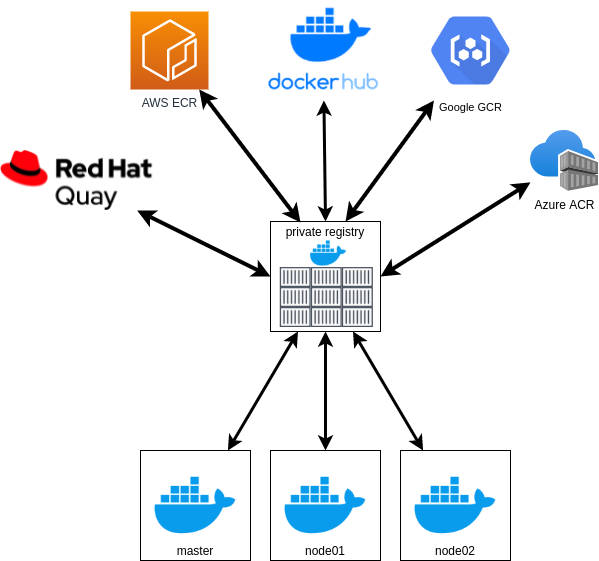
Reasons to have a private registry:
- Dockerhub has limitations of 100 images (pull) that can be downloaded every 6 hours in anonymous mode. If you are logged in it can reach 200 and to use more than that you need to pay https://docs.docker.com/docker-hub/download-rate-limit/#:~:text=Docker%20Hub%20limits%20the%20number,pulls%20per%206%20hour%20period. If you have 10 hosts with containers distributed among them that use the same base, you need to pull all layers for each host (each layer is an image). The limit of 100 or 200 is gone in a few minutes. If you have a private registry it downloads the layers once and provides them to the hosts. It would work as a cache, but beyond that it can integrate with several other registries.
- Speed for downloading images since the images are already in your infrastructure, reducing network bandwidth usage.
- Security to perform push and pull of images within your own infrastructure, avoiding attacks like man in the middle for external registries.
If you're on a cloud for example, is it worth having a private registry?
This service is usually very cheap since you don't need to manage SSL certificates and you're using the registry from your own cloud, speed and security are guaranteed.
Let's add the registry to our swarm cluster
vagrant@registry:~$ docker swarm join --token SWMTKN-1-5uadpu9vr0rcq1hbjtzv7exb34vyreuc9l4gkgggg0y1x0c471-75b4qqhg4ez89w5h49x0dwdz3 10.10.10.100:2377
This node joined a swarm as a worker.
vagrant@registry:~$

vagrant@master:~$ docker node ls
ID                            HOSTNAME                      STATUS    AVAILABILITY   MANAGER STATUS   ENGINE VERSION
jdmwyhbti8s3fnmd17lw79rhw *   master.docker-dca.example     Ready     Active         Leader           20.10.17
qvp6um8mstrgrlhhfpjj6khdc     registry.docker-dca.example   Ready     Active                          20.10.17
rxgmhpjtky4s6mktwis2jyr99     worker1.docker-dca.example    Ready     Active                          20.10.17
7980uc978wk928ncb6esv3jy3     worker2.docker-dca.example    Ready     Active
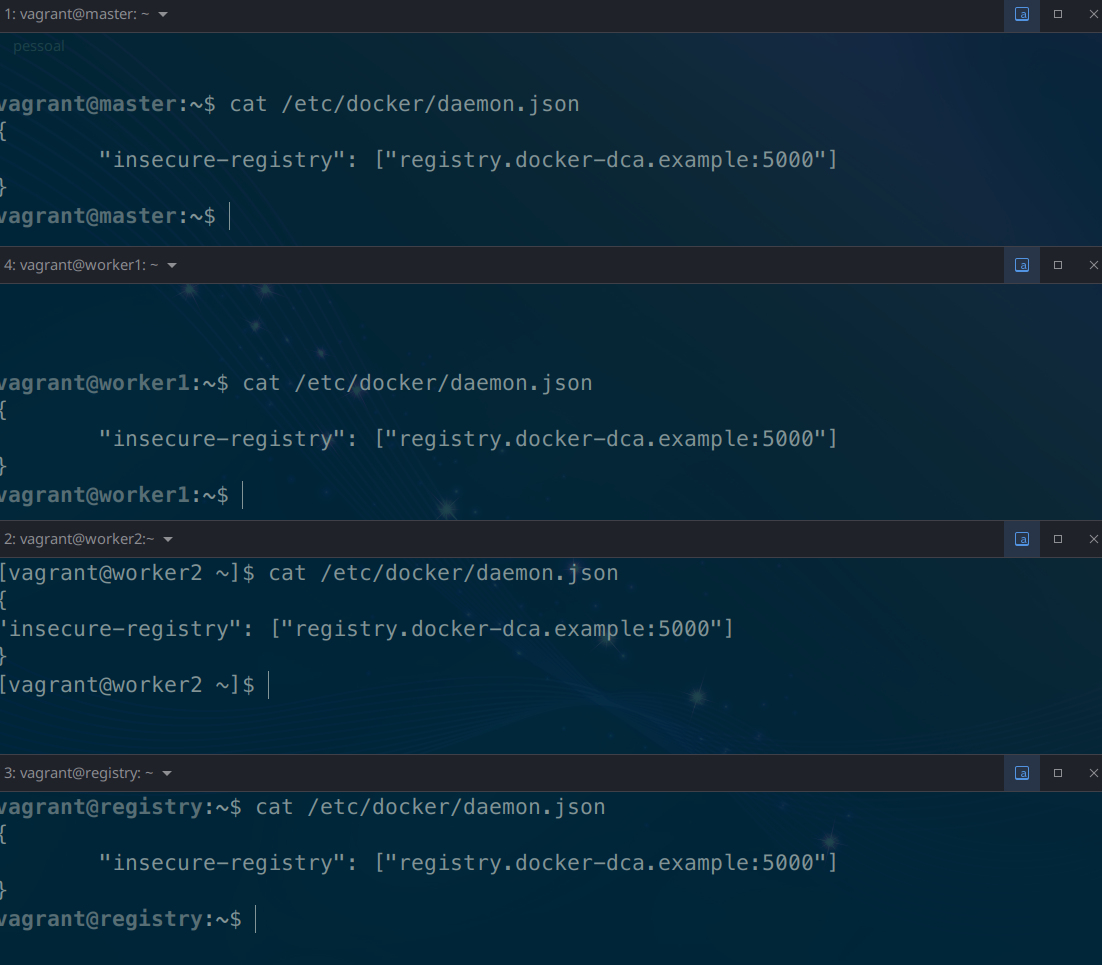
Usually we need to use an SSL certificate in our communications with the registry, but since we're doing it locally we won't use one. For this we will only configure our daemon.json
ON ALL NODESwhich is the docker configuration file to the following.
Without SSL it is not necessary to authenticate like a docker login to verify the data, you can simply push the image without data verification.
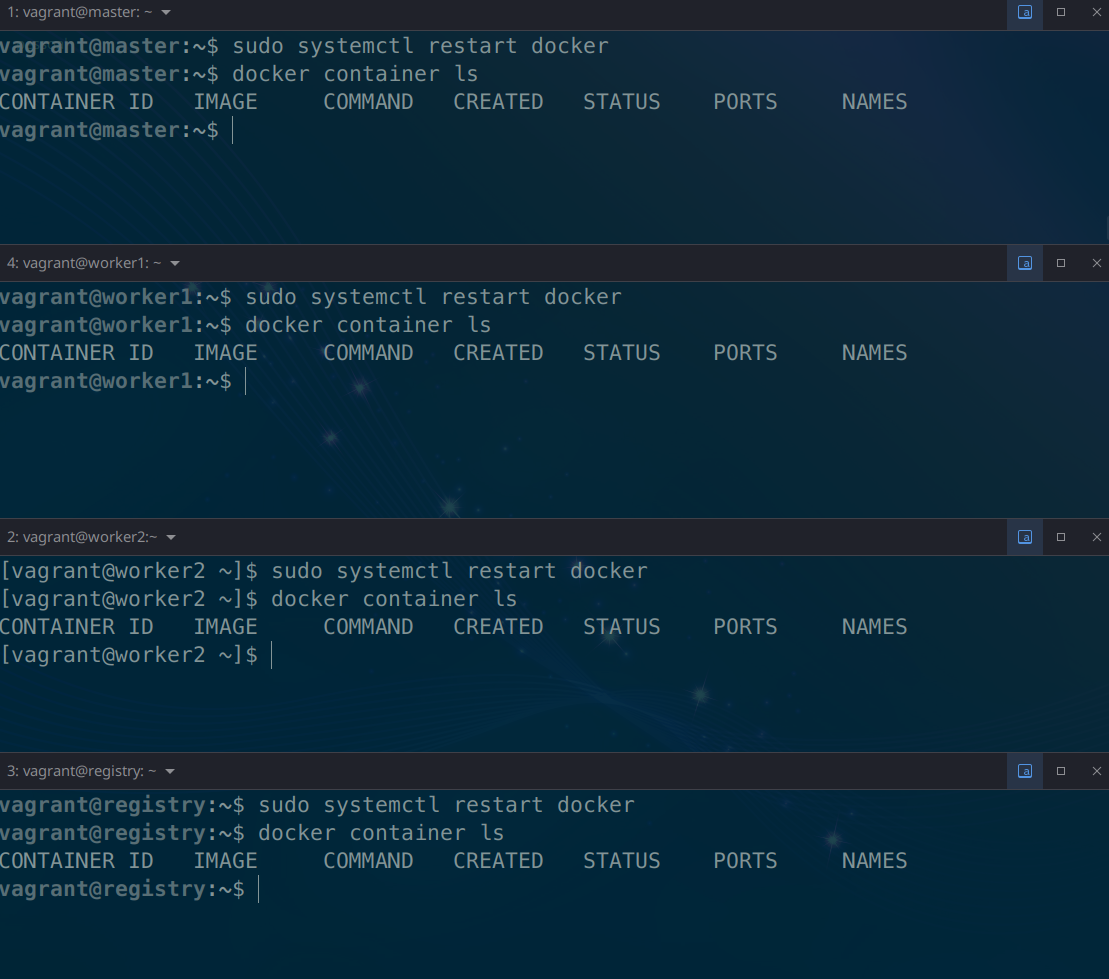
We will need to configure the registry on all machines and then we need to restart docker.
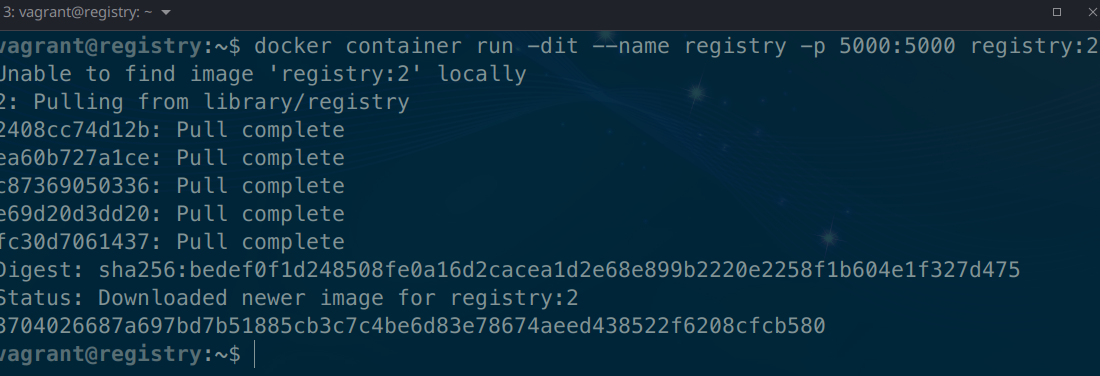
Now on the registry host we will deploy our registry container. Look at the image and port which are the only new things here.
- image = registry:2
- port = 5000
Now let's pull an image from dockerhub.
agrant@registry:~$ docker pull alpine
Using default tag: latest
latest: Pulling from library/alpine
Digest: sha256:686d8c9dfa6f3ccfc8230bc3178d23f84eeaf7e457f36f271ab1acc53015037c
Status: Image is up to date for alpine:latest
docker.io/library/alpine:latest
vagrant@registry:~$ docker image ls
REPOSITORY   TAG       IMAGE ID       CREATED       SIZE
registry     2         773dbf02e42e   5 weeks ago   24.1MB
alpine       latest    e66264b98777   5 weeks ago   5.53MB
vagrant@registry:~$
Is this image in the registry?
Details
Answer
No, it's only on the host. Images need to be tagged to be directed to our registry. If you push without tagging it will understand that it's for the default registry, dockerhub.Let's tag and push the image to our registry
vagrant@registry:~$ docker image ls
REPOSITORY   TAG       IMAGE ID       CREATED       SIZE
registry     2         773dbf02e42e   5 weeks ago   24.1MB
alpine       latest    e66264b98777   5 weeks ago   5.53MB
vagrant@registry:~$ docker image tag alpine:latest registry.docker-dca.example:5000/alpine
vagrant@registry:~$ docker image ls
REPOSITORY                                TAG       IMAGE ID       CREATED       SIZE
registry                                  2         773dbf02e42e   5 weeks ago   24.1MB
alpine                                    latest    e66264b98777   5 weeks ago   5.53MB
registry.docker-dca.example:5000/alpine   latest    e66264b98777   5 weeks ago   5.53MB
# pushing the image
vagrant@registry:~$ docker push registry.docker-dca.example:5000/alpine
Using default tag: latest
The push refers to repository [registry.docker-dca.example:5000/alpine]
24302eb7d908: Pushed
latest: digest: sha256:4ff3ca91275773af45cb4b0834e12b7eb47d1c18f770a0b151381cd227f4c253 size: 528
vagrant@registry:~$
This registry we set up doesn't have a visual interface, but it has a query API that we can use by doing a curl or going to the browser itself.
http://registry.docker-dca.example:5000/v2/_catalog
vagrant@master:~$ curl http://registry.docker-dca.example:5000/v2/_catalog
{"repositories":["alpine"]}
vagrant@master:~$ curl -s http://registry.docker-dca.example:5000/v2/_catalog | jq
{
  "repositories": [
    "alpine"
  ]
}
Images are stored in the container volume.
vagrant@registry:~$ docker container inspect registry | grep Source
                "Source": "/var/lib/docker/volumes/7c60f11e7e59839e0e57b6aab78de979065c293624745830b9b57686c95d4286/_data",
vagrant@registry:~$ docker volume
create   inspect  ls       prune    rm
vagrant@registry:~$ docker volume inspect 7c60f11e7e59839e0e57b6aab78de979065c293624745830b9b57686c95d4286
[
    {
        "CreatedAt": "2022-07-04T03:21:46Z",
        "Driver": "local",
        "Labels": null,
        "Mountpoint": "/var/lib/docker/volumes/7c60f11e7e59839e0e57b6aab78de979065c293624745830b9b57686c95d4286/_data",
        "Name": "7c60f11e7e59839e0e57b6aab78de979065c293624745830b9b57686c95d4286",
        "Options": null,
        "Scope": "local"
    }
]
# let's check
vagrant@registry:~$ sudo tree /var/lib/docker/volumes/7c60f11e7e59839e0e57b6aab78de979065c293624745830b9b57686c95d4286
/var/lib/docker/volumes/7c60f11e7e59839e0e57b6aab78de979065c293624745830b9b57686c95d4286
└── _data
    └── docker
        └── registry
            └── v2
                ├── blobs
                │   └── sha256
                │       ├── 24
                │       │   └── 2408cc74d12b6cd092bb8b516ba7d5e290f485d3eb9672efc00f0583730179e8
                │       │       └── data
                │       ├── 4f
                │       │   └── 4ff3ca91275773af45cb4b0834e12b7eb47d1c18f770a0b151381cd227f4c253
                │       │       └── data
                │       └── e6
                │           └── e66264b98777e12192600bf9b4d663655c98a090072e1bab49e233d7531d1294
                │               └── data
                └── repositories
                    └── alpine #Here...
                        ├── _layers
                        │   └── sha256
                        │       ├── 2408cc74d12b6cd092bb8b516ba7d5e290f485d3eb9672efc00f0583730179e8
                        │       │   └── link
                        │       └── e66264b98777e12192600bf9b4d663655c98a090072e1bab49e233d7531d1294
                        │           └── link
                        ├── _manifests
                        │   ├── revisions
                        │   │   └── sha256
                        │   │       └── 4ff3ca91275773af45cb4b0834e12b7eb47d1c18f770a0b151381cd227f4c253
                        │   │           └── link
                        │   └── tags
                        │       └── latest
                        │           ├── current
                        │           │   └── link
                        │           └── index
                        │               └── sha256
                        │                   └── 4ff3ca91275773af45cb4b0834e12b7eb47d1c18f770a0b151381cd227f4c253
                        │                       └── link
                        └── _uploads
Let's download several images for our lab
- nginx
- mysq:5.7
- wordpress
- traefik:v2.4
We would need to do a docker pull, docker image tag and docker push for each of these images.
Let's automate this quickly
for image in 'nginx' 'mysql:5.7' 'wordpress' 'traefik'
do
docker pull $image
docker image tag $image registry.docker-dca.example:5000/$image
docker push registry.docker-dca.example:5000/$image
done
#... Checking
vagrant@master:~$ curl -s http://registry.docker-dca.example:5000/v2/_catalog | jq
{
  "repositories": [
    "alpine",
    "mysql",
    "nginx",
    "traefik",
    "wordpress"
  ]
}
# Checking the tags..
vagrant@master:~$ curl -s http://registry.docker-dca.example:5000/v2/traefik/tags/list | jq
{
  "name": "traefik",
  "tags": [
    "latest"
  ]
}
vagrant@master:~$ curl -s http://registry.docker-dca.example:5000/v2/wordpress/tags/list | jq
{
  "name": "wordpress",
  "tags": [
    "latest"
  ]
}
vagrant@master:~$ curl -s http://registry.docker-dca.example:5000/v2/mysql/tags/list | jq
{
  "name": "mysql",
  "tags": [
    "5.7"
  ]
}
#...