Docker Tools
Play With Docker
https://labs.play-with-docker.com/
This is an environment that Docker provides for 4 hours so you can study without needing good hardware. It's a very good initiative.
Create an account on DockerHub or GitHub to use it.
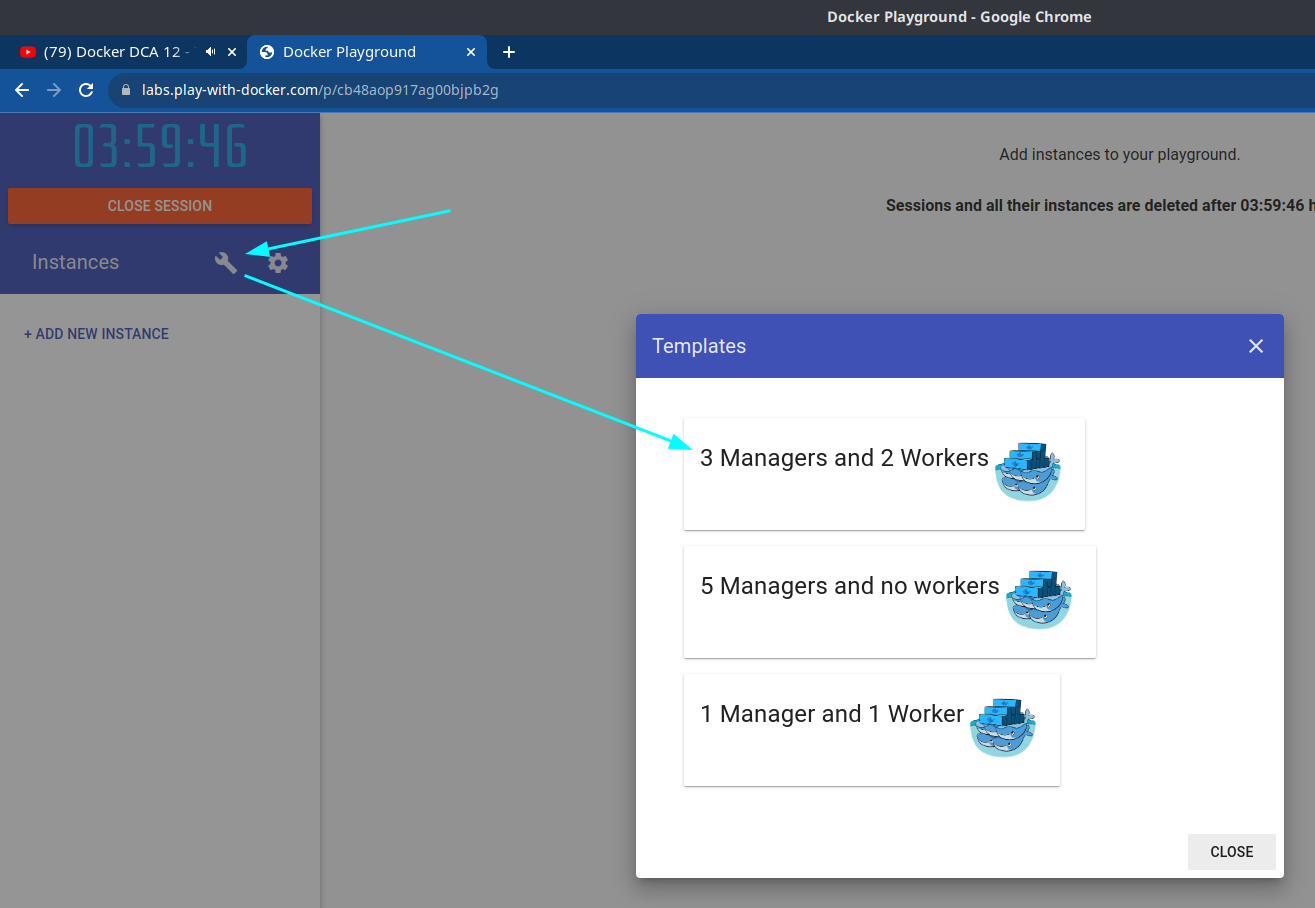
This project consists of creating Docker in Docker known as DinD. Basically Docker has an image as a prepared operating system with Docker installed that you can treat as if it were a node.
For slightly higher processing levels it's possible to create a master with a worker and add 3 more workers, or 5 managers.
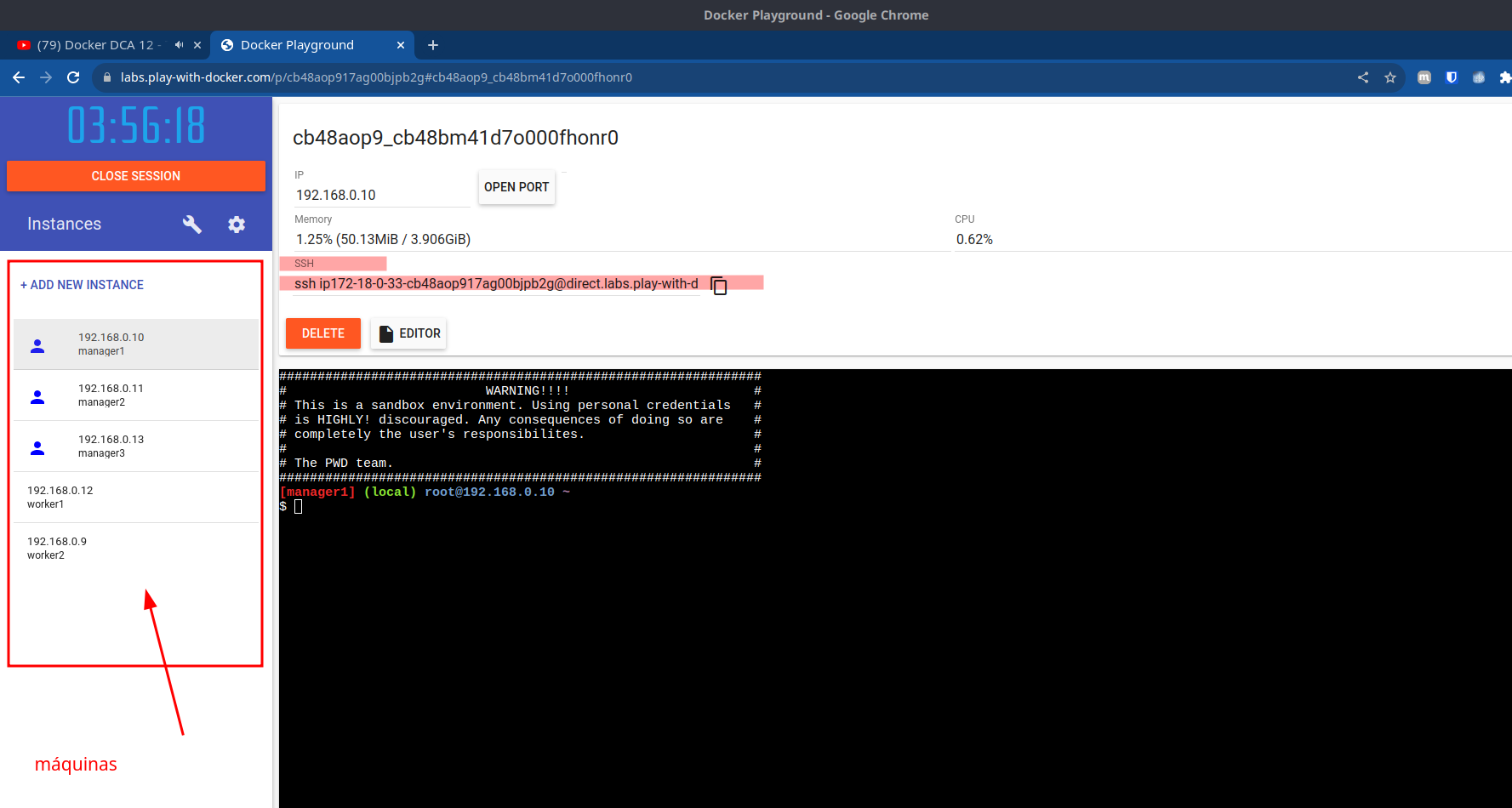
To access SSH directly from your machine you can copy the address and paste it in your terminal.
I had a problem and only by adding this at the end could I solve it
ssh ip172-18-0-33-cb48aop917ag00bjpb2g@direct.labs.play-with-docker.com -oHostKeyAlgorithms=+ssh-rsa -oPubkeyAcceptedAlgorithms=+ssh-rsa
Don't use this environment with sensitive data and this SSH line doesn't need a password, anyone with access can enter the machine.
One thing observed is that you can't use the playwithdocker terminal on the workers.
When you publish a port it appears up there and if you click on the link it redirects to the service
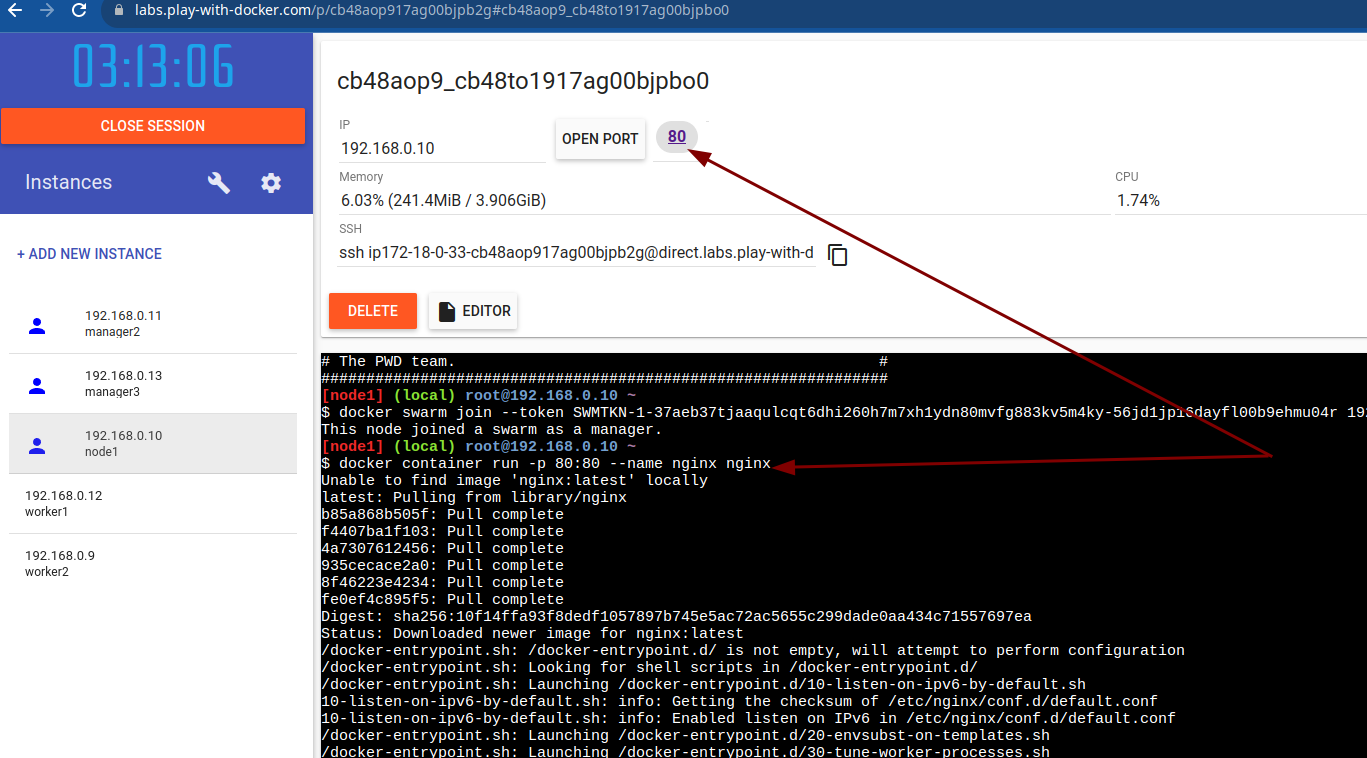
It's a complete cluster
Swarmpit
Both swarmpit and portainer do practically the same thing. However, portainer has more features, but a worse visual.
Let's analyze its deployment
The site has the entire installation method, but if you also run the stack below it will simply install the same.
version: '3.3'

services:
  app:
    image: swarmpit/swarmpit:latest
    environment:
      - SWARMPIT_DB=http://db:5984
      - SWARMPIT_INFLUXDB=http://influxdb:8086
    volumes:
      - /var/run/docker.sock:/var/run/docker.sock:ro
    ports:
      - 888:8080
    healthcheck:
      test: ["CMD", "curl", "-f", "http://localhost:8080"]
      interval: 60s
      timeout: 10s
      retries: 3
    networks:
      - net
    deploy:
      resources:
        limits:
          cpus: '0.50'
          memory: 1024M
        reservations:
          cpus: '0.25'
          memory: 512M
      placement:
        constraints:
          - node.role == manager

  db:
    image: couchdb:2.3.0
    volumes:
      - db-data:/opt/couchdb/data
    networks:
      - net
    deploy:
      resources:
        limits:
          cpus: '0.30'
          memory: 256M
        reservations:
          cpus: '0.15'
          memory: 128M

  influxdb:
    image: influxdb:1.7
    volumes:
      - influx-data:/var/lib/influxdb
    networks:
      - net
    deploy:
      resources:
        limits:
          cpus: '0.60'
          memory: 512M
        reservations:
          cpus: '0.30'
          memory: 128M

  agent:
    image: swarmpit/agent:latest
    environment:
      - DOCKER_API_VERSION=1.35
    volumes:
      - /var/run/docker.sock:/var/run/docker.sock:ro
    networks:
      - net
    deploy:
    # Note that it has an agent on each node
      mode: global
      labels:
        swarmpit.agent: 'true'
      resources:
        limits:
          cpus: '0.10'
          memory: 64M
        reservations:
          cpus: '0.05'
          memory: 32M

networks:
  net:
    driver: overlay

volumes:
  db-data:
    driver: local
  influx-data:
    driver: local
The command below is offered within their own site. Run it on one of the playwithdocker managers and see port 888 opening and take a tour of the tool.
docker run -it --rm \
  --name swarmpit-installer \
  --volume /var/run/docker.sock:/var/run/docker.sock \
swarmpit/install:1.9
Portainer
https://www.portainer.io/?hsLang=en> https://docs.portainer.io/v/ce-2.9/start/install
Portainer, like Docker, has the community edition which is free or the business edition.
Harbor
Harbor is an open source registry graduated in CNCF.
Some features:
- Performs security analysis and vulnerability scanning of images
- Content signing and validation
- Scalable
- Web UI and Extensible API
- User control and permissions