Docker Swarm - Part 1
To start this learning process, we'll need clean machines. So if you're following along with the study, let's destroy everything and create from scratch.
❯ cd DCA/Environment
❯ vagrant destroy -f
❯ vagrant up
Docker Swarm is a container orchestration tool that enables users to manage multiple containers distributed across various host machines (cluster). Swarm is not the most widely used tool nowadays, having lost ground to Kubernetes. However, it's good to know the competitor, as well as Nomad from Hashicorp. Most of the concepts you learn here work for Kubernetes.
Basic Concepts
Cluster
A cluster is a group of hosts that provides computational capacity for container orchestration. A cluster is the sum of the strength of all its nodes. Using a cluster reduces infrastructure costs. An extremely powerful machine costs more than several less powerful machines combined.
Horizontal Scalingis when we add another machine (node) to our cluster.Vertical Scalingis when we improve our machine's configuration.
Nodes
A node is each host (machine/computer) in a cluster. A node can be a manager or a worker.
- Manager nodes are the control nodes.
- Worker nodes are where containers will actually be deployed.
Consensus
Raft Consensus is an algorithm that implements the consensus protocol that ensures cluster reliability. Docker uses this algorithm and this site explains well how it works. This algorithm ensures order in the cluster. The consensus is at the manager nodes that we'll have in our cluster to control the workers.
Manager nodes belonging to a cluster will always be in one of the following Raft Consensus states:
- Follower (doesn't give orders, just follows)
- Candidate (candidate to become leader)
- Leader
In Raft Consensus, each manager node has the right to one vote to elect a leader.
If you only have one node, it starts as a follower, becomes a candidate to be the leader, and since there's only 1 to vote (itself), it becomes the leader.
If you have only a single manager node and it goes down, you'll lose control of the cluster, which is why redundancy of manager nodes is necessary in distributed systems. As I mentioned, every manager node enters as a follower, and if it doesn't find a leader, it becomes a candidate, and the node with the highest number of votes becomes the leader. If the manager node goes down, the other managers again enter a candidate state and elect a new leader. The leader maintains the actual state of the cluster, so it needs to know everything that happens with the followers.
It's not necessary to understand how the election works, only the number of manager nodes needed to have redundancy in case the leader goes offline.
The fault tolerance formula is (N-1)/2 failures and requires a quorum of (N/2)+1. Quorum is the minimum number of nodes to ensure a majority.
| Nodes | Quorum | Fault Tolerance |
|---|---|---|
| 1 | (1/2)+1 = 1.5 | (1-1)/2 = 0 |
| 2 | (2/2)+1 = 2 | (2-1)/2 = 0.5 |
| 3 | (3/2)+1 = 2.5 | (3-1)/2 = 1 |
| 4 | (4/2)+1 = 3 | (4-1)/2 = 1.5 |
| 5 | (5/2)+1 = 3.5 | (5-1)/2 = 2 |
| 6 | (6/2)+1 = 4 | (6-1)/2 = 2.5 |
| 7 | (7/2)+1 = 4.5 | (7-1)/2 = 3 |
*We can observe that it needs to be odd starting from 3 to have at least 1 redundancy. Working with even numbers is a waste of time and resources.
Studies show that data replication consumes a lot of network and processing. Therefore, 3 is sufficient, 5 is a good choice, 7 starts to worsen, and 9 degrades performance. Legend has it that having 1 is like having none, so at least 3 please.
Creating the Cluster
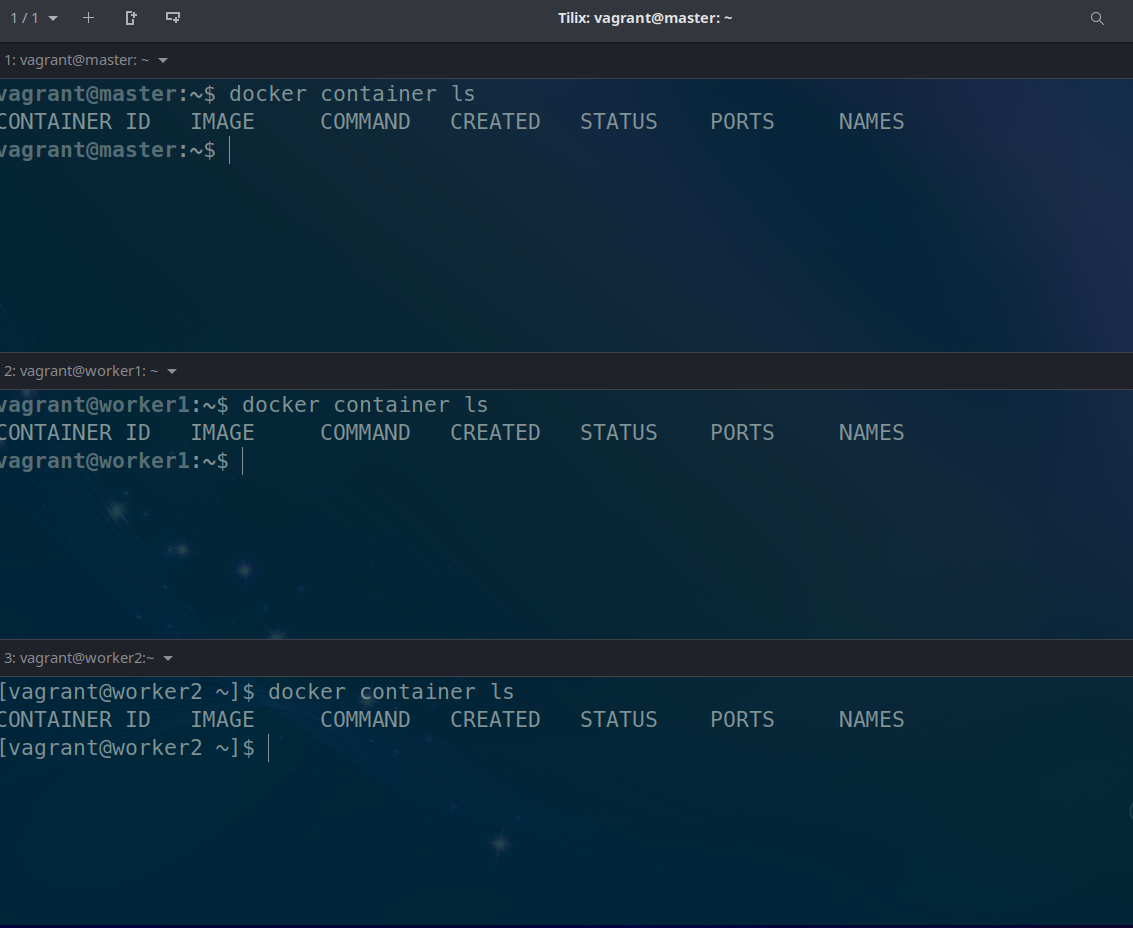
For our lab, prepare a terminal for each machine (master, worker1, worker2). Check if Docker is working with the command docker container ls
Check the machines' IP addresses
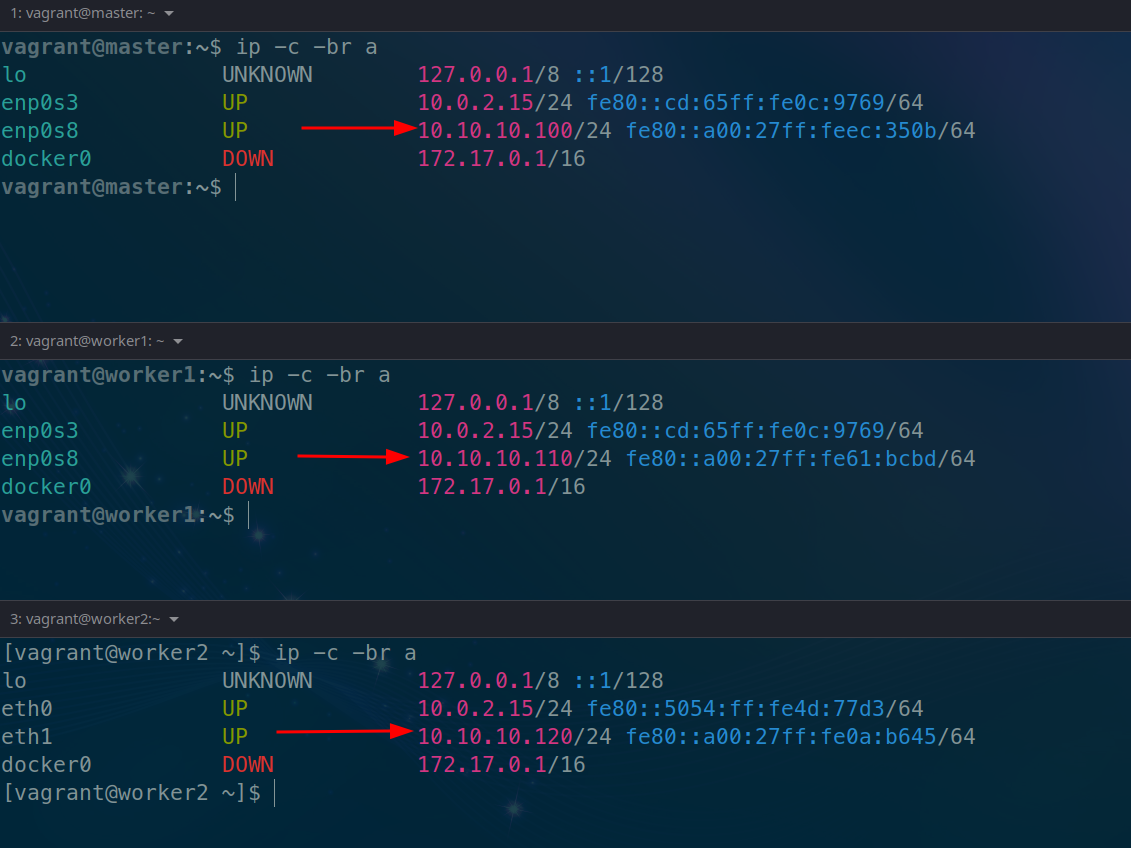
To create the cluster, simply initialize it on the master machine. Remember that you must pass the IP address that it has.
# The advertise means it will advertise the passed address to communicate with the cluster.
vagrant@master:~$ docker swarm init --advertise-addr 10.10.10.100
Swarm initialized: current node (jdmwyhbti8s3fnmd17lw79rhw) is now a manager.

To add a worker to this swarm, run the following command:

# Notice that it already provided the command for adding worker nodes
    docker swarm join --token SWMTKN-1-5uadpu9vr0rcq1hbjtzv7exb34vyreuc9l4gkgggg0y1x0c471-75b4qqhg4ez89w5h49x0dwdz3 10.10.10.100:2377

To add a manager to this swarm, run 'docker swarm join-token manager' and follow the instructions.

vagrant@master:~$
Is it possible to use the machine's hostname to initialize the cluster? Yes, but it's not a good practice, because if the DNS fails it causes a problem. The safest way is using the IP.
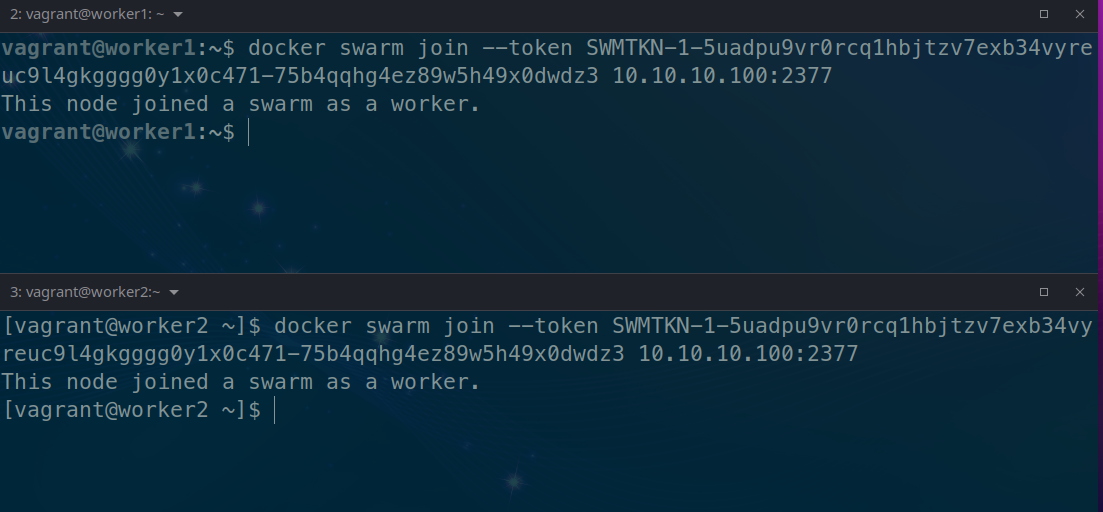
Executing the command on the nodes above to join the cluster
Checking the nodes on the master...
vagrant@master:~$ docker node ls
# Notice there is the leader status and availability
ID                            HOSTNAME                     STATUS    AVAILABILITY   MANAGER STATUS   ENGINE VERSION
jdmwyhbti8s3fnmd17lw79rhw *   master.docker-dca.example    Ready     Active         Leader           20.10.17
rxgmhpjtky4s6mktwis2jyr99     worker1.docker-dca.example   Ready     Active                          20.10.17
7980uc978wk928ncb6esv3jy3     worker2.docker-dca.example   Ready     Active                          20.10.17
Shutting down the machine to check if the status changes
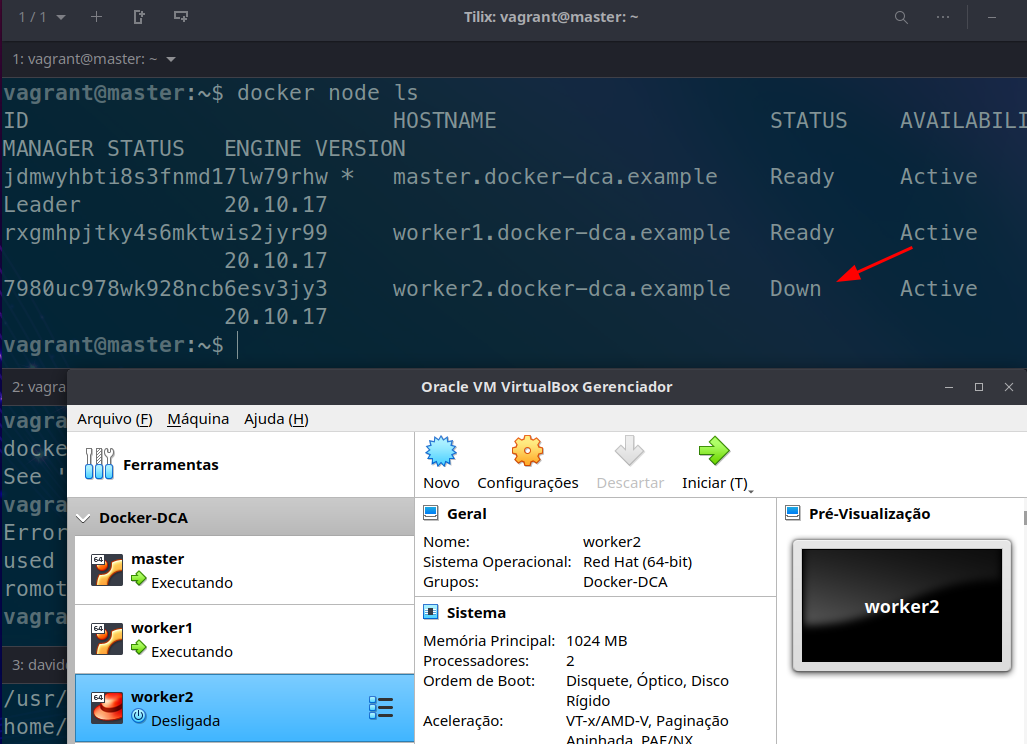
The
docker nodecommands are limited to managers.
A worker node can be promoted to manager if desired and demoted as well.
vagrant@master:~$ docker node ls
ID                            HOSTNAME                     STATUS    AVAILABILITY   MANAGER STATUS   ENGINE VERSION
jdmwyhbti8s3fnmd17lw79rhw *   master.docker-dca.example    Ready     Active         Leader           20.10.17
rxgmhpjtky4s6mktwis2jyr99     worker1.docker-dca.example   Ready     Active                          20.10.17
7980uc978wk928ncb6esv3jy3     worker2.docker-dca.example   Ready     Active                          20.10.17
# with the promote command and passing the machine's hostname
vagrant@master:~$ docker node promote worker1.docker-dca.example
Node worker1.docker-dca.example promoted to a manager in the swarm.
vagrant@master:~$ docker node ls
# See that it reached the Reachable state
ID                            HOSTNAME                     STATUS    AVAILABILITY   MANAGER STATUS   ENGINE VERSION
jdmwyhbti8s3fnmd17lw79rhw *   master.docker-dca.example    Ready     Active         Leader           20.10.17
rxgmhpjtky4s6mktwis2jyr99     worker1.docker-dca.example   Ready     Active         Reachable        20.10.17
7980uc978wk928ncb6esv3jy3     worker2.docker-dca.example   Ready     Active                          20.10.17
# Now demoting, returning the node to worker with the demote command
vagrant@master:~$ docker node demote worker1.docker-dca.example
Manager worker1.docker-dca.example demoted in the swarm.
vagrant@master:~$ docker node ls
ID                            HOSTNAME                     STATUS    AVAILABILITY   MANAGER STATUS   ENGINE VERSION
jdmwyhbti8s3fnmd17lw79rhw *   master.docker-dca.example    Ready     Active         Leader           20.10.17
rxgmhpjtky4s6mktwis2jyr99     worker1.docker-dca.example   Ready     Active                          20.10.17
7980uc978wk928ncb6esv3jy3     worker2.docker-dca.example   Ready     Active                          20.10.17
vagrant@master:~$
Do some tests by promoting everyone to manager and taking one down to see the election of a new leader.
Right after that, shut down one more machine and you'll see that it can't elect with two, resulting in the split brain problem where a single machine doesn't have the majority, doesn't know if it went down or the other one did, and loses control of the cluster.
The command to get the token in case you don't remember
vagrant@master:~$ docker swarm join-token manager
To add a manager to this swarm, run the following command:

    docker swarm join --token SWMTKN-1-5uadpu9vr0rcq1hbjtzv7exb34vyreuc9l4gkgggg0y1x0c471-7wzw0dvnf6rboj7jiev31rnm3 10.10.10.100:2377

vagrant@master:~$ docker swarm join-token worker
To add a worker to this swarm, run the following command:

    docker swarm join --token SWMTKN-1-5uadpu9vr0rcq1hbjtzv7exb34vyreuc9l4gkgggg0y1x0c471-75b4qqhg4ez89w5h49x0dwdz3 10.10.10.100:2377
Ports Used
Some ports need to be available
| Port | Protocol | Usage |
|---|---|---|
| 2377 | tcp | Cluster management communications |
| 7946 | tcp and udp | Communication between nodes |
| 4789 | udp | Overlay network traffic |