Networking Prerequisites
Complete with this content https://github.com/kubernetes/kubernetes/blob/master/pkg/proxy/ipvs/README.md
You can't talk about networking without understanding the basics of networks.
Interfaces
Interfaces are the network cards, physical or virtual, of the host. They may or may not be associated with a network. When we talk about network interfaces, it can be via cable (Ethernet), wireless, etc.
To list the devices we can use the command:
ip link
Generally the main network card is eth0. The physical medium doesn't matter much in network nomenclature. An Ethernet cable or fiber could be the physical medium of the eth0 interface.
Switch
If two computers are connected to the same network, how do they communicate? Through the switch. A switch is used to connect devices on the SAME NETWORK.
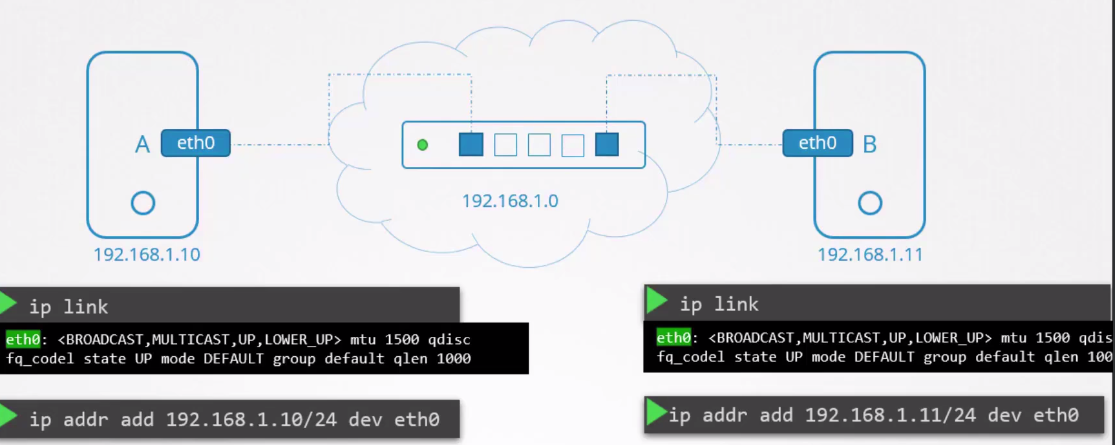
To set an IP on an interface we use the command.
ip addr add IP/CIDR dev interface_name
Router
If B needs to connect with C but they are on different networks, how do they communicate?
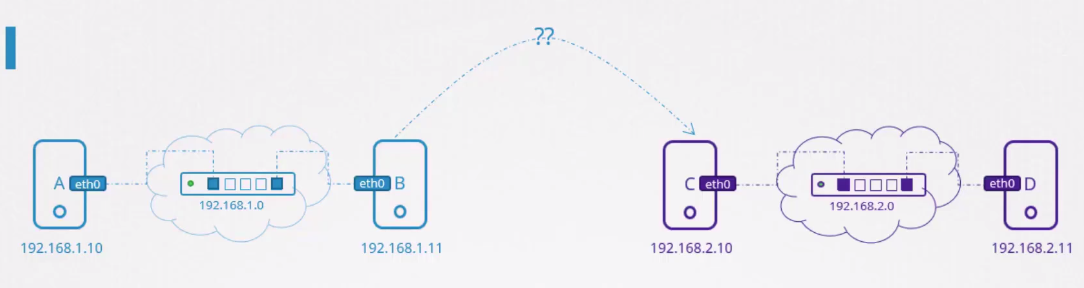
When we need to communicate two machines on different networks, a router comes into play. The router's function is to INTERCONNECT NETWORKS.
A router is another server (usually a dedicated device that only runs Linux for this purpose) with many interfaces, but set on different networks. Normally these interfaces are connected to different switches.
Once they are connected to different networks, they have IPs within those networks, usually the first IP, which is called gateway, but it could be any IP in that network.
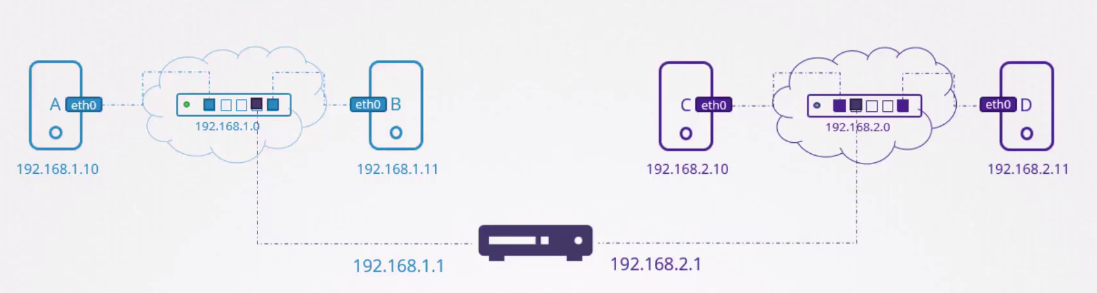
When B needs to send a packet to C, how does it know where the router is on the network?
When we configure the network on a device we need to point to who the gateway is, which in this case will be the router. The router is the entry and exit door of this network.
If we think that the network is a room the gateway is the door.
The system needs to know where that door leads. Going out through that gateway I can get where? To which networks?
It's necessary to have these configurations in each operating system.
To see this information we can just run the route command.
# This is a command on my own machine
route

Kernel IP routing table
Destination     Gateway         Genmask         Flags Metric Ref    Use Iface
default         unifi.localdoma 0.0.0.0         UG    100    0        0 enx00e04c6810f3
default         unifi.localdoma 0.0.0.0         UG    600    0        0 wlp0s20f3
10.0.0.0        0.0.0.0         255.255.255.0   U     100    0        0 enx00e04c6810f3
10.0.0.0        0.0.0.0         255.255.255.0   U     600    0        0 wlp0s20f3
link-local      0.0.0.0         255.255.0.0     U     1000   0        0 enx00e04c6810f3
172.17.0.0      0.0.0.0         255.255.0.0     U     0      0        0 docker0
172.18.0.0      0.0.0.0         255.255.0.0     U     0      0        0 br-93a4fed73578
172.19.0.0      0.0.0.0         255.255.0.0     U     0      0        0 br-56339616a3bf
192.168.56.0    0.0.0.0         255.255.255.0   U     0      0        0 vboxnet0
192.168.122.0   0.0.0.0         255.255.255.0   U     0      0        0 virbr0
If there is no route it's not possible to have access to anything except your own network.
On machine B if we run the command.
ip route add 192.168.2.0/24 via 192.168.1.1
We're telling it that to reach the 192.168.2.0/24 network we need to exit through IP 192.168.1.1 which is the router's IP, but we don't know if the router will reach the network we want. In our case here we do know.
Routes need to be known by all network devices, it's no use one knowing and another not, but let's imagine everyone knows.
If the router is connected to the Internet we could have a route for each site.
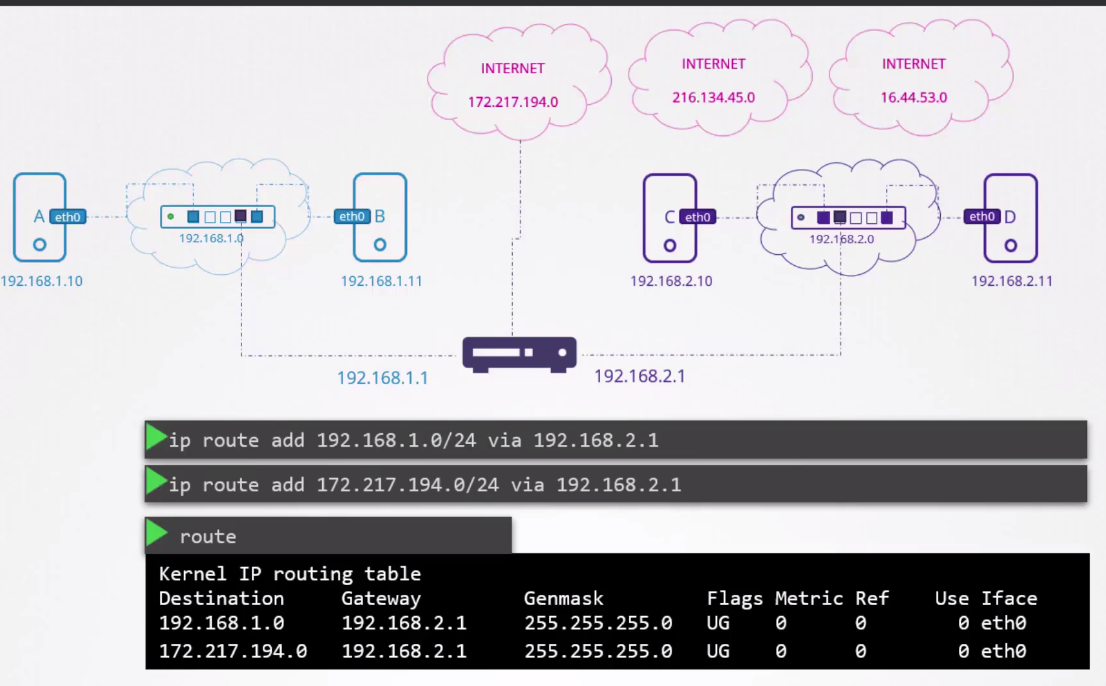
But this is not viable, so everything we don't know we put the IP 0.0.0.0/0.
To simplify even more, we can have only a default route. On the 192.168.2.1 network we can simply say that everything goes through a gateway to simplify the table.
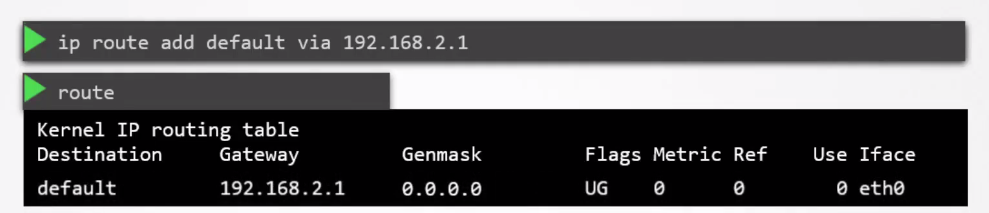
Likewise, when we're on the same network we use 0.0.0.0 to say we don't need a gateway, because we're on the same network. The image below is showing host C.

If we had this scenario with more than one gateway we would have to have two entries.
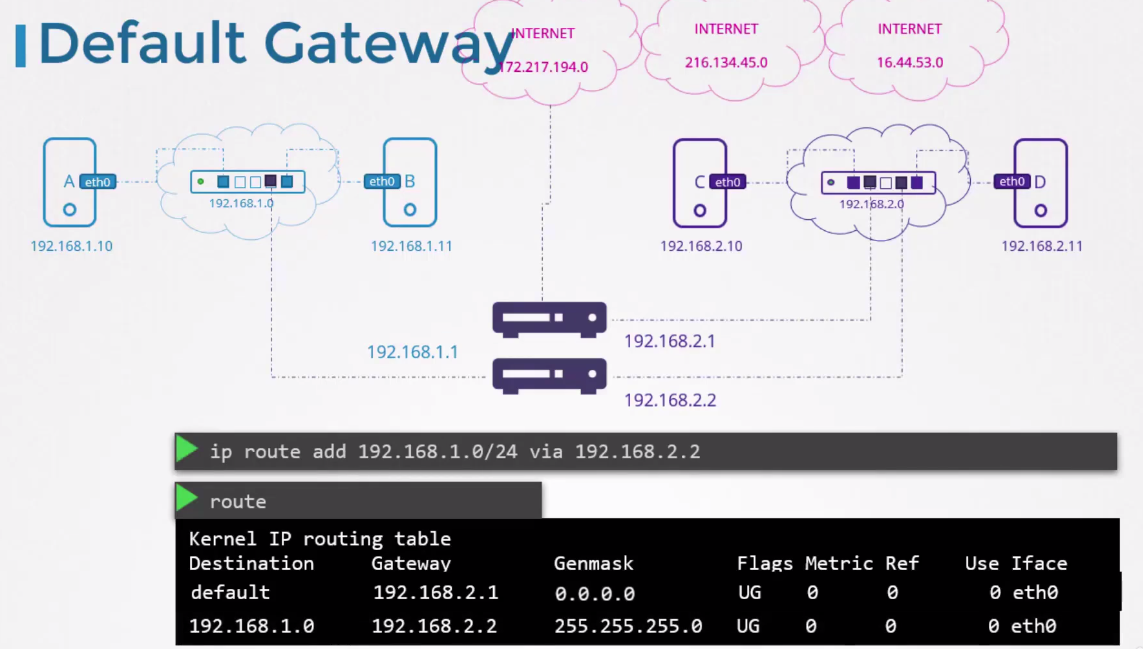
If a machine is not able to communicate with another, checking routes is a good place to start troubleshooting.
Now let's think from the router's perspective. Let's put the router as a hostB connected to two networks (X and Y), how would we communicate from a hostA on network X to a hostC on network Y through this hostB that knows both?
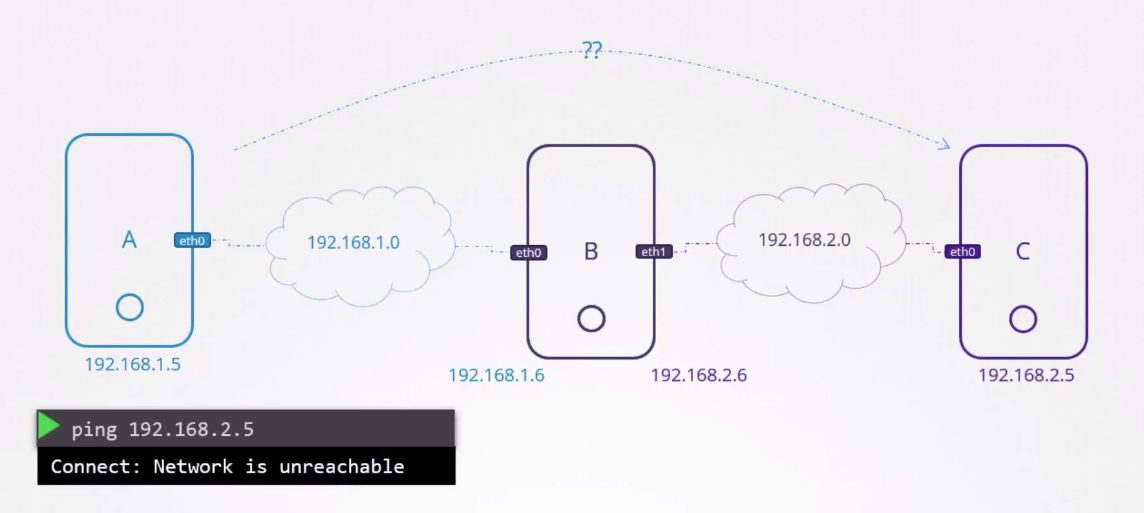
We define in hostA and hostC the routes through the gateway to hostB's IP.
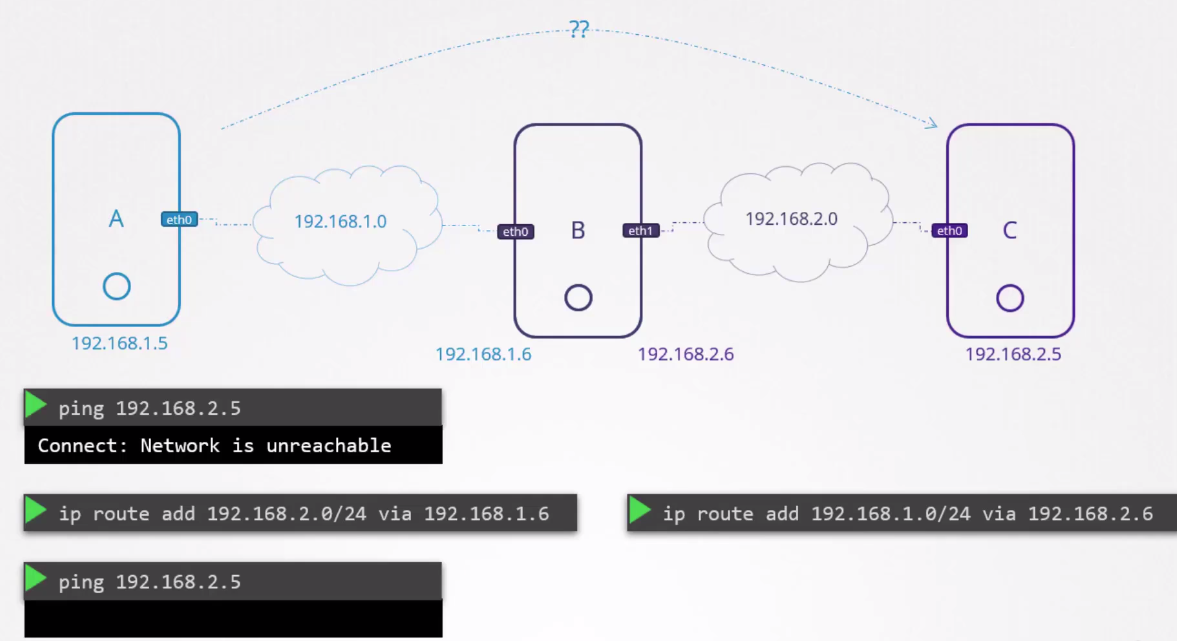
Still we can't communicate, despite knowing the route. In this case we don't get responses to ping, right?
If it were that simple, imagine how many attacks we would take? So you just aim at the right place and everything will be solved?
In Linux an interface is not authorized to forward packets to another interface by default. The default rule is deny everything and enable only what we need.
For this it's necessary to change some system configurations.
cat /etc/sysctl.conf
...
net.ipv4.ip_forward=1 # The default is 0, set to 1
...
If you're remembering, this is one of the requirements that need to be done on any Kubernetes node.