GitHub Actions

Since GitHub is today the primary code repository, it's extremely important to understand its features better.
GitHub Actions is a workflow automation service that allows you to automate all types of processes and actions related to your repository.
It's worth noting that knowledge of git is necessary to create more elaborate pipelines.
You probably already have a GitHub account, if not, create one for free.
Initial Concepts
We use the declarative YAML language to express what we want to do. These files are stored within the repository itself in the .github/workflows folder.
We have 3 main blocks in a YAML file that we need to understand:
- Workflows - Used to include jobs
- Jobs - Groupings of steps. Jobs will be executed in the order they were specified within a workflow or in parallel if there's no dependency between them
- Steps - The smallest unit representing a step of a job, executed sequentially. A build job could have several steps like:
- clone the repo
- download dependencies
- compile
Each YAML file will be a workflow and we can have as many as needed. Workflows are our automated processes that are executed when some event we want to track happens in the repository. In the same workflow YAML file, we configure when it should or shouldn't be triggered through triggers and events.
An event can be manual or automatic, such as when a commit happens, for example.
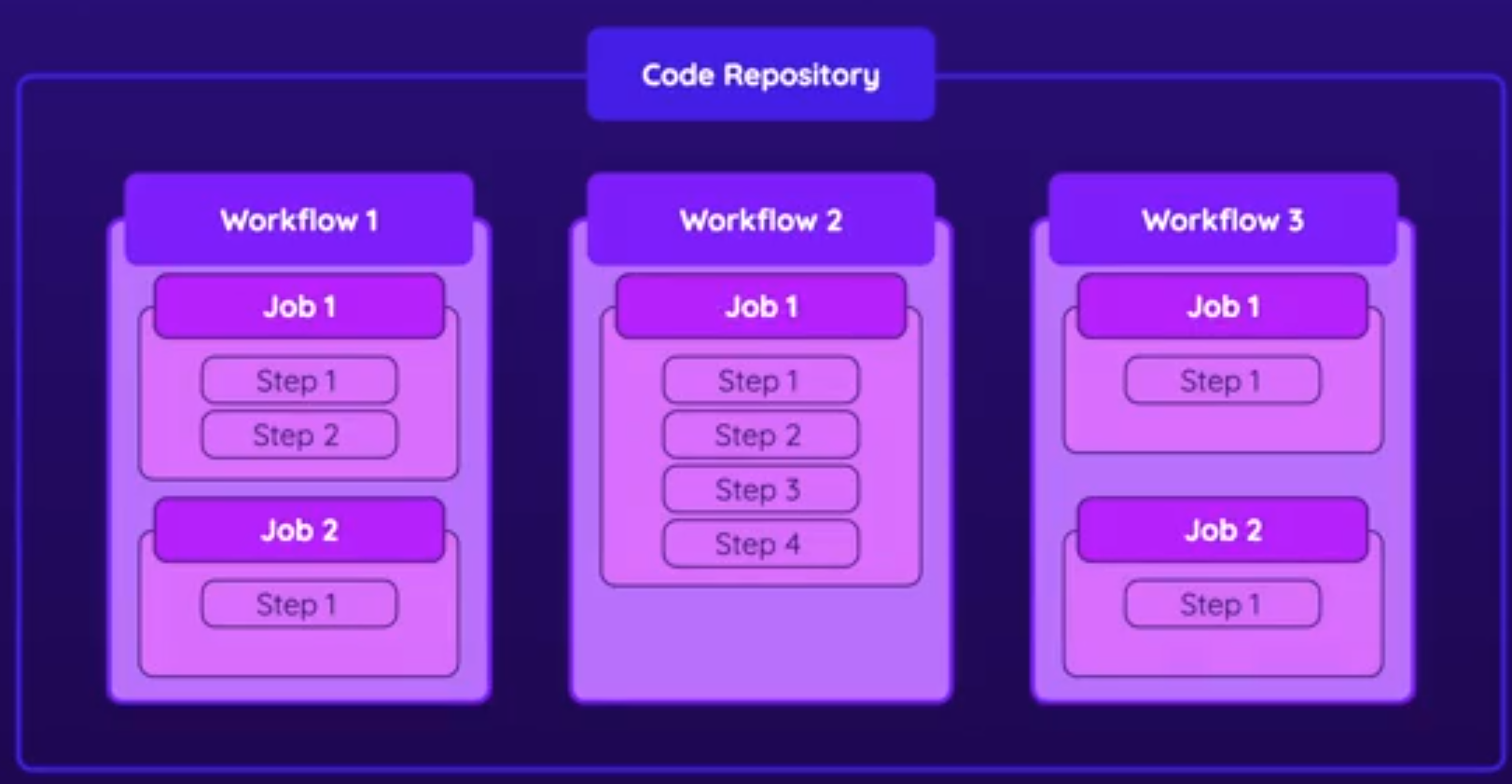
Each job runs on a runner, which is the execution environment for the steps. In this execution environment, we have the operating system defined and items installed on the system so they can execute the steps. These definitions are placed inside each job block. Actions supports Linux, macOS, and Windows, but it's also possible to configure your own runners. A job must have at least one step.
Within a workflow, we can define multiple jobs that may or may not be executed if a condition is defined.
It's in the steps of each job where commands actually happen. Generally, we can have a shell script to define what should be done, or actions which are predefined tasks that we'll see later.
Steps cannot be executed in parallel like jobs, but they can be subject to conditions.

Pricing
Actions are free in public repositories. In private repositories, there's a limited number of monthly executions, requiring payment for overages.
Check how Actions billing works.
The calculation base for minutes is for Linux environments. Using a Windows environment costs 2 times more than a Linux environment, and on macOS it costs 10 times more.
Obviously, if we're using machines to run our jobs, the more resources we need, the higher the price.
We can have our own machines connected to GitHub Actions to provide the environment and avoid paying for these resources. A good idea is containers within Kubernetes or even containers on your own machine if the project is personal. However, this second case is rare because if the project is small, the free limits are sufficient.