Jobs and Containers
Instead of using the runners provided by GitHub, we can use runners defined as we want using containers.
The advantage of using containers as our runners is having full control of the environment and what is or isn't installed to simulate the environment where the application will be running.
We saw earlier that ubuntu-latest has several pre-installed software, such as Java, and we were running a Node.js application. We've already used the option to install software using an action, but it would be much better if the runner was already ready for our environment, bringing even more speed to the workflow.
We can create containers that will run on top of the runners in a completely isolated environment. Let's make it clear that even so, the GitHub runner will still be used, but only as a container executor, even if it has all those software installed, what matters is having a container runtime also installed.
When we define a container, all steps will be used inside the container.
jobs:
  test:
    environment: testing
    runs-on: ubuntu-latest
    container:
      image: node:16
      # The variables here are those necessary to run the container according to what the image needs.
      env:
        env1: value1
        env2: value2
    # These variables become extra in the container shell.
    env:
      MONGODB_CONNECTION_PROTOCOL: mongodb+srv
      MONGODB_CLUSTER_ADDRESS: cluster0.ntrwp.mongodb.net
      MONGODB_USERNAME: ${{ secrets.MONGODB_USERNAME }}
      MONGODB_PASSWORD: ${{ secrets.MONGODB_PASSWORD }}
      PORT: 8080
All steps, even in the cache part or any other action, continue to work normally.
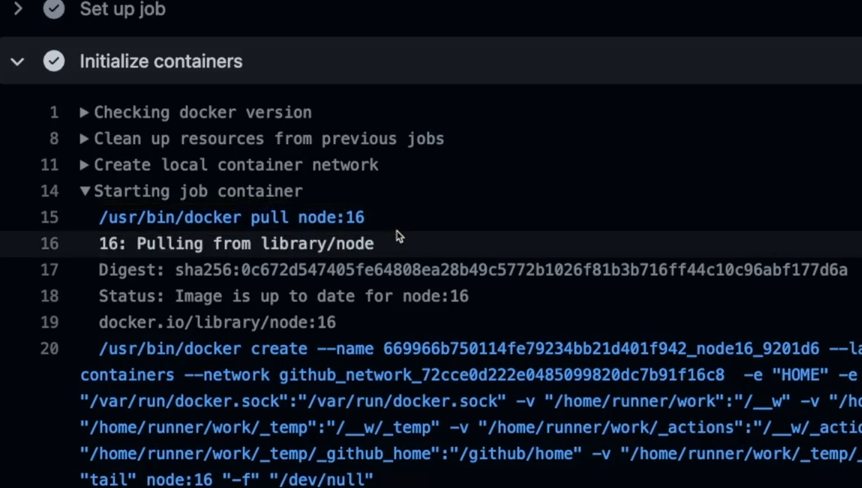
We can use containers as a service within a workflow, for example to quickly provide a database for testing. Instead of maintaining a database just for this functionality, we can burn an image even with a populated database, test our application, and destroy it. Every time we test we have a ready, fully populated database. This type of test is very common. The service creates a sidecar container in our workflow to be used.
jobs:
  test:
    environment: testing
    runs-on: ubuntu-latest
    container:
      image: node:16
    env:
      MONGODB_CONNECTION_PROTOCOL: mongodb
      MONGODB_CLUSTER_ADDRESS: mongodb # The service name when
      MONGODB_USERNAME: root # Same credentials as the mongo we're side by side with
      MONGODB_PASSWORD: pass
      PORT: 8080
    services:
      mongodb: # This service
      image: mongo
      env:
        - MONGO_INITDB_ROOT_USERNAME: root
        - MONGO_INITDB_ROOT_PASSWORD: pass
It's worth mentioning that all containers and services are initialized before starting the steps.
If we're not using a container and only the runner normally, we can't reference the service name, we need to use localhost.
jobs:
  test:
    environment: testing
    runs-on: ubuntu-latest
    # container:
    #   image: node:16
    env:
      MONGODB_CONNECTION_PROTOCOL: mongodb
      MONGODB_CLUSTER_ADDRESS: 127.0.0.1:27017 # Same external port of the mapped service
      MONGODB_USERNAME: root
      MONGODB_PASSWORD: pass
      PORT: 8080
    services:
      mongodb: # This service
      image: mongo
      ports:
        - 27017:27017 # Container port mapping
      env:
        - MONGO_INITDB_ROOT_USERNAME: root
        - MONGO_INITDB_ROOT_PASSWORD: pass