GitLab Runners
We understand a bit of the initial concepts, now let's work with runners.
Shared Runners
These are runners that are shared among all projects within a GitLab instance. They are provided and managed directly by GitLab. When you create a pipeline in a repository, GitLab automatically tries to allocate a Shared Runner to execute the work, if the repository doesn't have specific runners configured.
- GitLab takes care of updates, maintenance, and scalability of runners.
- GitLab can automatically scale to meet demand, allocating resources as needed.
- Free: The use of Shared Runners is free for any
publicGitLab instance (GitLab.com).
Where's the catch?
- Shared Runners are completely
freeforpublic repositories, without any minute limitations. - For private repositories, you still have access to Shared Runners, but there's a monthly execution minute limit. On the free plan, GitLab offers a fixed number of minutes (for example, 400 minutes per month). After reaching this limit, you would need to wait for the next monthly cycle or buy more minutes. 400 minutes is per account and not per repository.
- If you're on a paid plan (Premium, Ultimate), the execution minute limit for Shared Runners is much higher (with some plans offering up to 50,000 minutes per month or more).
GitLab always deducts 1 minute even if your pipeline runs for 10 seconds. If it runs for 1 minute and 1 second it deducts 2 minutes.
For a company with lots of deliveries, 400 minutes doesn't even cover the beginning. If your company hosts code on GitLab, doesn't pay for a plan and doesn't want to have problems with runners, then we need to provide our own runners.
The Runner is an agent (service) that listens to GitLab and waits for orders. When a pipeline is triggered (by push, merge, manual, etc), GitLab sends the task to the Runner to execute.
What does the Runner do exactly?
- Receives instruction from GitLab CI/CD (based on .gitlab-ci.yml).
- Clones the repository.
- Reads the pipeline and executes the jobs, one by one.
- For each job, it needs an execution environment.
How to Install a Runner?
If you have a project in an organization without being inside a group you could only install the runner in this project.
What do I mean by this? https://gitlab.com/davidpuziol/devsecops is a project in the personal namespace davidpuziol, i.e., it's not inside a group.
What you could do is register a runner in a project, mark it as locked: false and run: untagged: true and in each of the projects you wanted to use you would go to project > Settings > CI/CD > Runners and activate this runner manually (it will appear in the list of "available runners").
It's not the best thing to do. The best would be to create a group, configure the gitlab-runner for this group and allow the runner to be used by all projects within this group.
Since davidpuziol is my personal namespace, I'll create a group called puziol.
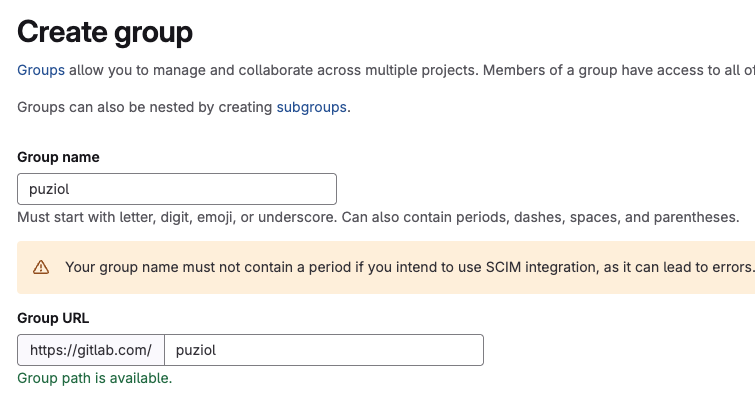
If we were thinking at the company level, now we would create other subgroups within this group, not anymore because of the runner, but for permissions, variables, etc.
To install a runner for this entire group we go to Build > Runners and create a new runner for this group.
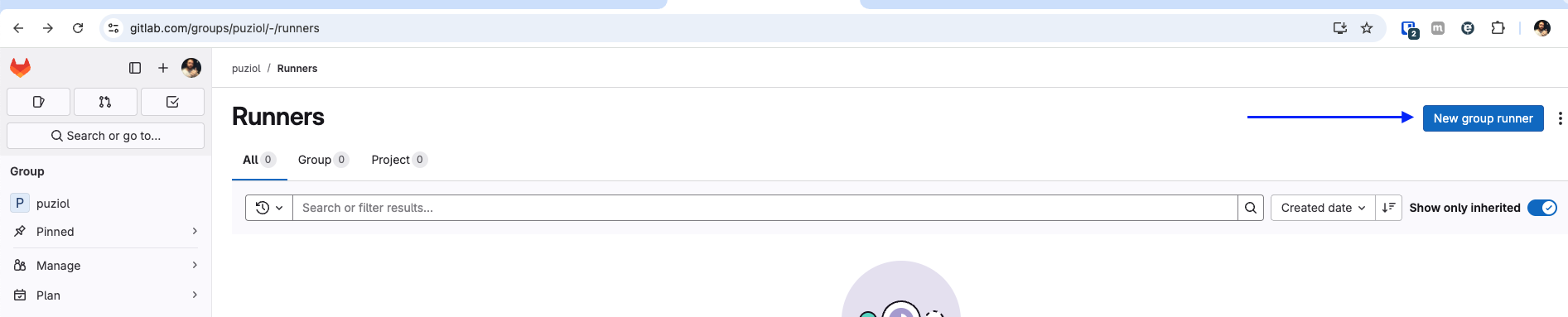
We can reference the runner later by tags. It's good to add them.
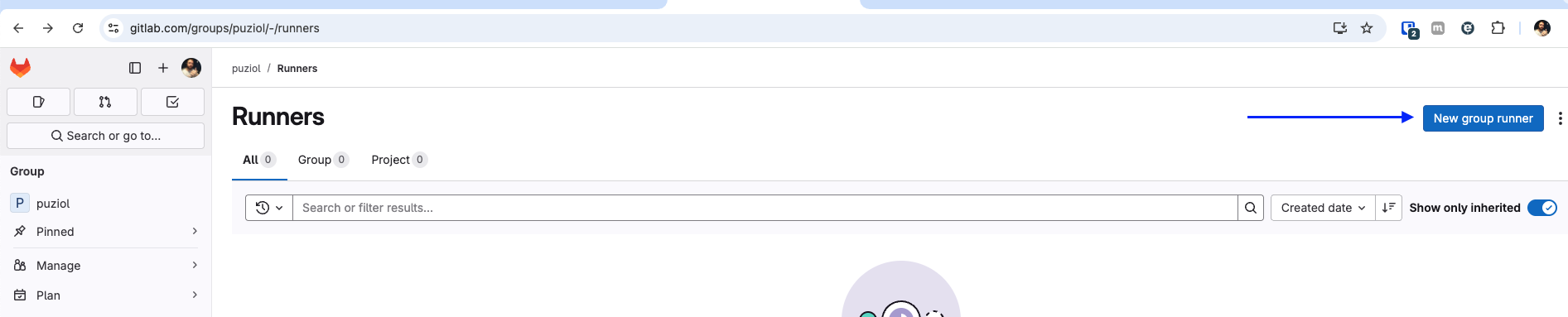
The first thing we'll do is install the gitlab-runner which is actually an agent, the method by which it will execute something comes later. If we were to install this inside our own development machine the runner would only be available when the machine was on. You developing something in your repository, fine, but what if someone else wants to use the runner and your machine isn't online?
Let's do this so you understand.
Since I'm on Mac at the moment I'll follow the Mac flow.
# Change to your operating system
sudo curl --output /usr/local/bin/gitlab-runner https://gitlab-runner-downloads.s3.amazonaws.com/latest/binaries/gitlab-runner-darwin-arm64

sudo chmod +x /usr/local/bin/gitlab-runner

cd ~
gitlab-runner install
gitlab-runner start
What we have so far is just the gitlab-runner, but we need to register it in GitLab.

When executing we'll have some questions
❯ gitlab-runner register  --url https://gitlab.com  --token glrt-xxxxxxxxxxxxxxxxxxxxx
Runtime platform                                    arch=arm64 os=darwin pid=84345 revision=0f67ff19 version=17.11.0
WARNING: Running in user-mode.
WARNING: Use sudo for system-mode:
WARNING: $ sudo gitlab-runner...

# If using gitlab.com and not self-hosted then you can press enter
Enter the GitLab instance URL (for example, https://gitlab.com/):
[https://gitlab.com]:
Verifying runner... is valid                        runner=yG54yKH4o
Enter a name for the runner. This is stored only in the local config.toml file:
[MacBookPro.localdomain]: mac-general # Put a name for this runner that is easy to identify where it came from

# At this moment we'll tell which executor will be used. Where the code will be executed. Since I don't want an isolated environment I'll put docker. Note that it could even be a virtual box.

Enter an executor: ssh, parallels, docker-windows, docker+machine, kubernetes, instance, custom, shell, docker-autoscaler, virtualbox, docker:
docker

# What will be the default image if not specified in .gitlab-ci.yml?
Enter the default Docker image (for example, ruby:2.7):
debian:bullseye-slim # This is my chosen one and we'll talk about it.

Runner registered successfully. Feel free to start it, but if it's running already the config should be automatically reloaded!
If we don't define an image in the pipeline configuration file then we'll use this one, but why this one?
There are two images I really like to keep as default. In the past I liked to use alpine, but today I've been thinking more about working with something debian-based which is easier for developers to find documentation on the internet.
Why use debian:bullseye-slim?
- Lighter than Ubuntu: The slim removes everything unnecessary (like docs, dev tools, etc.) making it faster to download and launch in the pipeline.
- Compatible with most packages: Everything that works on standard Debian or Ubuntu will probably work here.
- Less headache than alpine, which breaks builds by using musl instead of glibc.
- Easier to debug: Comes with basic utilities you don't need to install manually, like bash, coreutils, etc.
- Reliable and secure base: Debian has strong security maintenance and the bullseye version is one of the most recent stable ones (still with updates).
So back to our group what do we have?
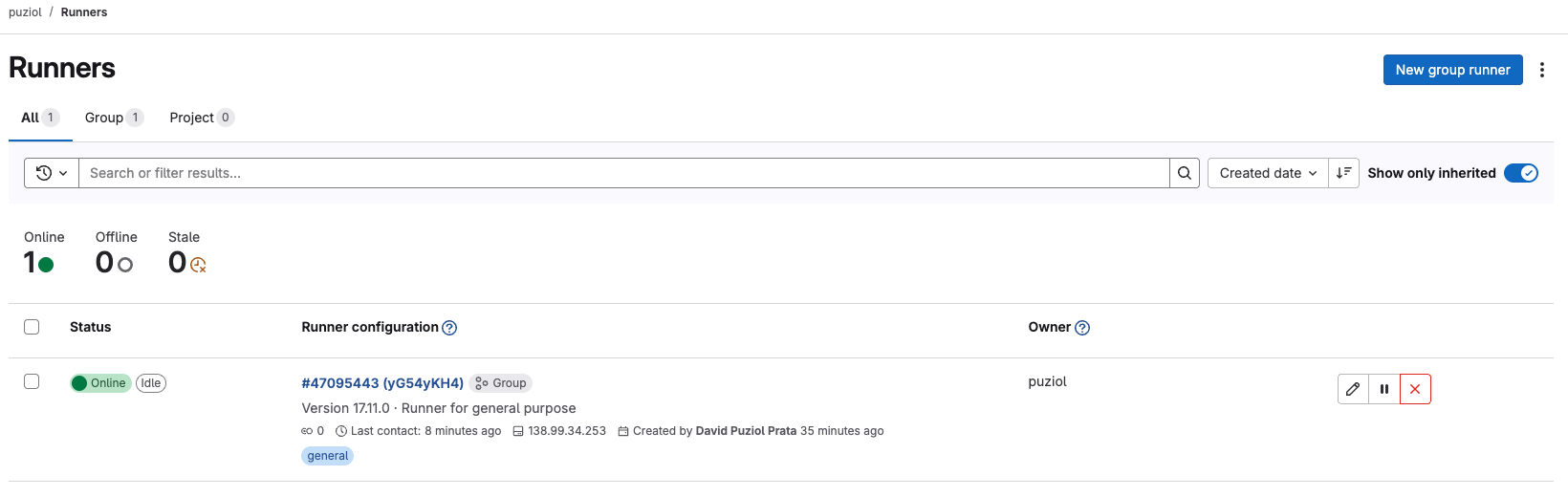
Important... If we defined that docker will be our executor, it's necessary that docker is installed on the host.
This was shown just so you understand how gitlab-runner works but this is not how we work in a company. The best way to provide runners is through a kubernetes cluster, especially if the amount of pipelines is very high.
We could also install via docker. I do this for personal projects running a docker on a homelab I have here.
mkdir -p $HOME/gitlab-runner/config
docker run -d --name gitlab-runner --restart always \
  -v $HOME/gitlab-runner/config:/etc/gitlab-runner \
  -v /var/run/docker.sock:/var/run/docker.sock \
  gitlab/gitlab-runner:latest
What the container saves in /etc/gitlab-runner will be exposed in ~/gitlab-runner/config. We have gitlab-runner running, but we need to configure it, so let's run register inside the container with the exec command and follow the same flow.
❯ docker exec -it gitlab-runner gitlab-runner register
Runtime platform                                    arch=arm64 os=linux pid=13 revision=0f67ff19 version=17.11.0
Running in system-mode.
Enter the GitLab instance URL (for example, https://gitlab.com/):
https://gitlab.com/
Enter the registration token:
glrt-xxxxxxxxxxxxxxxxxxxxxx # paste the token here that will appear on the page
Verifying runner... is valid                        runner=N9u4maijw
Enter a name for the runner. This is stored only in the local config.toml file:
[67245dbfb3fa]: docker-mac-general
Enter an executor: custom, parallels, docker, docker-windows, instance, shell, ssh, virtualbox, docker+machine, kubernetes, docker-autoscaler:
docker
Enter the default Docker image (for example, ruby:2.7):
debian:bullseye-slim
Runner registered successfully. Feel free to start it, but if its running already the config should be automatically reloaded!

Configuration (with the authentication token) was saved in "/etc/gitlab-runner/config.toml"

# The file at /etc/gitlab-runner/config.toml is this one.

❯ cat ~/gitlab-runner/config/config.toml
concurrent = 1
check_interval = 0
shutdown_timeout = 0

[session_server]
  session_timeout = 1800

[[runners]]
  name = "docker-mac-general"
  url = "https://gitlab.com/"
  id = 47095881
  token = "glrt-xxxxxxxxxxxxxxxxxxxxxx"
  token_obtained_at = 2025-04-21T18:28:10Z
  token_expires_at = 0001-01-01T00:00:00Z
  executor = "docker"
  [runners.cache]
    MaxUploadedArchiveSize = 0
    [runners.cache.s3]
    [runners.cache.gcs]
    [runners.cache.azure]
  [runners.docker]
    tls_verify = false
    image = "debian:bullseye-slim"
    privileged = false
    disable_entrypoint_overwrite = false
    oom_kill_disable = false
    disable_cache = false
    volumes = ["/cache"]
    shm_size = 0
    network_mtu = 0
When you define privileged: true in the Docker executor runner, you're basically saying:
"This container can do almost everything the host can." That is:
- It can mount host volumes.
- Can access devices.
- Can control the network.
- And most importantly: can escape container isolation, if misused.
However, we'll see further ahead that sometimes this is necessary, especially when using services.
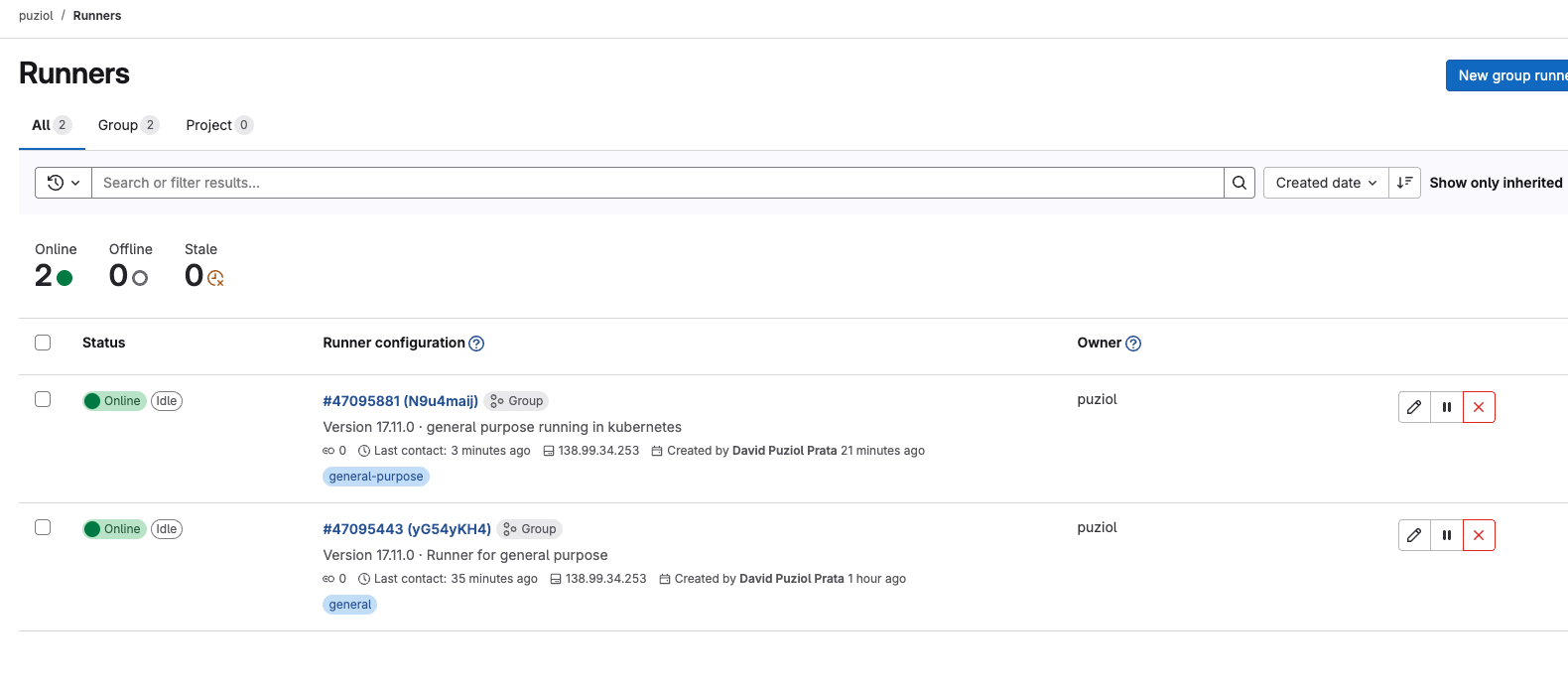
If you want to delete just go to the X and delete. Those you don't want. This will delete this runner from the repository, but it's good to also remove what we did.
To remove what we created via docker.
❯ docker rm gitlab-runner --force

❯ docker rmi gitlab-runner:latest
Untagged: docker.io/gitlab/gitlab-runner:latest
Deleted: b717673dd24a18fcc29ea4ca8eee0f3fdfe1563b0393ecd16d11755c5542f01b

rm -rf ~/gitlab-runner/config/config.toml
To remove gitlab-runner on the host
gitlab-runner uninstall
rm -rf /usr/local/bin/gitlab-runner
If we were to install gitlab-runner in a kubernetes cluster we could use the following.
helm repo add gitlab https://charts.gitlab.io
helm repo update
helm show values gitlab/gitlab-runner > values.yaml
Change the following fields in values.yaml. For finer adjustments it's good to study this more deeply.
gitlabUrl: https://gitlab.com/
concurrent: 10 # How many pods will be executed at the same time. Depends on company size and how much resource you have in your cluster.
rbac:
  create: true
  rules:
    # - apiGroups: [""]
    #   resources: ["*"]
    #   verbs: ["*"]
    # Analyze the rules you need. Uncommenting the above would give full power to this runner.
    - resources: ["events"]
      verbs: ["list", "watch"]
    - resources: ["namespaces"]
      verbs: ["create", "delete"]
    - resources: ["pods"]
      verbs: ["create","delete","get"]
    - apiGroups: [""]
      resources: ["pods/attach","pods/exec"]
      verbs: ["get","create","patch","delete"]
    - apiGroups: [""]
      resources: ["pods/log"]
      verbs: ["get","list"]
    - resources: ["secrets"]
      verbs: ["create","delete","get","update"]
    - resources: ["serviceaccounts"]
      verbs: ["get"]
    - resources: ["services"]
      verbs: ["create","get"]
serviceAccount:
  create: true
  name: "gitlab-runner-sa"
runners:
  # Here we define the default image.
  config: |
    [[runners]]
      [runners.kubernetes]
        namespace = "{{.Release.Namespace}}"
        image = "debian:bullseye-slim"
        tags = "general-debian"
  secret: gitlab-runner-token
The secret below would define what values are expected within this secret. The runner-registration-token value needs to exist even if not defined.
Create the secret.yaml file with the following content.
apiVersion: v1
kind: Secret
metadata:
  name: gitlab-runner-token
  namespace: gitlab
type: Opaque
stringData:
  runner-token: "glrt-xxxxxxxxxxxx" # Change to your token
  runner-registration-token: ""
kubectl create ns gitlab
kubectl apply -f secret.yaml
helm upgrade --namespace gitlab -f values.yaml gitlab-runner gitlab/gitlab-runner
Only one pod will exist in your cluster. This is the pod that receives calls not the one that executes. Every time something is executed in the future a new pod will be created, that's why we have concurrent: 10 to say we can have up to 10 pods executing jobs at the same time.
Hosted GitLab Runner
In some cases, your project needs to run on a machine with a specific architecture — something that may not be available in your current infrastructure. For this, GitLab offers Hosted Runners, which allow executing jobs in environments managed by them, with different operating systems and configurations.
You can use specific tags to choose the type of runner needed, such as machines with GPU, ARM architecture, macOS, or even Windows (on paid plans).
Check below some available options:
⚠️ If no tag (we'll see this later) is specified, GitLab will use a Linux x86-64 Small machine by default. Depending on the type of build or workload, this can significantly impact your job execution time.
A classic example is deploying iOS apps to the App Store, which requires a macOS environment. If all your infrastructure is Linux-based, GitLab's hosted runners can solve this simply and integrated.
Generally tags appear in the following format:
- saas-linux-small-amd64
- saas-linux-medium-arm64
- saas-linux-medium-amd64-gpu-standard
- saas-macos-medium-m1
- saas-macos-large-m2pro
- macos-14-xcode-15
- macos-15-xcode-16
- saas-windows-medium-amd64
Although I don't use it, it's good to know it exists in case you need it.