Services
Let's add a Dockerfile to create an image? We won't go into details about how to build a Dockerfile.
# Stage 1: Build
FROM node:22-alpine AS builder

WORKDIR /app

# Copy files and install dependencies
COPY package*.json ./
RUN npm ci

# Copy the rest and run the build
COPY . .
RUN npm run build

# Stage 2: Runtime
FROM node:22-alpine

# Create app directory
WORKDIR /app

# Copy only the build and necessary files to run
COPY --from=builder /app/build ./build
COPY --from=builder /app/node_modules ./node_modules
COPY --from=builder /app/package.json ./package.json

# Expose the port used by serve
EXPOSE 3000

# Start command
CMD ["serve", "-s", "build", "-l", "3000"]
If we were to run it locally then we would execute.
❯ docker build -t learn-gitlab-app .
❯ docker run -p 3000:3000 learn-gitlab-app

 INFO  Accepting connections at http://localhost:3000
How would we create a simple job for this?
docker-build:
  stage: build
  image: docker:24.0.2
  services: # new concept
    - docker:dind
  script:
    - docker build -t learn-gitlab-app .
  when: manual # Let's test.
In GitLab CI, each job runs inside an isolated container. But sometimes this container needs to communicate with another service (like a database or a Docker daemon). That's where services comes in.
Services X Privileged
When you configure GitLab Runner to use the Docker executor, it runs inside a Docker container, but this container may or may not have permission to manage other containers depending on its configuration. This is done through interaction with the Docker daemon (responsible for creating and controlling containers).
[[runners]]
  ###...
  [runners.docker]
    tls_verify = false
    image = "debian:bullseye-slim"
    # This allows the runner to create and manage other containers if it's TRUE
    privileged = false
In this case privileged is not true and we'll see what happens shortly.
By adding this job only with when: manual, we can only trigger the pipeline if we request it. When we do a push the job will be skipped but with the possibility of execution on the play button.

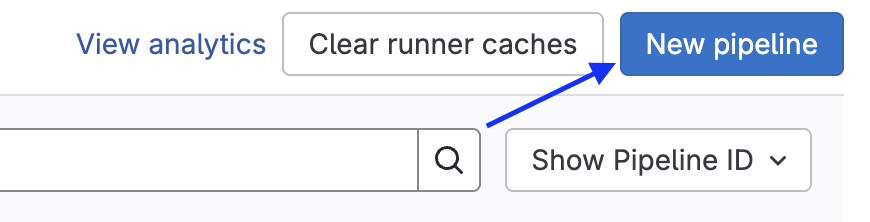
But we can also execute in the pipelines tab. This new pipeline is not to create a pipeline but to execute. They should improve this! Choose the branch or tag and create.
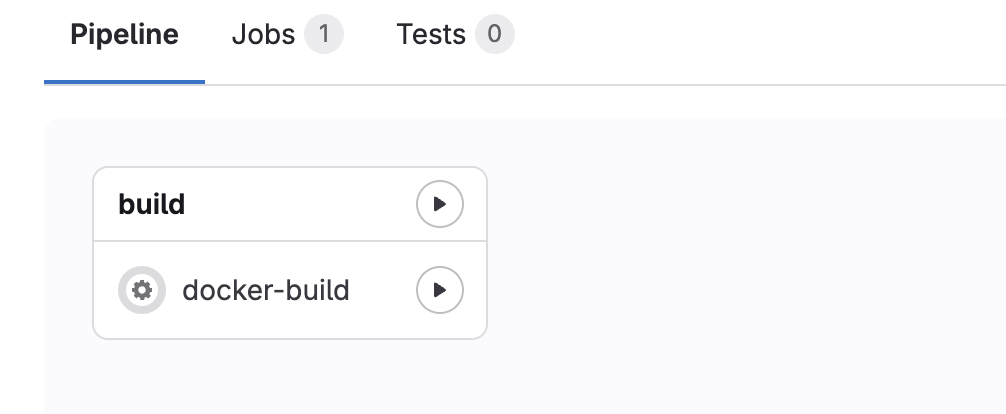
Press to execute and see it running!
In the log we have exactly what was expected, it can't communicate with the docker host.
$ docker build -t learn-gitlab-app .
ERROR: error during connect: Get "http://docker:2375/_ping": dial tcp: lookup docker on 10.0.0.1:53: no such host
Cleaning up project directory and file based variables
00:01
ERROR: Job failed: exit code 1
We have some options for this to work.
- Enable privileged true and accept some risks.
- Use a runner from GitLab itself.
- Use kaniko
Solving the problem depends on each scenario where the runner is executing. In my scenario I have a HomeLab server that runs containers inside a host, but to access docker.sock I need to mount it in the container as a volume, in addition to privileged = true in config.toml.
  [runners.docker]
    privileged = true
    volumes = ["/cache", "/var/run/docker.sock:/var/run/docker.sock"]
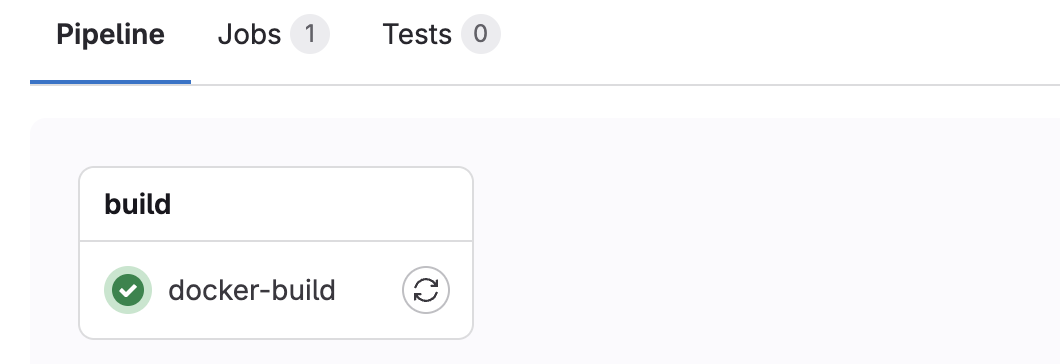
With this configured, restarting the runner and executing the pipeline again we have the job executed. Remembering that we can restart the job without needing to create the pipeline.

Let's make a simple improvement to this? The docker build uses the old docker engine but using the new engine known as Docker BuildKit is more efficient. I won't go into details, but here's the tip.
docker-build:
  stage: build
  image: docker:24.0.2
  services:
    - docker:24.0.2-dind
  script:
    #- docker build -t learn-gitlab-app .
    - docker buildx build -t learn-gitlab-app .
  when: manual
See the time difference. 15 seconds against 24 in a simple build. If it were something more complex the difference would be even greater.


Better Alternatives to Dind
docker:dind (Docker-in-Docker) works, but it's not best practice in most cases — especially for DevSecOps or Platform Engineering.
If you observed well we need to give privileged access and I don't really like this scenario.
- Runs a daemon inside the container → this can be heavy and insecure.
- Requires privileged mode, which opens security risks.
- Can break with caching and permissions depending on the runner.
Two interesting options are Kaniko and Buildah + Podman
Buildah and Podman
The host where the runner is installed needs to have Podman and/or Buildah installed.
To use Buildah or Podman comfortably and safely, the best type of executor is shell. I don't like this approach, but it's good to know.
Kaniko (by Google)
Kaniko is an open-source tool created by Google to build container images without needing a Docker daemon. It's aimed at CI/CD, cloud and Kubernetes environments, where running traditional docker build can be a problem (because of the daemon, permissions, security, etc).
- It reads the Dockerfile and context, just like docker build.
- Instead of using a daemon, it executes commands directly in user space. No need for daemon or privileged mode.
- It creates the image layer by layer and then packages it as an OCI-compatible image.
- In the end, it does a direct push to the registry (Docker Hub, GitLab Registry, etc).
- GitLab CI, Jenkins, Tekton, Argo, etc.
Ideal for cloud-native pipelines (and you, as a future platform engineer, will love it).
Image builds with complex commands can be slower.
| Criteria | Kaniko | Docker-in-Docker (dind) | Docker BuildKit |
|---|---|---|---|
| Needs daemon? | ❌ No | ✅ Yes | ✅ Yes (but embedded in Docker) |
| Needs privileged? | ❌ No (rootless) | ✅ Yes (insecure in CI) | ⚠️ Yes (when using with dind) |
| Security | 🔒 High (rootless, no daemon) | 🔓 Low (privileged + daemon) | ⚠️ Medium (depends on setup) |
| Efficient cache | ⚠️ Limited, but possible (remote) | ❌ Inconsistent cache | ✅ Very efficient (inline + remote) |
| Speed | Medium | Slow in CI environments | Fast, especially with cache |
| Support in CI/CD | ✅ Great (K8s, GitLab, Argo, etc.) | ✅ But insecure and hacky | ✅ Native via Docker CLI |
| Setup complexity | ✅ Simple (1 container) | ⚠️ Simple but requires security care | ⚠️ Simple locally, but more annoying in CI |
| Dockerfile compatibility | ✅ High | ✅ High | ✅ High |
| Rootless | ✅ Yes | ❌ No | ⚠️ Still depends on daemon/root |
Today without a doubt kaniko is the most solid solution and we have documentation on GitLab.
image-build:
  stage: build
  image:
    name: gcr.io/kaniko-project/executor:v1.23.2-debug
    entrypoint: [""]
  script:
    - /kaniko/executor
      --context "${CI_PROJECT_DIR}"
      --dockerfile "${CI_PROJECT_DIR}/Dockerfile"
      --no-push
      #--tar-path /kaniko/learn-gitlab-app.tar
  when: manual
In the job above, we're just doing a test build. Normally, we use the --destination flag so that the image is sent directly to a registry, which requires credentials that we haven't passed yet. If you don't want to push it's necessary to use --no-push and use the --tar-path flag to save the image as a .tar file if you're going to store the image. This file can be stored as an artifact. As there is no Docker daemon available in the environment, commands like docker image ls don't work and that's why the image needs to be manipulated via .tar or sent to a registry.
Kaniko is an excellent choice: secure, rootless, and without needing a daemon, but a bit slower!
Notice we didn't use services, but we won't stray from the subject!

Demystifying Services
When you define a service in GitLab CI, you create a complete environment of dependencies for your job. Often we want to test the job execution, and for this it's necessary to create an entire environment that satisfies the dependencies for it to execute. A classic example is communication with a database.
Services in gitlab-ci work like a mini embedded docker-compose in the pipeline.
The difference is that GitLab does all this behind the scenes, based on what you declare in .gitlab-ci.yml.
Observe the example below.
test:
  stage: check
  image: node:22-alpine
  services: # a container
    - name: postgres:16
      alias: db
  variables: # These variables are at job level
    POSTGRES_DB: testdb
    POSTGRES_USER: testuser
    POSTGRES_PASSWORD: testpass
    DB_HOST: db
    DB_PORT: 5432
  before_script: # Installing the postgres client to do tests
    - echo "Installing PostgreSQL client..."
    - apk add --no-cache postgresql-client
  script:
    - echo "Waiting for PostgreSQL to be available..."
    - until PGPASSWORD=$POSTGRES_PASSWORD psql -h db -U $POSTGRES_USER -d $POSTGRES_DB -c '\q' 2>/dev/null; do sleep 1; done
    - echo "Connecting to database and creating table..."
    - PGPASSWORD=$POSTGRES_PASSWORD psql -h db -U $POSTGRES_USER -d $POSTGRES_DB -c "CREATE TABLE IF NOT EXISTS users(id SERIAL PRIMARY KEY, name TEXT);"
    - echo "Inserting data..."
    - PGPASSWORD=$POSTGRES_PASSWORD psql -h db -U $POSTGRES_USER -d $POSTGRES_DB -c "INSERT INTO users(name) VALUES ('DevSecOps');"
    - echo "Querying data..."
    - PGPASSWORD=$POSTGRES_PASSWORD psql -h db -U $POSTGRES_USER -d $POSTGRES_DB -c "SELECT * FROM users;"
Services is a list, but above we only created one. Services executes separate containers for services (in this case, PostgreSQL) and links these containers to the main job. The containers created by services and the main job container share the same network which allows accessing the service by the alias, for example db:5432 as if it were domain:port.
- The service container (PostgreSQL) is a sibling container, not a subprocess of the main container.
- The alias: db becomes an internal hostname accessible in your job.
- Environment variables defined in the job are not automatically passed to the service. These variables only exist inside the job container (the node:22-alpine, in this case). The service container (postgres:16) is another separate container, and doesn't inherit these variables automatically.
But why does PostgreSQL still seem to work?
Because the official postgres image was made to read these environment variables when its container is started. And here comes the detail.
The GitLab Runner detects these job variables and, in some cases, injects them into the container if this service is a recognized official GitLab image. In the case of PostgreSQL it works because GitLab passes the variables to the service container as part of its creation via Docker Compose-like.
This is not guaranteed for any service, nor for any executor (e.g., Kubernetes executors don't do this the same way).
For some official services like this PostgreSQL, if the same environment variables that the service needs are present in the job, it inherits, but only the ones it needs.
Another detail is that this service is also a runner and receives all the main gitlab-ci variables.
It would be the same as doing this.
job:
  #...
  services:
    - name: postgres:16
      alias: db
      variables:
        POSTGRES_DB: testdb
        POSTGRES_USER: testuser
        POSTGRES_PASSWORD: testpass
        DB_HOST: db
        DB_PORT: 5432
  variables:
    POSTGRES_DB: testdb
    POSTGRES_USER: testuser
    POSTGRES_PASSWORD: testpass
Personally I prefer to be explicit assumptions, although more verbose it avoids assumptions.
Below we have some services that can do this reuse of job variables.
- MySQL and MariaDB use the same
- MYSQL_DATABASE
- MYSQL_ROOT_PASSWORD
- MYSQL_USER
- MYSQL_PASSWORD
- PostgreSQL
- POSTGRES_DB
- POSTGRES_USER
- POSTGRES_PASSWORD
- POSTGRES_HOST_AUTH_METHOD
- PGDATA
- POSTGRES_INITDB_ARGS
- RabbitMQ
- RABBITMQ_ERLANG_COOKIE
- RABBITMQ_DEFAULT_USER
- RABBITMQ_DEFAULT_PASS
- RABBITMQ_DEFAULT_VHOST
- Elasticsearch
- ELASTICSEARCH_URL
- discovery.type
- xpack.security.enabled
- Docker-in-Docker (DinD)
- DOCKER_TLS_CERTDIR: Defines the directory for TLS certificates
- DOCKER_HOST: Used to configure the connection with the Docker daemon
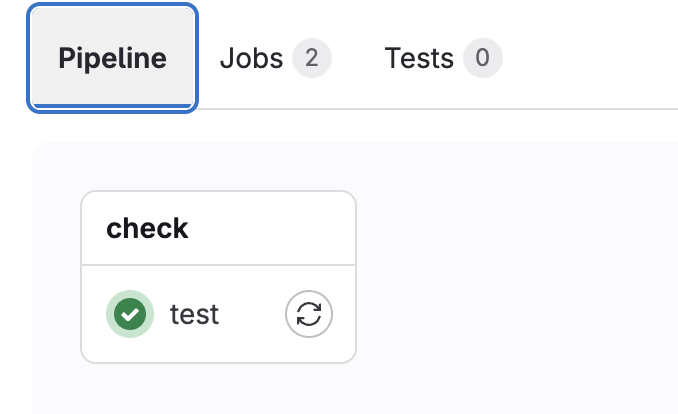
Let's execute the job and see what happens!
Even though two containers are executed we only have one job! Each container generates a runner, but they're linked in the same job.
Running with gitlab-runner 17.11.0 (0f67ff19)
  on general-debian jyvyfkmfg, system ID: r_szdZCOX2meST
Preparing the "docker" executor
00:22
Using Docker executor with image node:22-alpine ...
Starting service postgres:16... ### SEE THAT IT'S ALSO STARTING ANOTHER CONTAINER
Using locally found image version due to "if-not-present" pull policy
Using docker image sha256:2698c2096ca78a41ae7477580afb30fe36d5368564511b2ea593dbfb26401fdd for postgres:16 with digest postgres@sha256:301bcb60b8a3ee4ab7e147932723e3abd1cef53516ce5210b39fd9fe5e3602ae ...
Waiting for services to be up and running (timeout 30 seconds)... # ATTENTION HERE.
Using locally found image version due to "if-not-present" pull policy
Using docker image sha256:461edc13e56b039ebc3d898b858ac3acea00c47f31e93ec1258379cae8990522 for node:22-alpine with digest node@sha256:ad1aedbcc1b0575074a91ac146d6956476c1f9985994810e4ee02efd932a68fd ...
Preparing environment
00:01
Running on runner-jyvyfkmfg-project-69186599-concurrent-0 via 27213b29e8e9...
Getting source from Git repository
00:03
Fetching changes with git depth set to 20...
Reinitialized existing Git repository in /builds/puziol/learn-gitlab-app/.git/
Created fresh repository.
Checking out c5421d02 as detached HEAD (ref is pipe/rules)...
Skipping Git submodules setup
Executing "step_script" stage of the job script
00:04
Using docker image sha256:461edc13e56b039ebc3d898b858ac3acea00c47f31e93ec1258379cae8990522 for node:22-alpine with digest node@sha256:ad1aedbcc1b0575074a91ac146d6956476c1f9985994810e4ee02efd932a68fd ...
$ echo "Installing PostgreSQL client..."
Installing PostgreSQL client...
$ apk add --no-cache postgresql-client
fetch https://dl-cdn.alpinelinux.org/alpine/v3.21/main/x86_64/APKINDEX.tar.gz
fetch https://dl-cdn.alpinelinux.org/alpine/v3.21/community/x86_64/APKINDEX.tar.gz
(1/8) Installing postgresql-common (1.2-r1)
Executing postgresql-common-1.2-r1.pre-install
(2/8) Installing lz4-libs (1.10.0-r0)
(3/8) Installing libpq (17.4-r0)
(4/8) Installing ncurses-terminfo-base (6.5_p20241006-r3)
(5/8) Installing libncursesw (6.5_p20241006-r3)
(6/8) Installing readline (8.2.13-r0)
(7/8) Installing zstd-libs (1.5.6-r2)
(8/8) Installing postgresql17-client (17.4-r0)
Executing busybox-1.37.0-r12.trigger
Executing postgresql-common-1.2-r1.trigger
* Setting postgresql17 as the default version
WARNING: opening from cache https://dl-cdn.alpinelinux.org/alpine/v3.21/main: No such file or directory
WARNING: opening from cache https://dl-cdn.alpinelinux.org/alpine/v3.21/community: No such file or directory
OK: 15 MiB in 25 packages
$ echo "Waiting for PostgreSQL to be available..."
Waiting for PostgreSQL to be available...
$ until PGPASSWORD=$POSTGRES_PASSWORD psql -h db -U $POSTGRES_USER -d $POSTGRES_DB -c '\q' 2>/dev/null; do sleep 1; done
$ echo "Connecting to database and creating table..."
Connecting to database and creating table...
$ PGPASSWORD=$POSTGRES_PASSWORD psql -h db -U $POSTGRES_USER -d $POSTGRES_DB -c "CREATE TABLE IF NOT EXISTS users(id SERIAL PRIMARY KEY, name TEXT);"
CREATE TABLE
$ echo "Inserting data..."
Inserting data...
$ PGPASSWORD=$POSTGRES_PASSWORD psql -h db -U $POSTGRES_USER -d $POSTGRES_DB -c "INSERT INTO users(name) VALUES ('DevSecOps Master');"
INSERT 0 1
$ echo "Querying data..."
Querying data...
$ PGPASSWORD=$POSTGRES_PASSWORD psql -h db -U $POSTGRES_USER -d $POSTGRES_DB -c "SELECT * FROM users;"
 id |       name
----+------------------
  1 | DevSecOps Master
(1 row)
Cleaning up project directory and file based variables
00:01
Job succeeded
We could make an analogy with the docker-compose below.
version: '3.8'
services:
  app:
    image: node:22-alpine
    environment:
      - DB_HOST=db
      - DB_PORT=5432
      - POSTGRES_DB=testdb
      - POSTGRES_USER=testuser
      - POSTGRES_PASSWORD=testpass
    depends_on:
      - db
    command: |
      sh -c "apk add --no-cache postgresql-client &&
             until PGPASSWORD=$POSTGRES_PASSWORD psql -h $DB_HOST -U $POSTGRES_USER -d $POSTGRES_DB -c '\q' 2>/dev/null; do sleep 1; done &&
             psql -h $DB_HOST -U $POSTGRES_USER -d $POSTGRES_DB -c 'CREATE TABLE IF NOT EXISTS users(id SERIAL PRIMARY KEY, name TEXT);' &&
             psql -h $DB_HOST -U $POSTGRES_USER -d $POSTGRES_DB -c 'INSERT INTO users(name) VALUES (\"DevSecOps\");' &&
             psql -h $DB_HOST -U $POSTGRES_USER -d $POSTGRES_DB -c 'SELECT * FROM users;'"
  db:
    image: postgres:16
    environment:
      POSTGRES_DB: testdb
      POSTGRES_USER: testuser
      POSTGRES_PASSWORD: testpass
To ensure that the PostgreSQL container is running, I put this line in the script as a way to force a wait if the service is not ready.
until PGPASSWORD=$POSTGRES_PASSWORD psql -h $DB_HOST -U $POSTGRES_USER -d $POSTGRES_DB -c '\q' 2>/dev/null; do sleep 1; done &&
The default wait value is 30s but can be changed in the runner settings, for example to 60 seconds. This would be the maximum time. Generally containers come up quickly.
[runner.docker]
  wait_for_services_timeout = 60
Removing the until above the job would run normally because PostgreSQL comes up quickly.
The service block has this structure.
job:
  services:
    # service 1
    - name:
      alias:
      entrypoint:
      command:
      variables:
    # service 2
    - name:
      alias:
      entrypoint:
      command:
      variables: