API Definitions
Generally, systems communicate through APIs. Of course, there are other ways, but this is the most common one. That's why we have an entity that deals only with this subject. Whenever we need communication between one system and another, especially from a third party, whether it's another team or even an external service, the first thing we need to do is study the service's API.
The idea is to centralize API documentation through the catalog.
Let's create the API below in the backend-thing-1 project.
apiVersion: backstage.io/v1alpha1
kind: API
metadata:
  name: artist-api
  description: Retrieve artist details
spec:
  type: openapi
  lifecycle: production
  owner: artist-relations-team
  system: artist-engagement-portal
  definition: |
    openapi: "3.0.0"
    info:
      version: 1.0.0
      title: Artist API
      license:
        name: MIT
    servers:
      - url: http://artist.spotify.net/v1
    paths:
      /artists:
        get:
          summary: List all artists
    ...
If we create it at the root like the previous ones, the discovery won't do its job because it always looks in the backstage folder we defined, remember?
However, if we make this change, since we manually imported it first, we're changing the location of things and will have problems. It will be necessary to delete and let the import be done automatically.
Let's move everything to the backstage folder during creation so we don't need to import anything else.
Just to keep everything working well and avoid relationship errors, let's create the system from the documentation example project.
apiVersion: backstage.io/v1alpha1
kind: System
metadata:
  name: artist-engagement-portal
  description: Handy tools to keep artists in the loop
spec:
  owner: artist-relations-team
  domain: artists
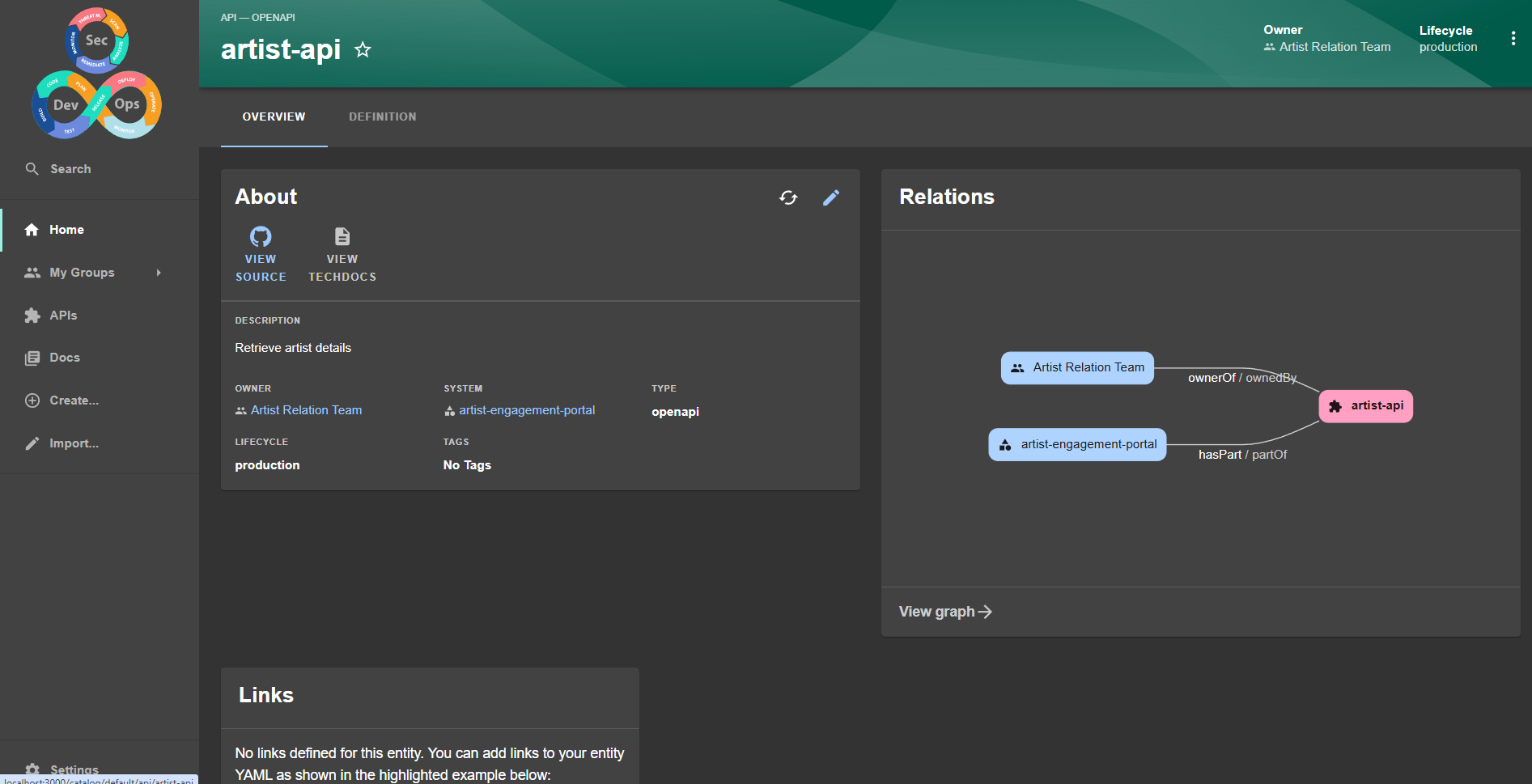
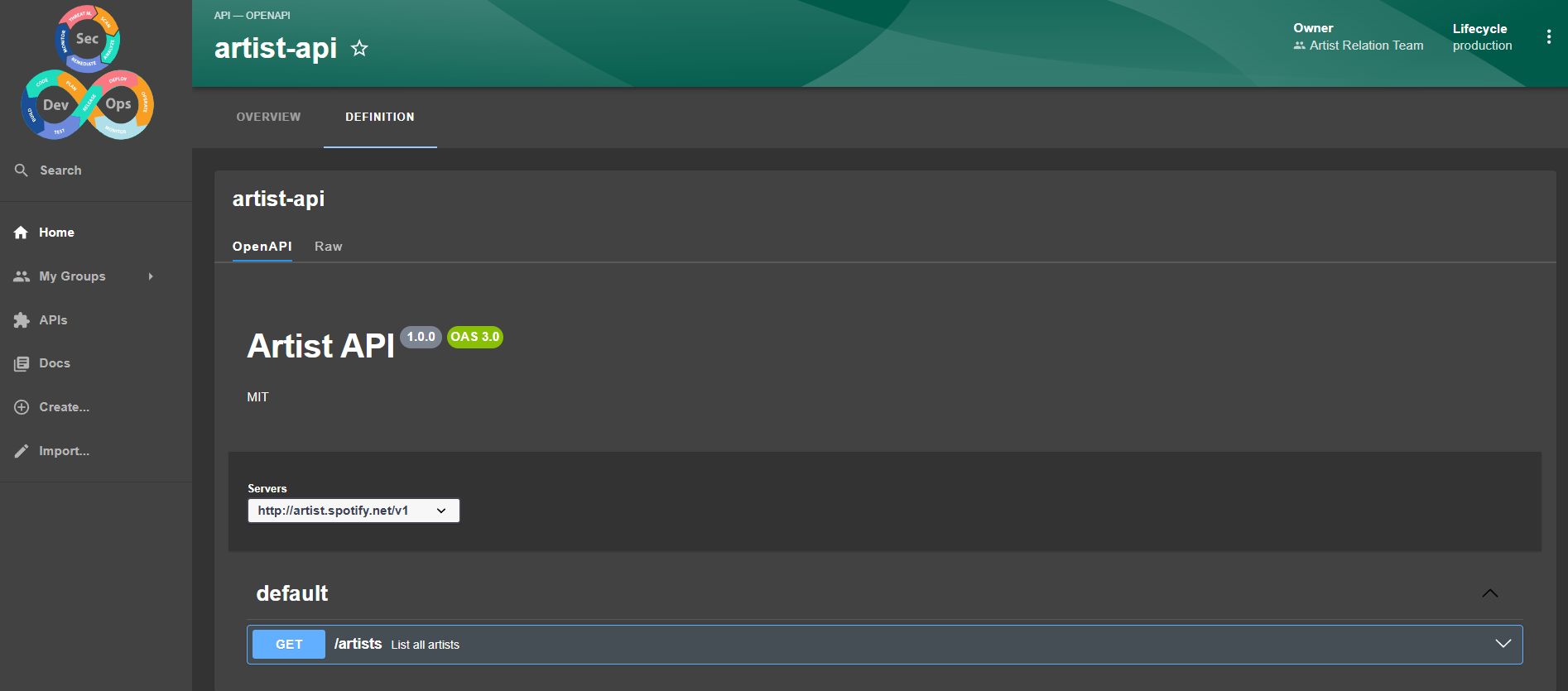

And here we have the swagger concept inside Backstage.
However, this definition we made was completely hardcoded.
  definition: |
    openapi: "3.0.0"
    info:
      version: 1.0.0
      title: Artist API
      license:
        name: MIT
    servers:
      - url: http://artist.spotify.net/v1
    paths:
      /artists:
        get:
          summary: List all artists
    ...
We need a method that reads this from the file and automates this process.
I got a sample swagger file just to generate more documentation, created a folder in the repository and placed it there.
❯ tree
.
├── backstage
│   ├── api.yaml
│   ├── component-website.yaml
│   ├── group.yaml
│   └── system.yaml
└── openapi
    └── swagger.json ## This one
Now let's edit the api.yaml to:
apiVersion: backstage.io/v1alpha1
kind: API
metadata:
  name: artist-api
  description: Retrieve artist details
spec:
  type: openapi
  lifecycle: production
  owner: artist-relations-team
  system: artist-engagement-portal
  definition:
    $text: ../openapi/swagger.json
    # This would also work using the URL
    # $text: https://petstore.swagger.io/v2/swagger.json
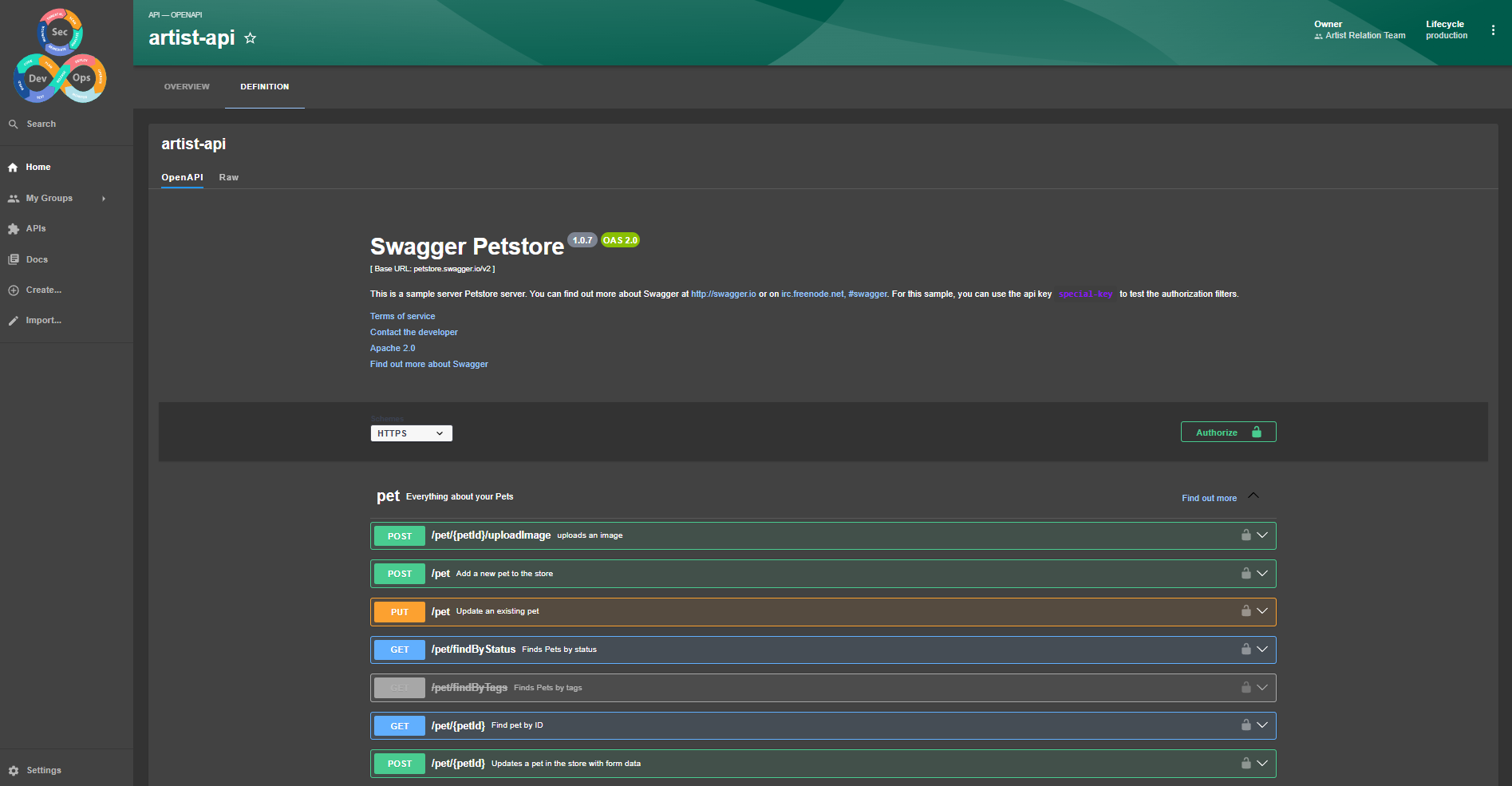
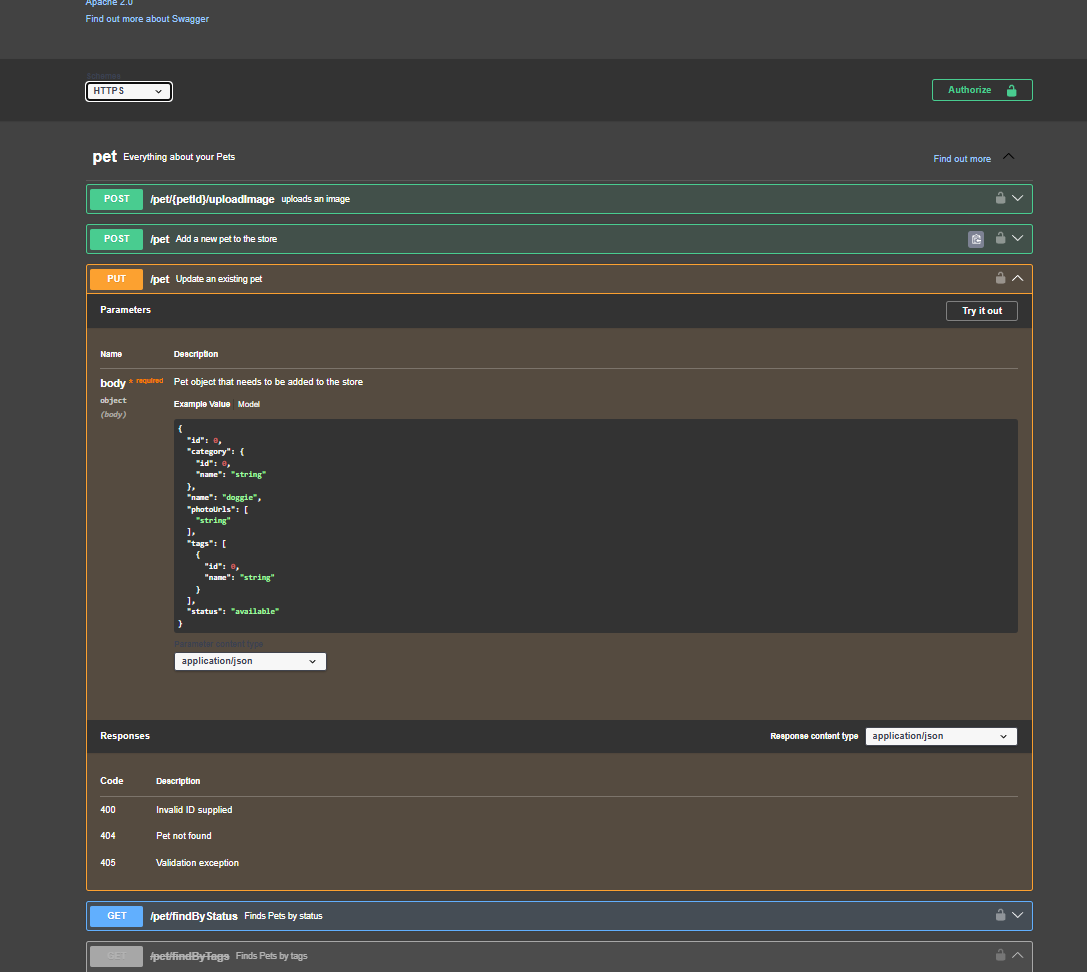
$text: will bring the content of the swagger.json file in here.
Of course, it doesn't make much sense since it's a JSON from another project, but see how we already have everything without much effort.
Taking the opportunity to talk about substitutions, we have:
$text: Interprets the content of the referenced file as plain text and incorporates it as a string.$json: Interprets the content of the referenced file as JSON and incorporates the parsed structure.$yaml: Interprets the content of the referenced file as YAML and incorporates the parsed structure.
However, when we put a URL, Backstage needs you to allow reading from that location.
Let's imagine we're defining an API from an external service to our system, but we want its documentation integrated in Backstage.
We can use the same previous example, just changing some names.
apiVersion: backstage.io/v1alpha1
kind: API
metadata:
  name: petstore-api
  description: Petstore API Swagger
spec:
  type: openapi
  lifecycle: production
  owner: artist-relations-team
  system: artist-engagement-portal
  definition:
    $text: https://petstore.swagger.io/v2/swagger.json
Our discovery couldn't create it automatically but we have the following log.
[backend]: 2024-11-27T19:59:10.396Z catalog warn Processor PlaceholderProcessor threw an error while preprocessing; caused by Error: Placeholder $text could not read location https://petstore.swagger.io/v2/swagger.json, NotAllowedError: Reading from 'https://petstore.swagger.io/v2/swagger.json' is not allowed. You may need to configure an integration for the target host, or add it to the configured list of allowed hosts at 'backend.reading.allow' entity=api:default/petstore-api location=url:https://github.com/davidpuziol/backstage-things-1/tree/main/backstage/apii-external.yaml
Reading from this URL is not allowed. For this, it's necessary to explicitly tell the backend which hosts it can read and modify the app-config.yaml. Documentation about this.
Let's add the permission for this host inside app-config.yaml in the backend section.
backend:
  # ...
  reading:
    allow:
      - host: 'petstore.swagger.io'
And we also have it working now.
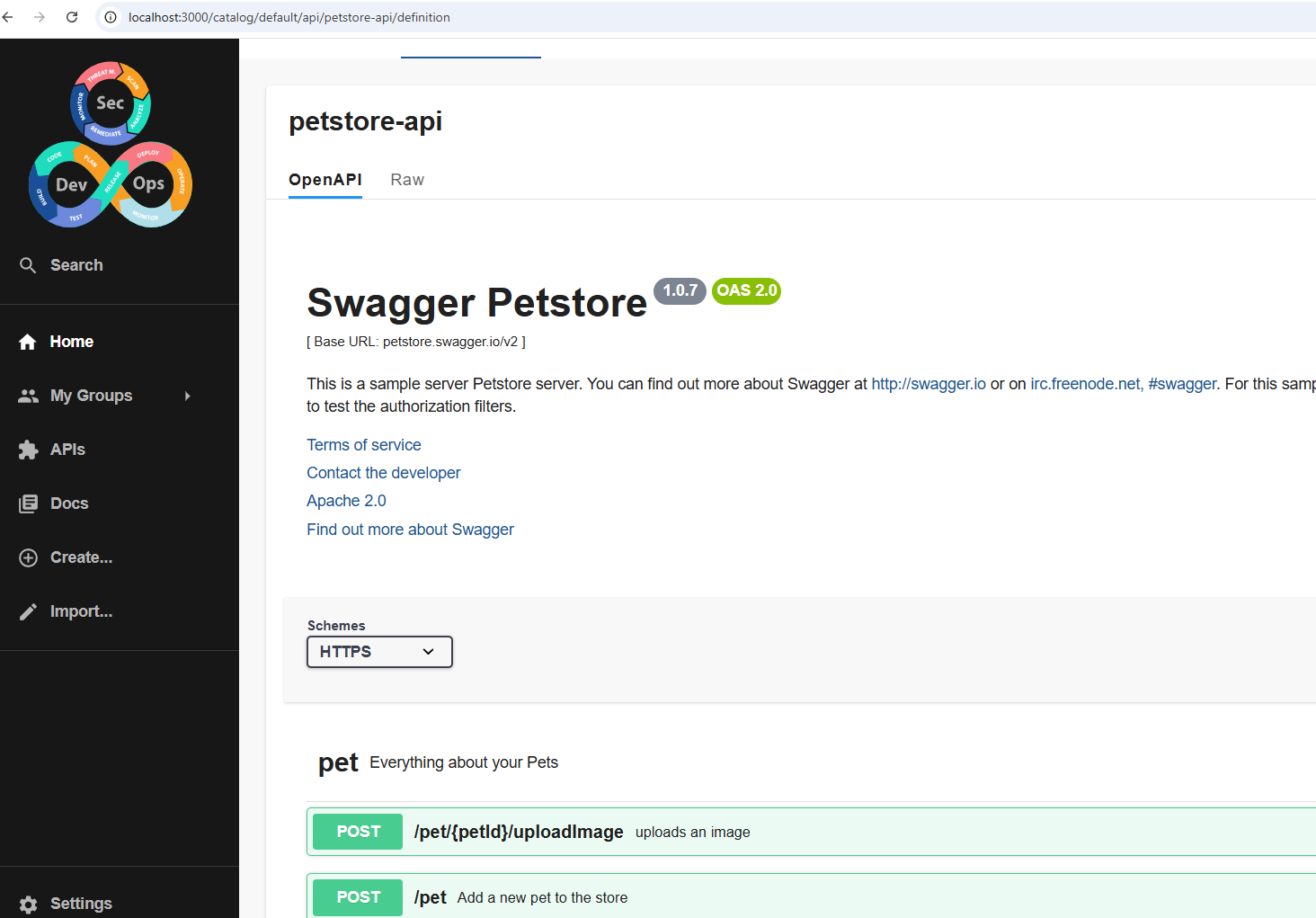
It's always advisable to only allow known hosts directly and always reference as much as possible what you have in-house.
We could have a link in a component's documentation referencing a third-party API, but what we did here was a convenience feature.
It's always good to allow your own company domain.