Templates Actions
The steps section contains the actions executed based on what we have as input. We don't necessarily need to have inputs to have steps. The example below would work perfectly within a template without parameters.
#parameters:
steps:
  - id: print-message
    name: Print a message
    action: debug:log
    input:
      message: "This template does not require any inputs."
New actions appear with the installation of plugins provided by the community or developed internally.
To view the documentation of the actions installed in your Backstage, you can navigate to http://yourbackstage/create/actions.
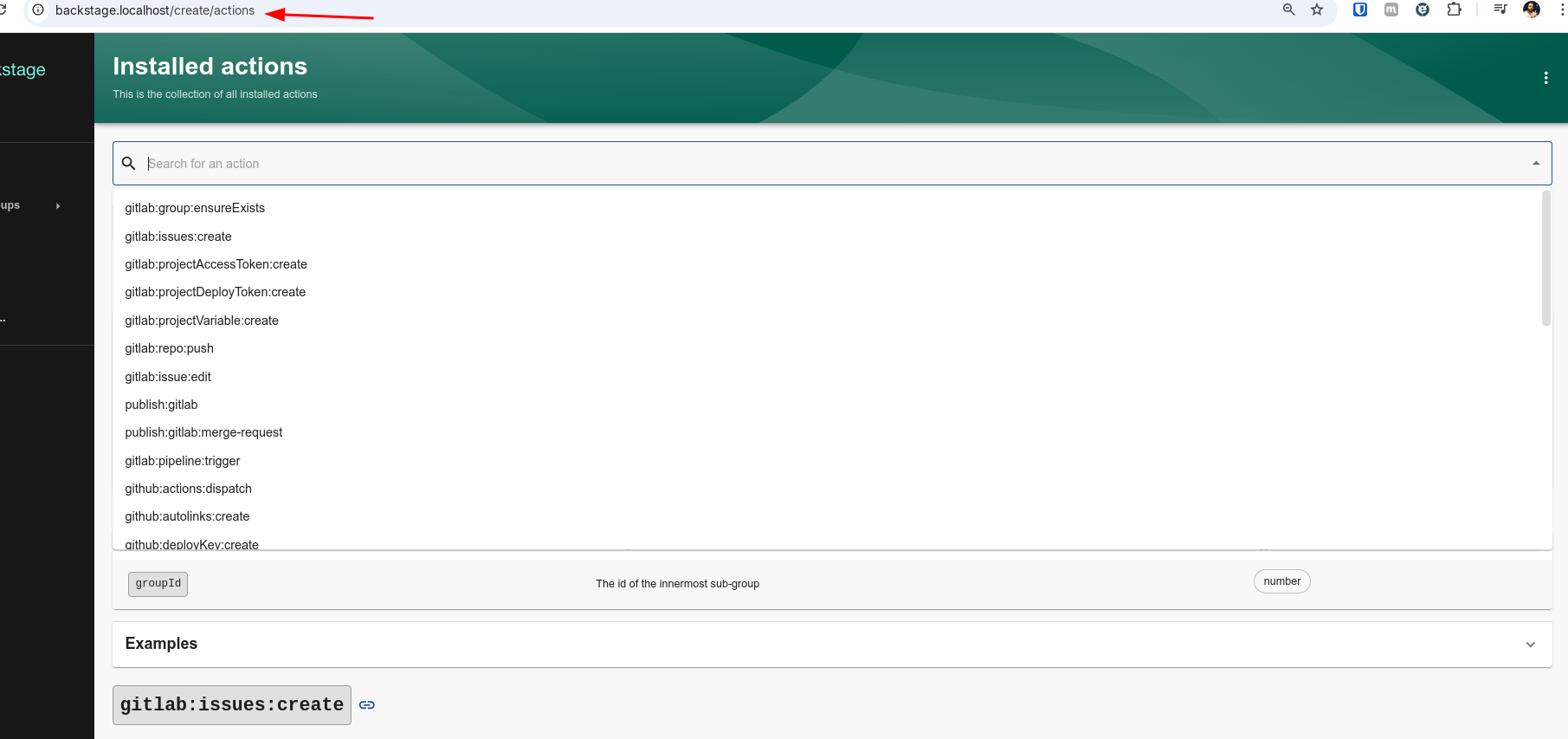
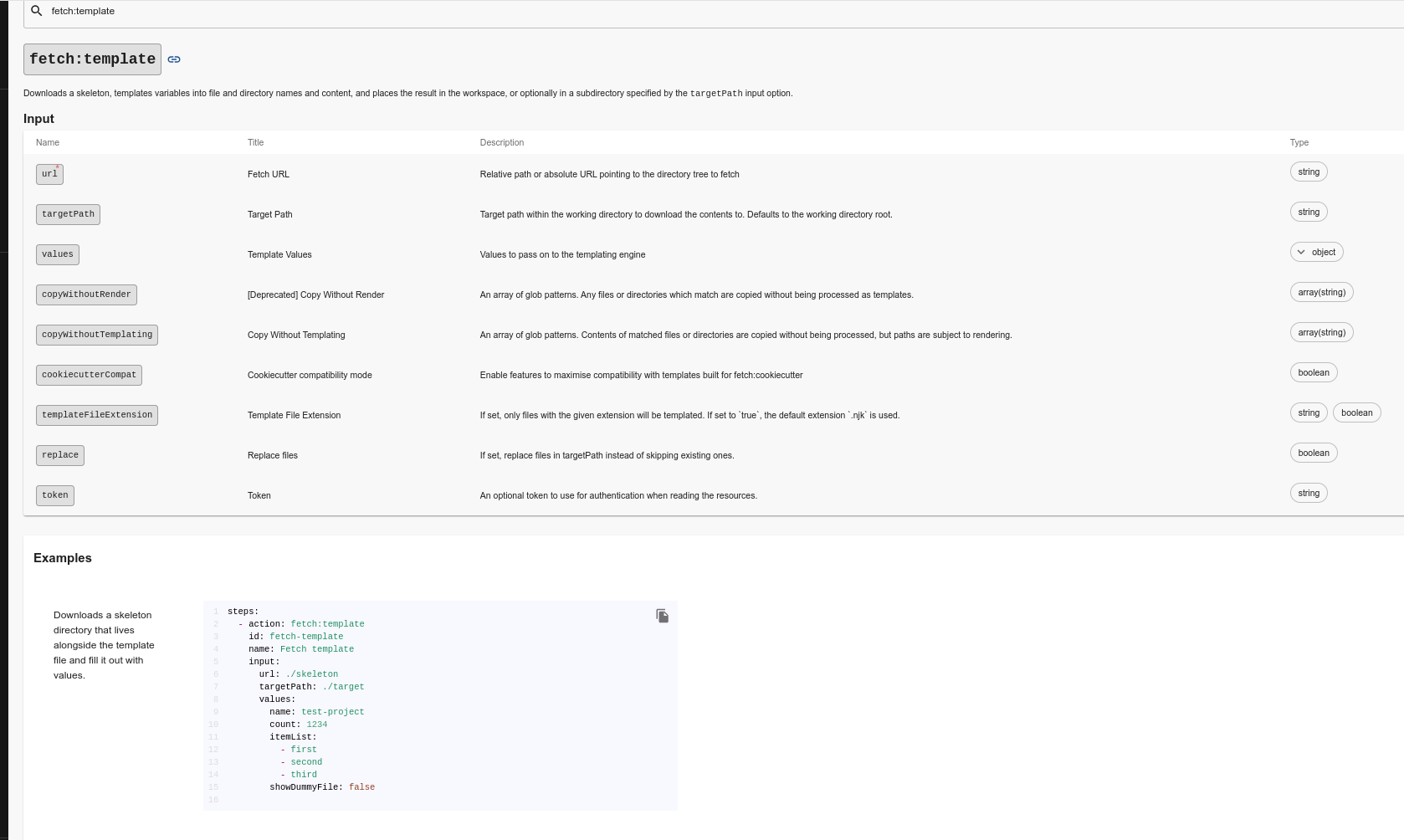
The action below is by far the most commonly used and serves to process (populate) templates with the input variables that will be converted to internal variables. We can pass a static value or retrieve values from the inputs.
Notice that we have an example below of how to use it in the internal documentation itself.
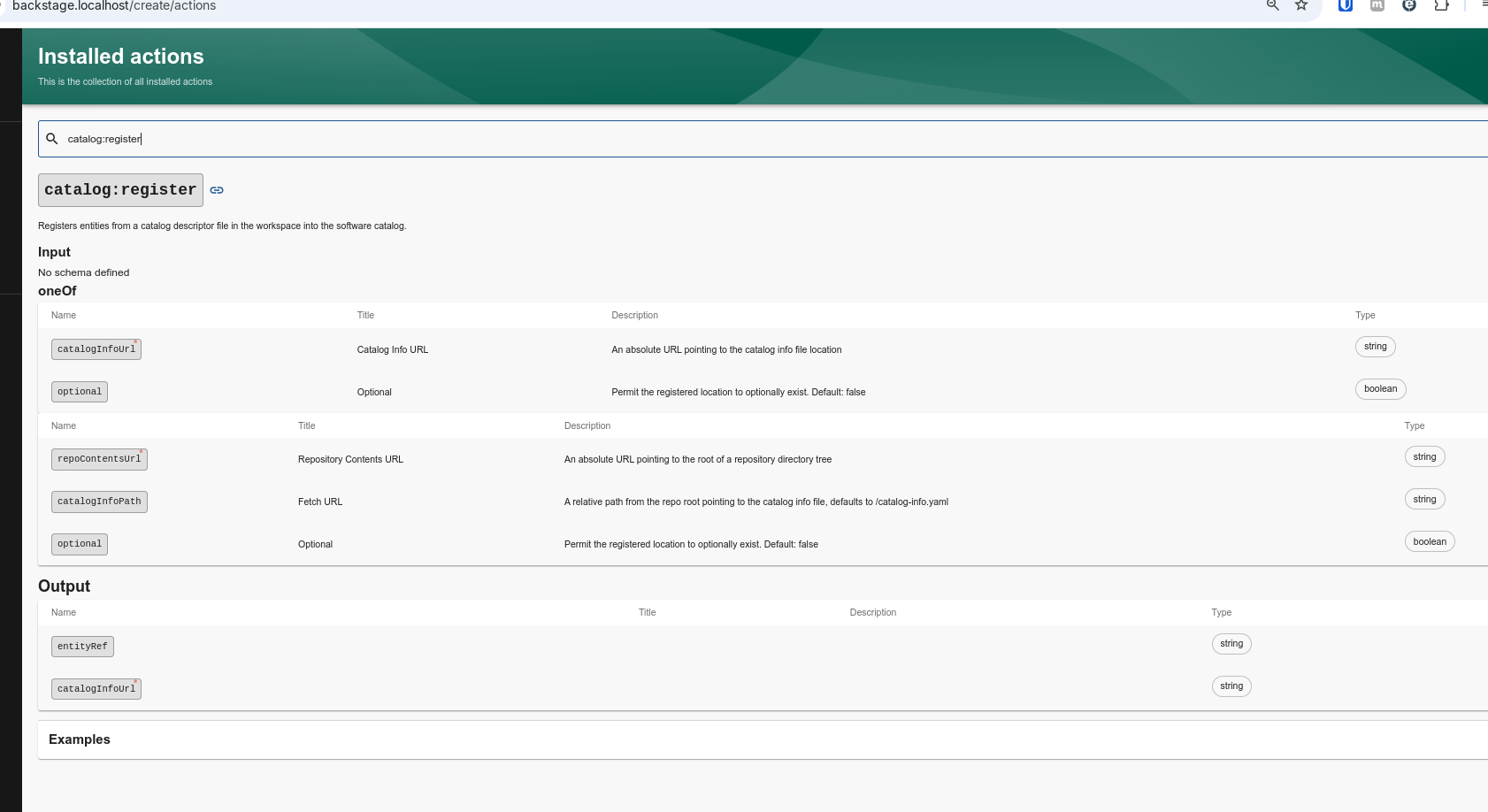
Taking another action as an example, catalog:register, which is used to register the repository to be mapped by Backstage, in addition to inputs we have outputs, meaning items we can reference when this action finishes.
Creating your own actions requires learning some Node.js development, so it will require some dedication in this area. Most of the actions available in the community already help a lot to get started with Backstage. If you're interested, check out Write Custom Actions.