Plugins in Backstage
In Backstage, plugins are modular components that extend platform functionality. They provide specific features and can be customized to meet the needs of different teams and projects.
Types of Plugins
-
Core Plugins: Come with the default installation, such as Catalog, TechDocs, and Scaffolder.
-
Third-Party Plugins: Created by communities and companies. Examples include integrations with GitHub, Jira, and Kubernetes. We have community plugins in the Backstage repository and others outside of it.
-
Custom Plugins: Developed internally to meet specific needs, such as integration with internal systems.
Plugins are mostly user interface components that you can use to change the visualization. They can be used to insert new tabs, new cards.
Plugins can also have two parts, frontend and backend, but it depends a lot on the plugin.
If we look at the github actions plugin, it has the frontend (app) and the backend. This naming convention is not standardized, it doesn't always call app or backend.
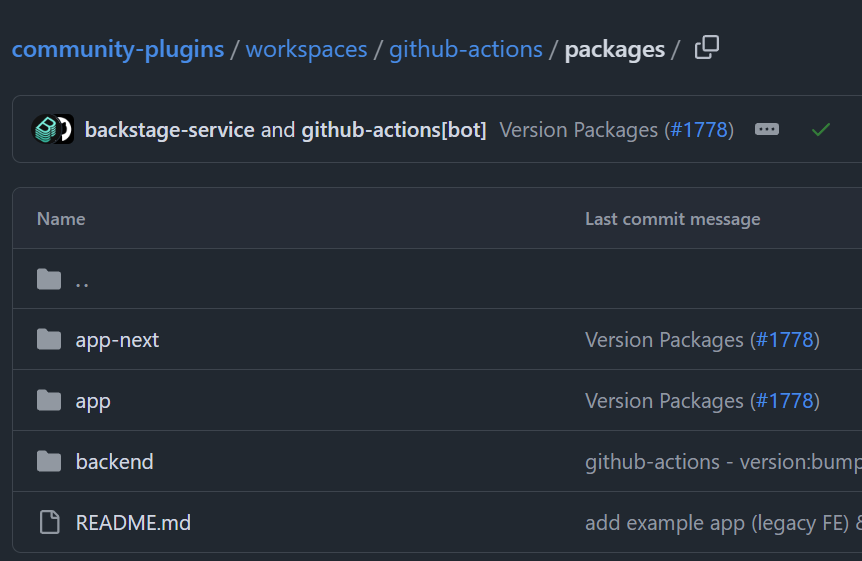
Most plugins need some annotation as was the case with techdocs-ref previously. It was only enabled when we added this annotation.
When viewing an entity and we want to activate the plugin, we pass the annotation.
To illustrate, let's install the github actions plugin.
The best place to find information about a plugin is in the plugin's own readme.
For this plugin we need to install packages in both the app and backend.
yarn --cwd packages/app add @backstage-community/plugin-github-actions
yarn --cwd packages/backend add @backstage/plugin-auth-backend-module-github-provider
And add in packages/backend/src/index.ts
// Since I already created a custom auth that doesn't use these providers, we don't need it.
backend.add(import('@backstage/plugin-auth-backend-module-github-provider'));
In packages/app/src/components/catalog/EntityPage.tsx, let's add some code.
// The required import
import {
  EntityGithubActionsContent,
  isGithubActionsAvailable,
} from '@backstage-community/plugin-github-actions';

// In the cicd section we can add the github action
const cicdContent = (
  // This is an example of how you can implement your company's logic in entity page.
  // You can for example enforce that all components of type 'service' should use GitHubActions
  <EntitySwitch>

      <EntitySwitch.Case if={isGithubActionsAvailable}>
        <EntityGithubActionsContent />
      </EntitySwitch.Case>

    <EntitySwitch.Case>
      <EmptyState
        title="No CI/CD available for this entity"
        missing="info"
        description="You need to add an annotation to your component if you want to enable CI/CD for it. You can read more about annotations in Backstage by clicking the button below."
        action={
          <Button
            variant="contained"
            color="primary"
            href="https://backstage.io/docs/features/software-catalog/well-known-annotations"
          >
            Read more
          </Button>
        }
      />
    </EntitySwitch.Case>
  </EntitySwitch>
);
Create an action on GitHub in the repository.
Looking at an entity we already have, we can see that the tab didn't appear.
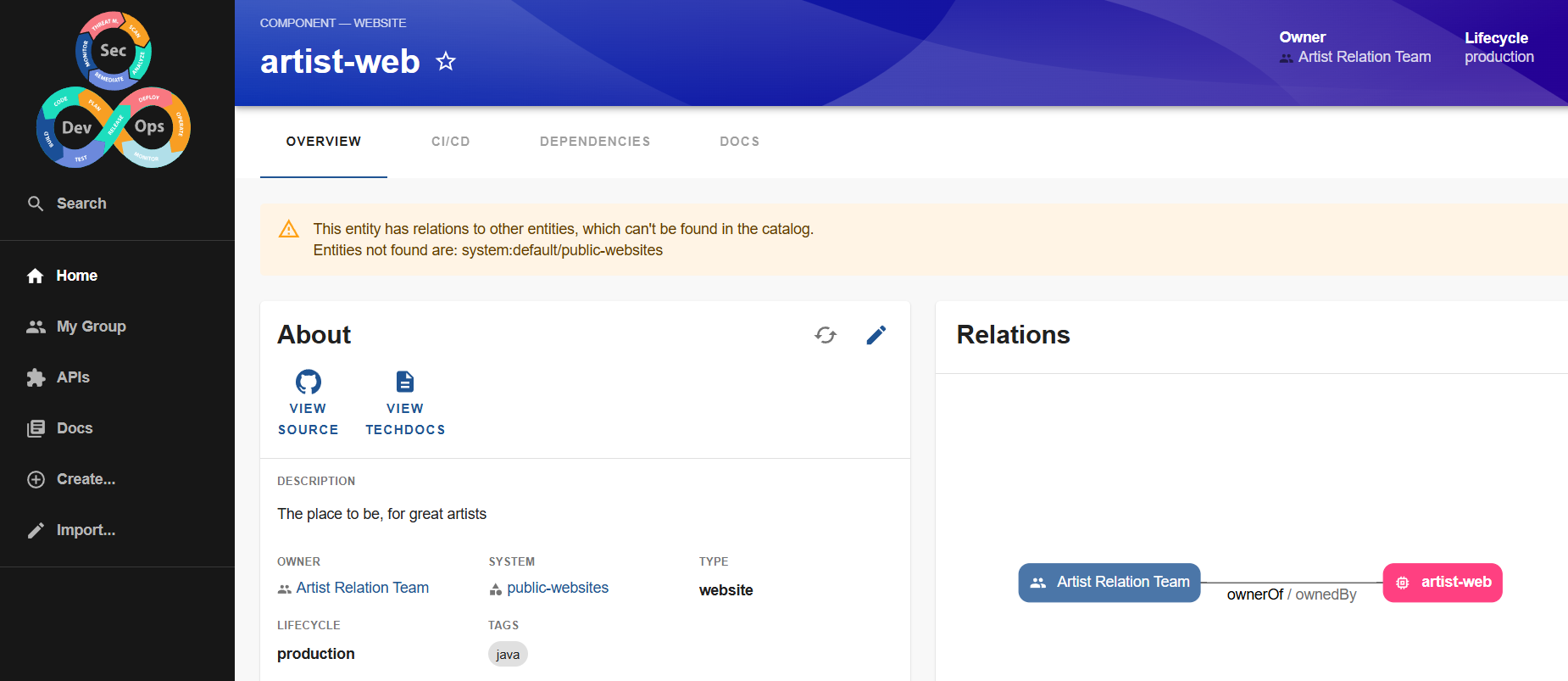
To enable it, you need to add the annotation to the component.
apiVersion: backstage.io/v1alpha1
kind: Component # Our type
metadata:
  name: artist-web # In this case it needs to be UNIQUE.
  description: The place to be, for great artists
  labels:
    example.com/custom: custom_label_value
  annotations:
    example.com/service-discovery: artistweb
    circleci.com/project-slug: github/example-org/artist-website
    backstage.io/techdocs-ref: dir:.
    github.com/project-slug: 'davidpuziol/backstage-things-1' ## Which project we're getting the action from, in this case the same project.
And we can see that in the cicd section we already have something.
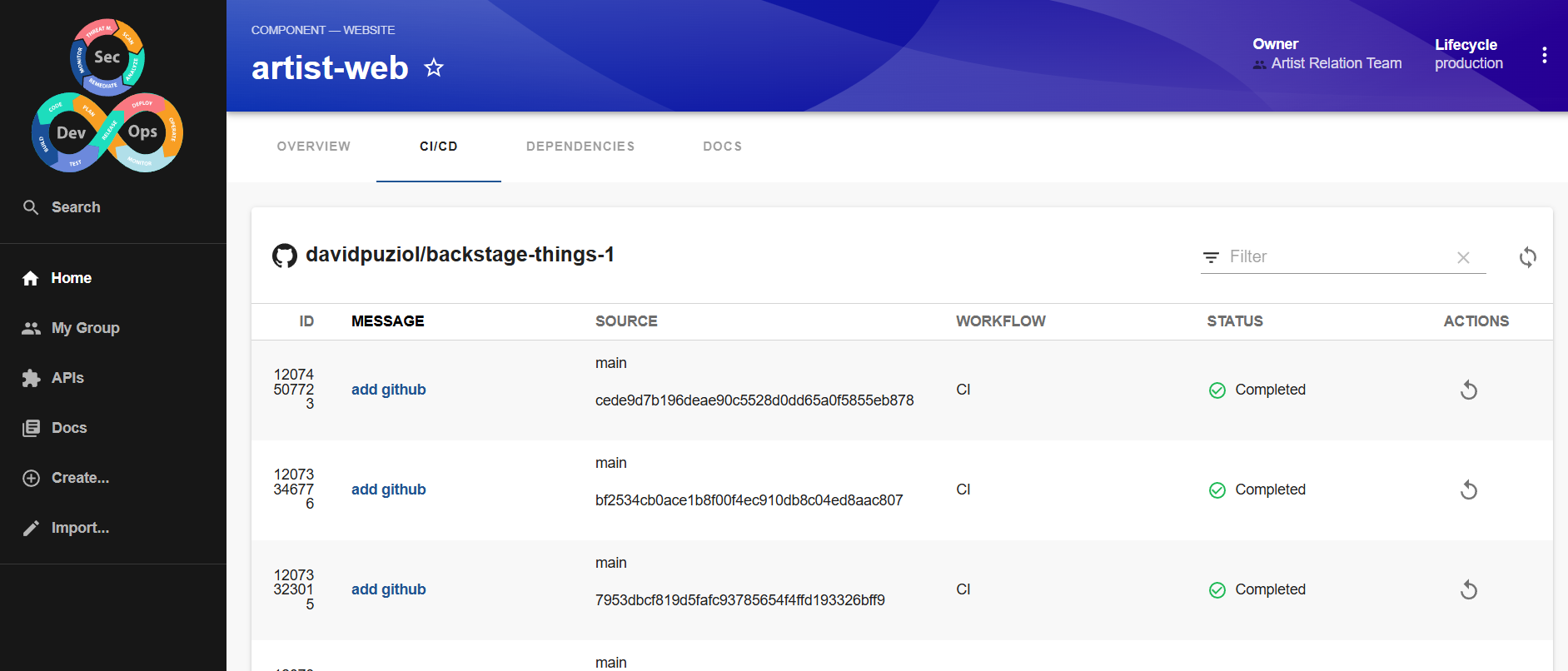
In another component or entity, there will be nothing about github action if it doesn't use the annotation. It's necessary that all projects use this label.
Note that in several plugins we have a variable similar to this one. isGithubActionsAvailable. This works to know if the annotation was found or not in the yaml file. If found then the if will be true <EntitySwitch.Case if={isGithubActionsAvailable}> and the plugin will be used.
Common Plugin Features
We can have several plugins installed that will only be used when signaled by annotations.
There are some plugins that come ready to use and we have already mentioned previously.
- Catalog: Manage and visualize services, components, and APIs.
- TechDocs: Markdown-based documentation integrated with Backstage.
- Scaffolder: Automates the creation of new projects and components.
- Kubernetes: Monitors the status of services on Kubernetes.
Of course, the use of plugins depends a lot on the portal we want to build and what technology stack we are using. There's no point in having a plugin for Dynatrace if we don't use it.
General Plugins
Some plugins are worth mentioning because they bring improvements to the interface.
Announcements
It's an interesting plugin for showing announcements. It can be used to announce new integrations, new releases, new team members, general changes, etc.
It needs to be installed on both the frontend and backend.
yarn --cwd packages/backend add @procore-oss/backstage-plugin-announcements-backend
yarn --cwd packages/app add @procore-oss/backstage-plugin-announcements

EOF
To configure the backend, you need to call the plugin in packages/backend/src/index.ts before backend.start()
backend.add(import('@procore-oss/backstage-plugin-announcements-backend'));
In the app, let's add in packages/app/src/App.tsx
import { AnnouncementsPage } from '@procore-oss/backstage-plugin-announcements';

// Add in FlatRoutes which probably already exists
const routes = (
  <FlatRoutes>
    // ...
    <Route path="/announcements" element={<AnnouncementsPage />} />
    // ...
  </FlatRoutes>
);
So far we've created a route. To add it to the sidebar, we add this route in packages/app/src/components/Root/Root.tsx
export const Root = ({ children }: PropsWithChildren<{}>) => (
  <SidebarPage>
    <Sidebar>
      ...
      <SidebarGroup label="Menu" icon={<MenuIcon />}>
        ...
        <SidebarItem icon={AnnouncementIcon} to="announcements" text="Announcements" />
        ...
      </SidebarGroup>
    </Sidebar>
  </SidebarPage>
Another Situation
At this point we can see that we have Installed Actions.
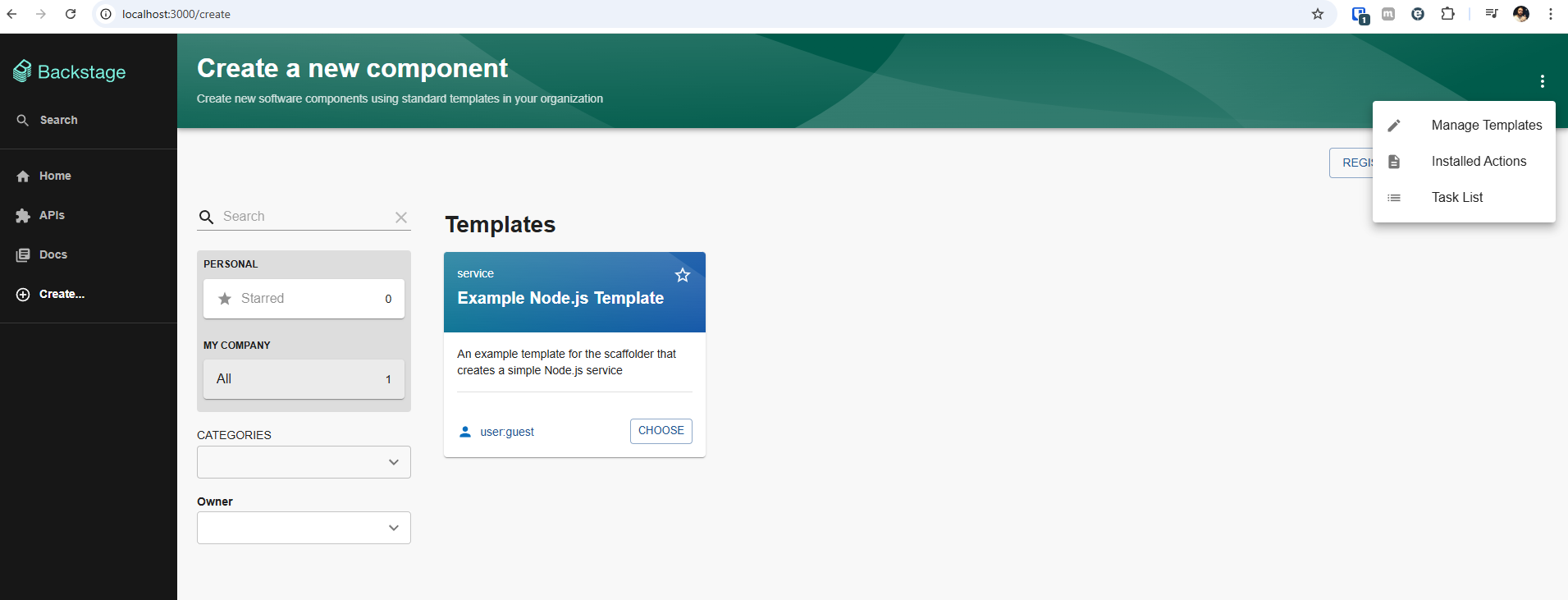
And we can see what we have by default.
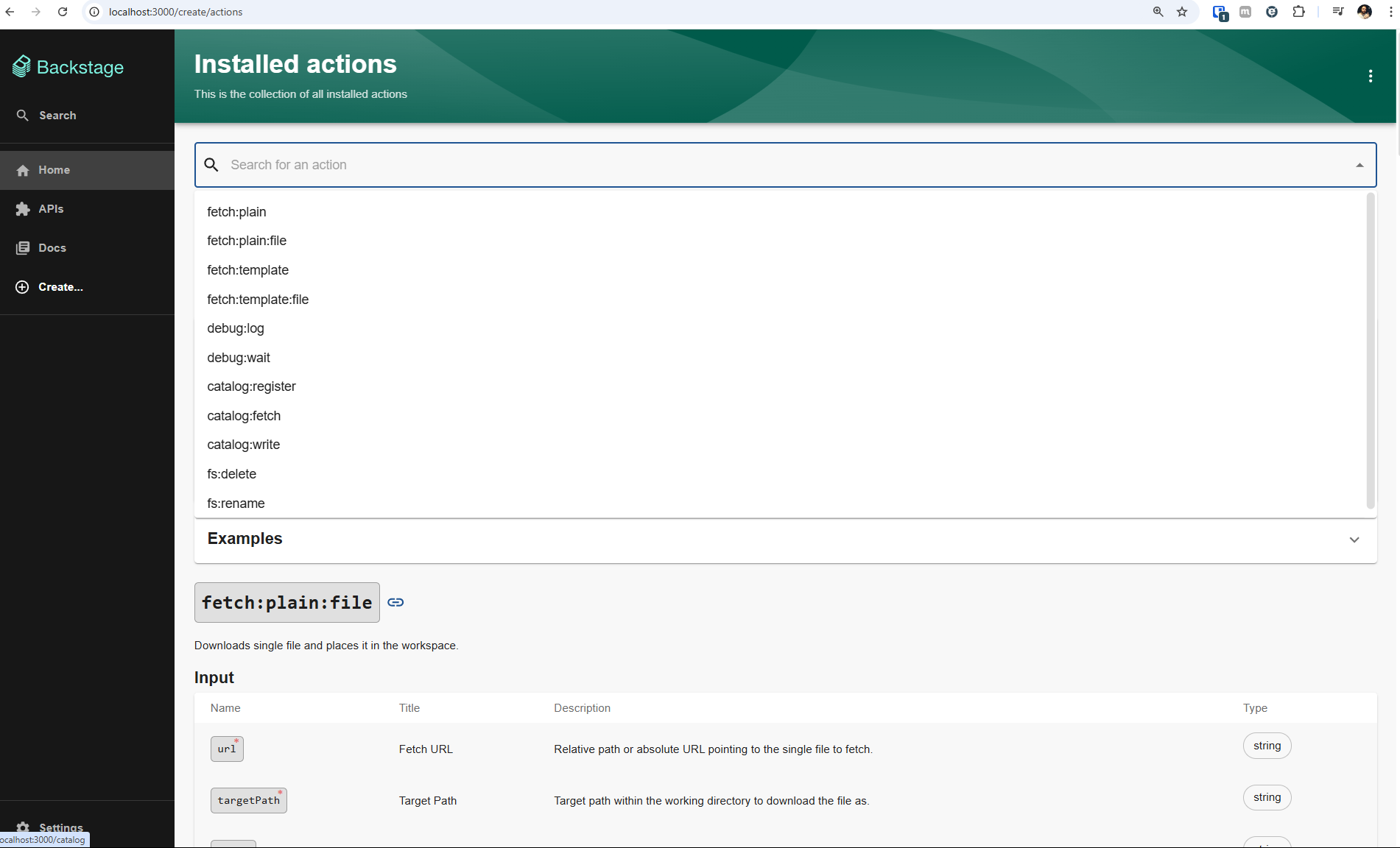
By adding a plugin, we can extend these actions.
Let's do an exercise with a simple plugin. Create a template to execute actions on GitHub. This template sends the values to create a manifest and push to GitHub. Since it's a common task, let's take advantage and use an available plugin.
We need to pull the package from the plugin we want.
yarn --cwd packages/backend add @backstage/plugin-scaffolder-backend-module-github
yarn --cwd packages/backend add @backstage/plugin-catalog-backend-module-github
And tell the plugin to be loaded. If we only install the package and don't import it, it won't work.
To do this, we need to edit the packages/backend/src/index.ts file and add before backend.start(); to import these modules.
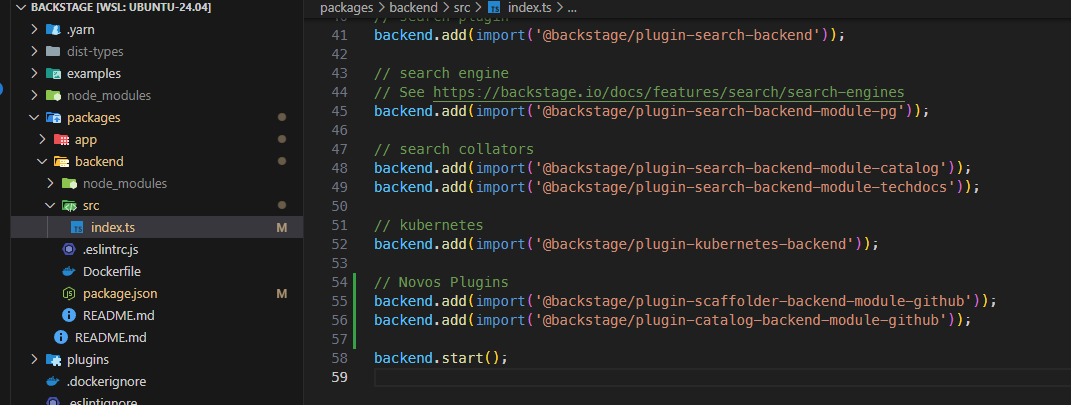
Stopping and running again with yarn dev let's analyze the new actions we have. Note that the scroll has already grown.
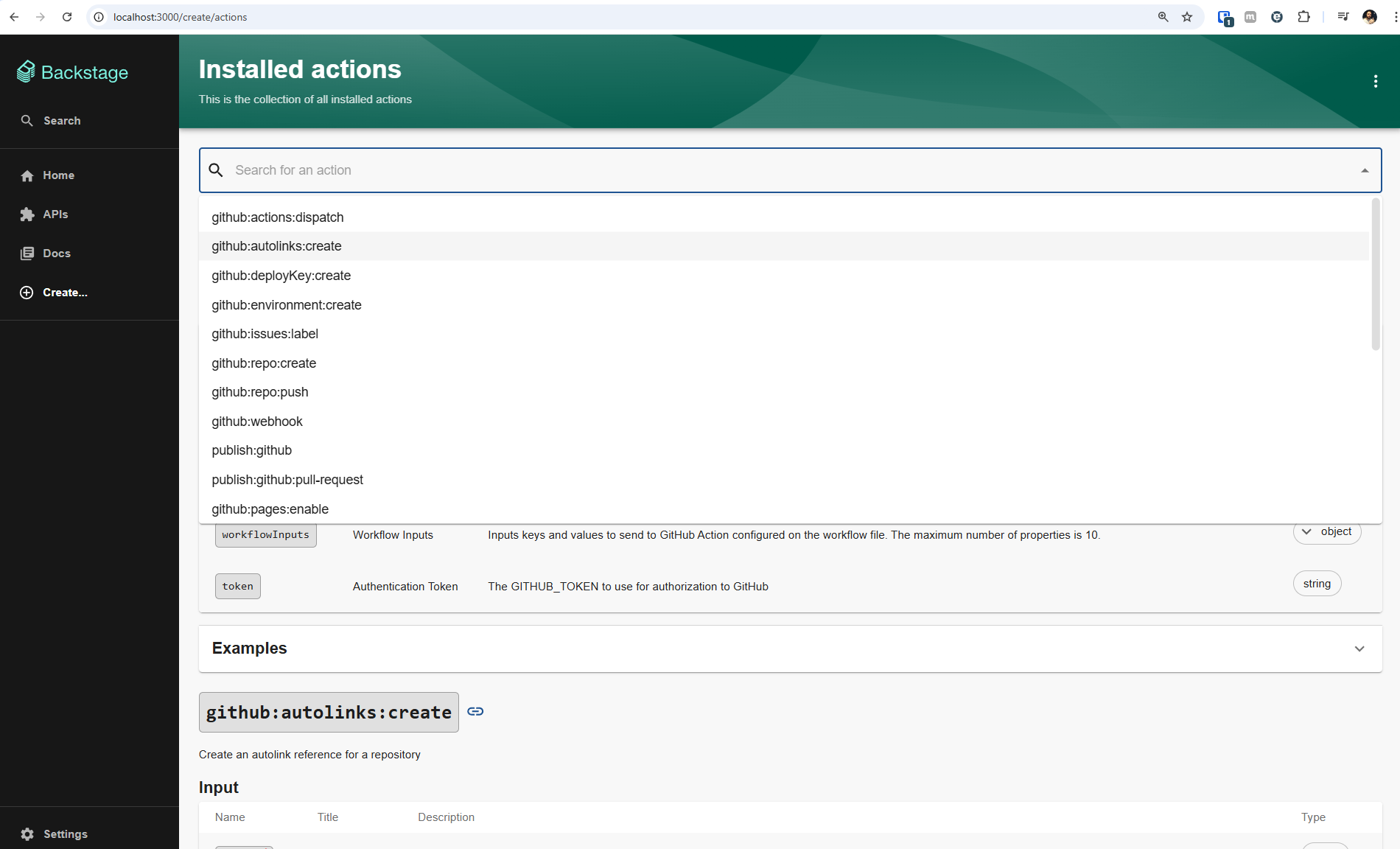
We can observe that actions are performed through plugins. Every action needs inputs, but not all generate outputs.
Plugins to Keep an Eye On
Security
Scaffolder
These plugins create new actions
Quality and Monitoring
CI/CD
- Tekton
- jenkins
- gitlab-ci
- github actions already implemented